ACU-5000 Operations Manual
Interoperability Now 5-11
5.9 Observe Mode
The Observe Mode assists system setup and optimization. It allows near instantaneous
indications of COR, PTT, and Signal status in the web browser.
Due to the IP nature of the system and the many processes underway and the associated
communications between system components, there is some delay during normal (non Observe
Mode) operations before the display of these status indications. This delay is typically only
troublesome during system setup and optimization; the Observe Mode was created to minimize
these delays to provide a more realistic understanding of the activity going on among the
communications systems attached to the unit to a person setting up the ACU-5000.
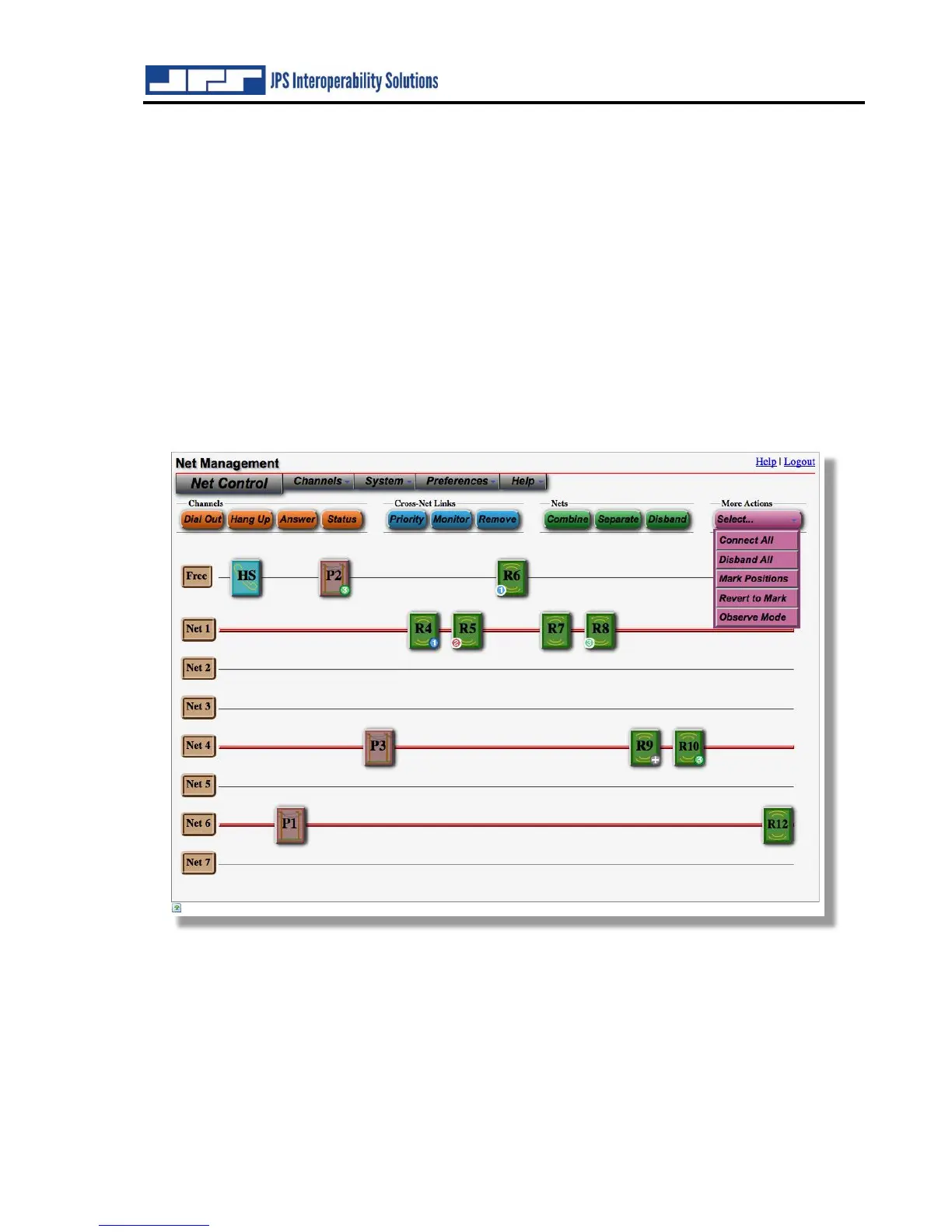
To reach the Observe Mode, select it from the options presented after clicking on the “More
Actions” button. A page similar to the Net Control page will appear. Channel Status is also
readily available. The image below shows the Net Control page just before entering Observe
Mode.
Note: Observe Mode is for system setup and optimization only; it is NOT intended for normal
system use. When in Observe Mode the current connection configuration for ACU-5000 channels
cannot be altered. The intent is to allow signals for the hardware channels (that is COR, PTT,
and SIGNAL information for Radio, PSTN, and Handset channels) to be sent through a
streamlined path in the system so that they appear nearly instantaneously in the interface. While
in Observe Mode, the unit’s front panel LEDs and any signaling relative to SIP and RoIP
channels will not be displayed.



 To Next Page