3-5
3-4. Replacement of AC servo driver
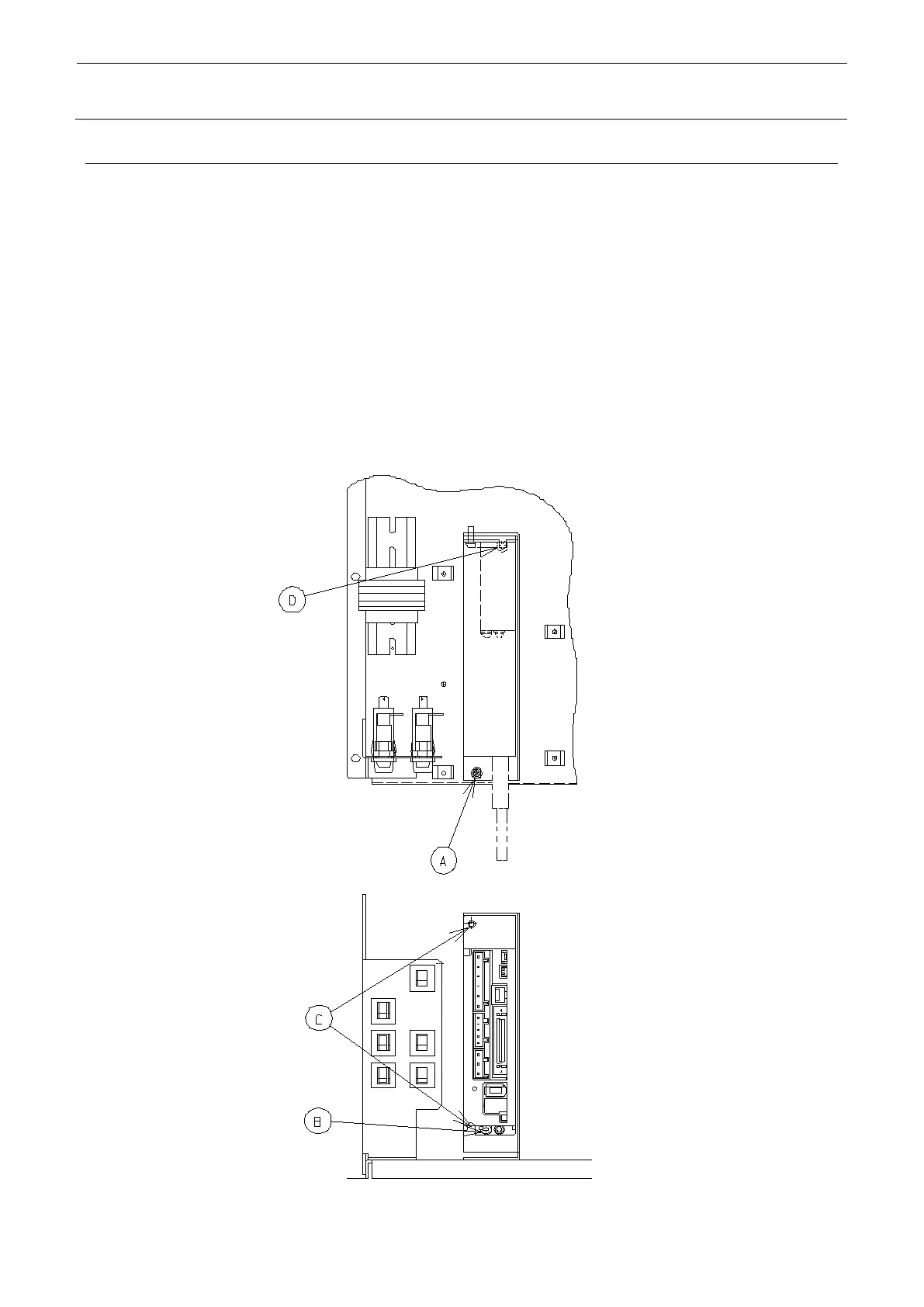
Remove the connector of driver.
Remove the screw at A position and pull out the AC servo driver together with the bracket. (When
doing this, pay attention to the FG wire connected to the B position.)
When the driver is pulled out to the position that allows access to the screws at B and C positions,
remove the screws at B and C positions and replace the driver.
When the replacement is finished, fit the notch of bracket in the shoulder screw at D position, and
secure them with the screw at A position.
Special software is required to enter parameters.
In the case of shipping a single driver unit, parameters have been entered in the unit before
shipping, and therefore, make arrangement for the following part No.:



 To Next Page
 Loading...



