55
3 Operation and visualization
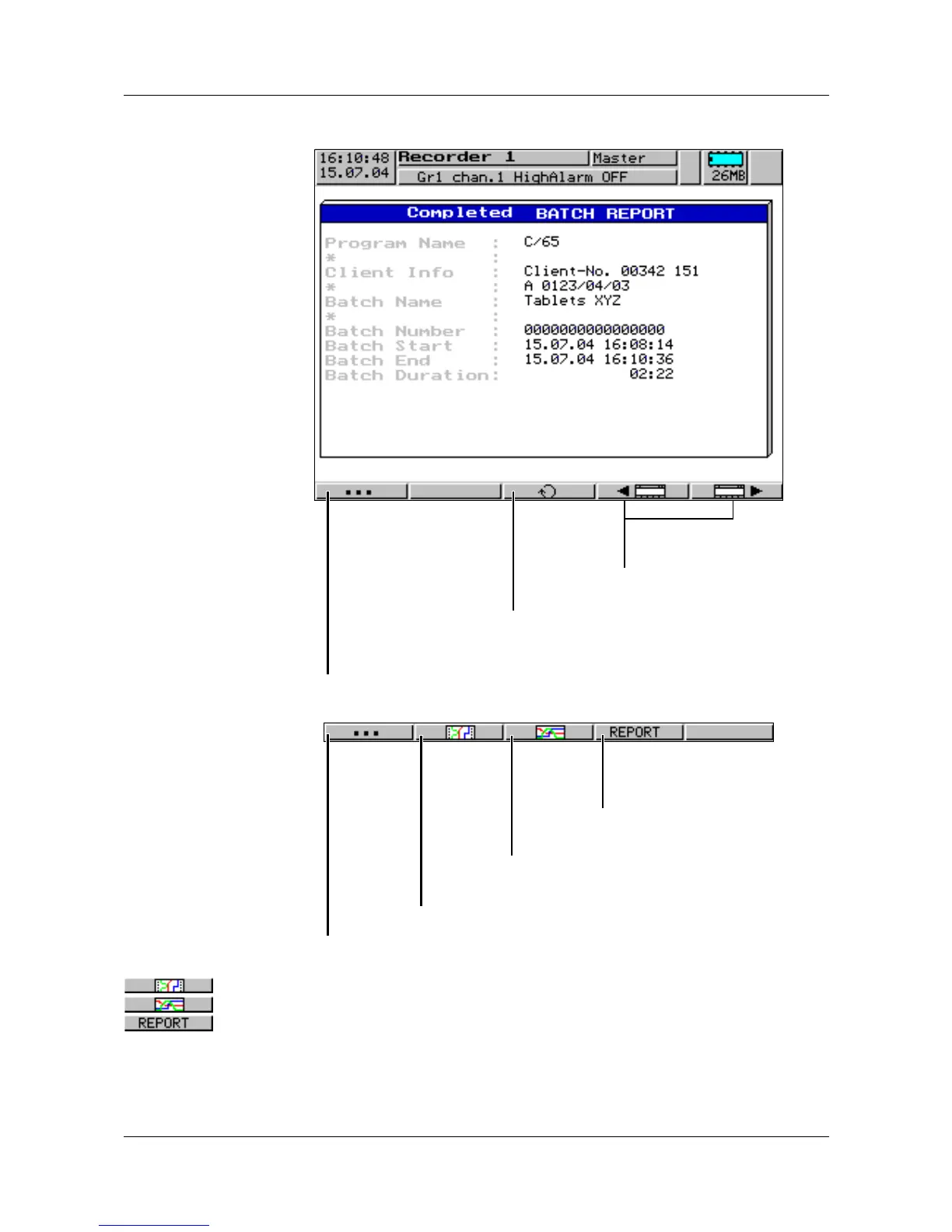
Completed
batch report
The screenshot shows a completed batch report.
How to operate the “vertical” and “horizontal diagrams” is described in
Chapter 3.2.3 “Evaluation of the stored measurement data”.
Pressing the
D key will call up the batch report again.
Change between “completed” and “current”
batch report
Change to the previous/
next visualization
Switch the four right-hand softkeys to additional functions
Switch the four right-hand softkeys to original functions
Show data of batch report as history in “vertical diagram”.
Show data of batch report as history in
“horizontal diagram”
.
Show report data of batch
report



 To Next Page