49
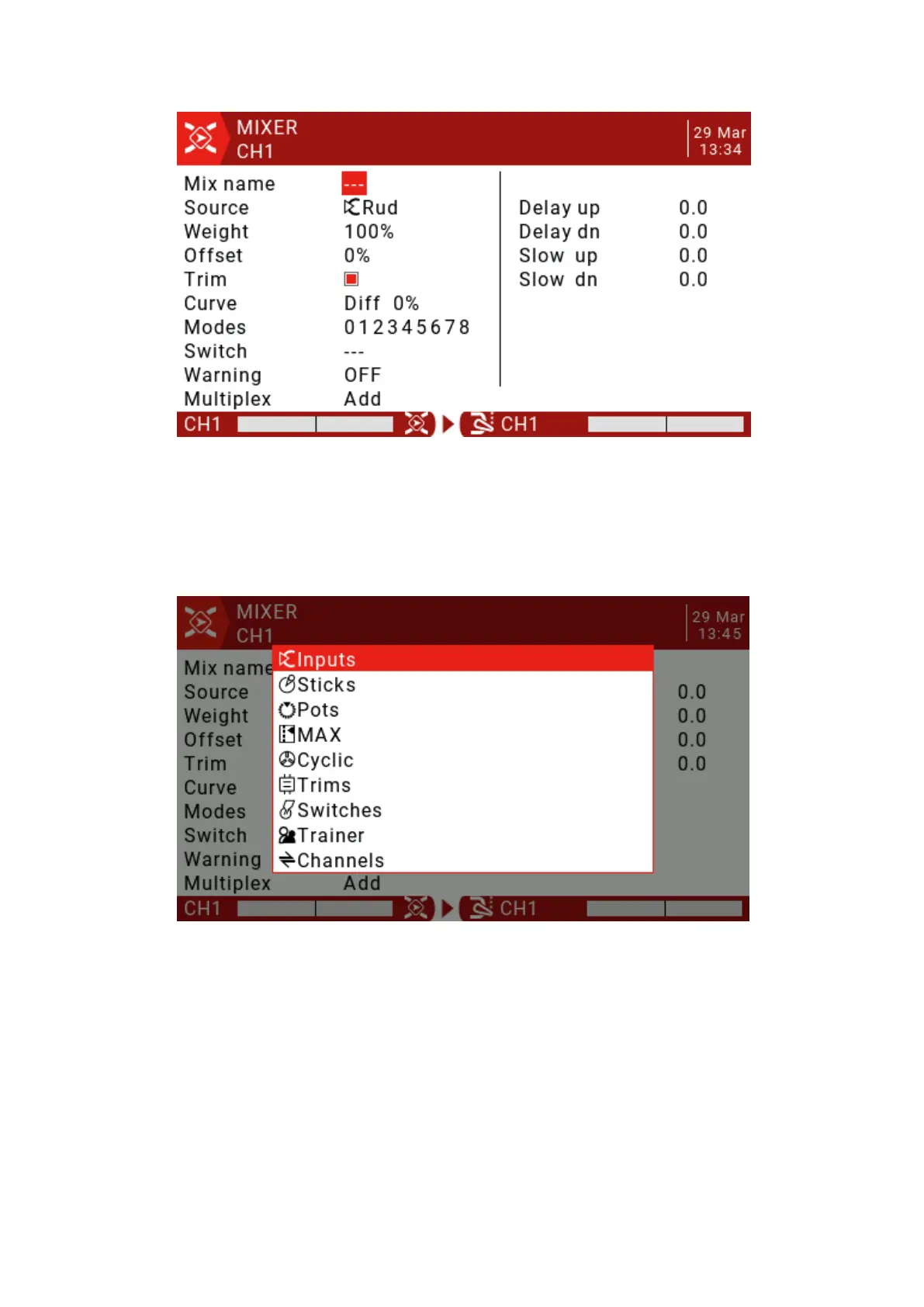
Mix name: Use the scroll wheel to select letters and numbers, long press the ENT
key to switch between upper and lower case. Short press the ENT key to set the
next character.
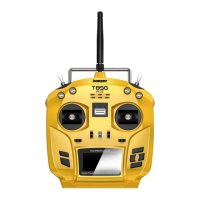
Source: Long press the ENT key to open the submenu for selecting the input
source by category.
Use the scroll wheel to select the desired category, then press the ENT key briefly, then
use the scroll wheel to press the ENT key to select the sub-item.
Weight: The range is -500 / + 500. The default value is 100. A negative value will reverse
the response.
Offset: You can add an offset to the input value, positive or negative. The range is -500 / +
500.
Trim: The Trim parameter "ON" works like a mix and allows the application to fine-tune the
current flight mode specific to the specified input channel. However, if the user disables
fine-tuning in the INPUTS page, the specific channel will not be fine-tuned.


 To Next Page