SRX240 Services Gateway LEDs
This topic includes the following sections:
•
Front Panel LEDs on page 18
•
Ethernet Port LEDs on page 20
•
DC Power Supply Feed LEDs (SRX240 Services Gateway DC Power Supply
Model) on page 21
Front Panel LEDs
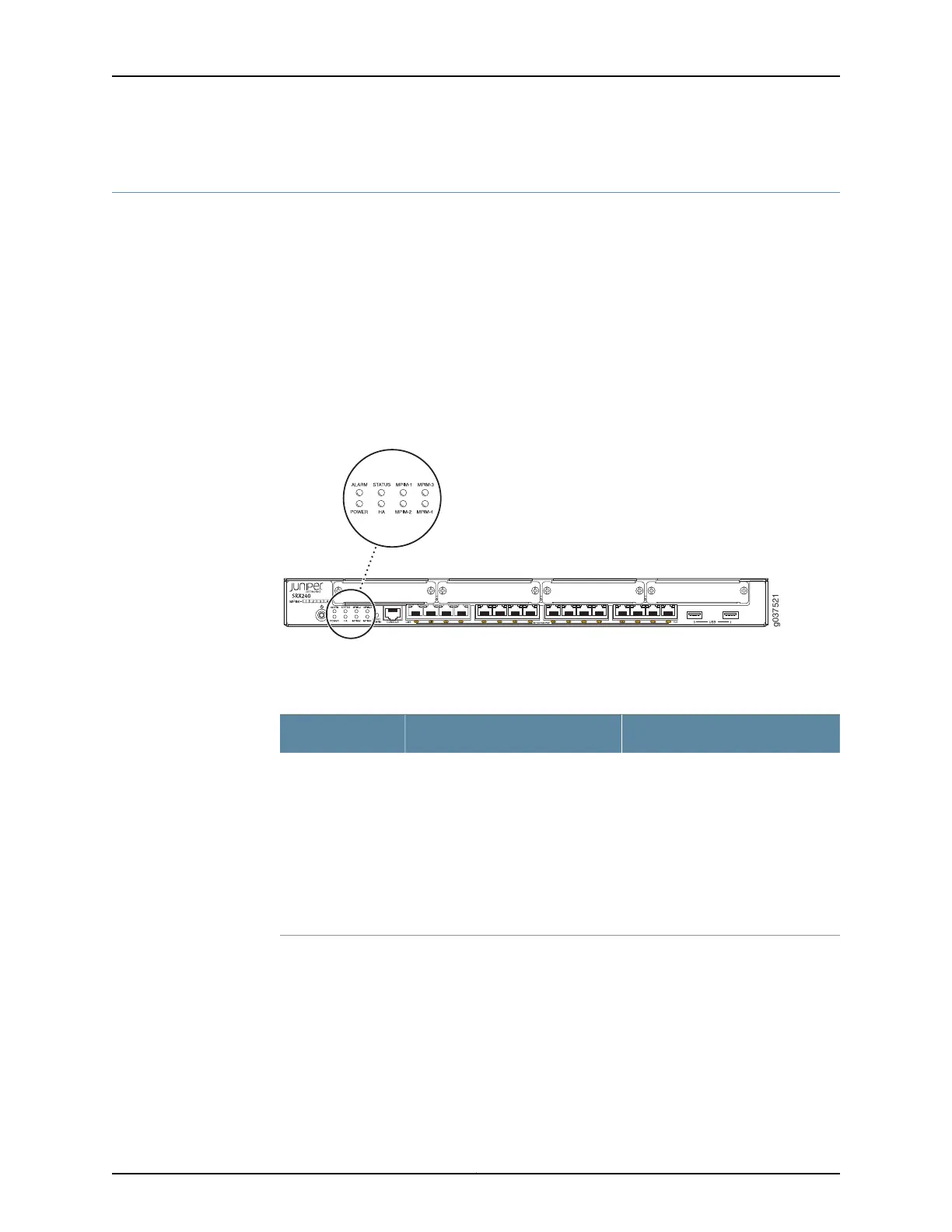
Figure 5 on page 18 shows the SRX240 Services Gateway front panel LEDs.
Figure 5: SRX240 Services Gateway Front Panel LEDs
Table 10 on page 18 lists the LED indicators on the SRX240 Services Gateway front panel.
Table 10: SRX240 Services Gateway Front Panel Components
UsageDescriptionComponent
The Status LED can be used to
determine whether the device is
starting up, is functioning normally,
or has failed.
The Status LED has the following
indicator colors:
•
Green and steadily on indicates
that the device is functioning
normally.
•
Amber and steadily on indicates
that the device is starting up.
•
Red and steadily on indicates that
the device has failed.
Status LED
Copyright © 2015, Juniper Networks, Inc.18
SRX240 Services Gateway Hardware Guide















 To Next Page