Ethernet Port LEDs
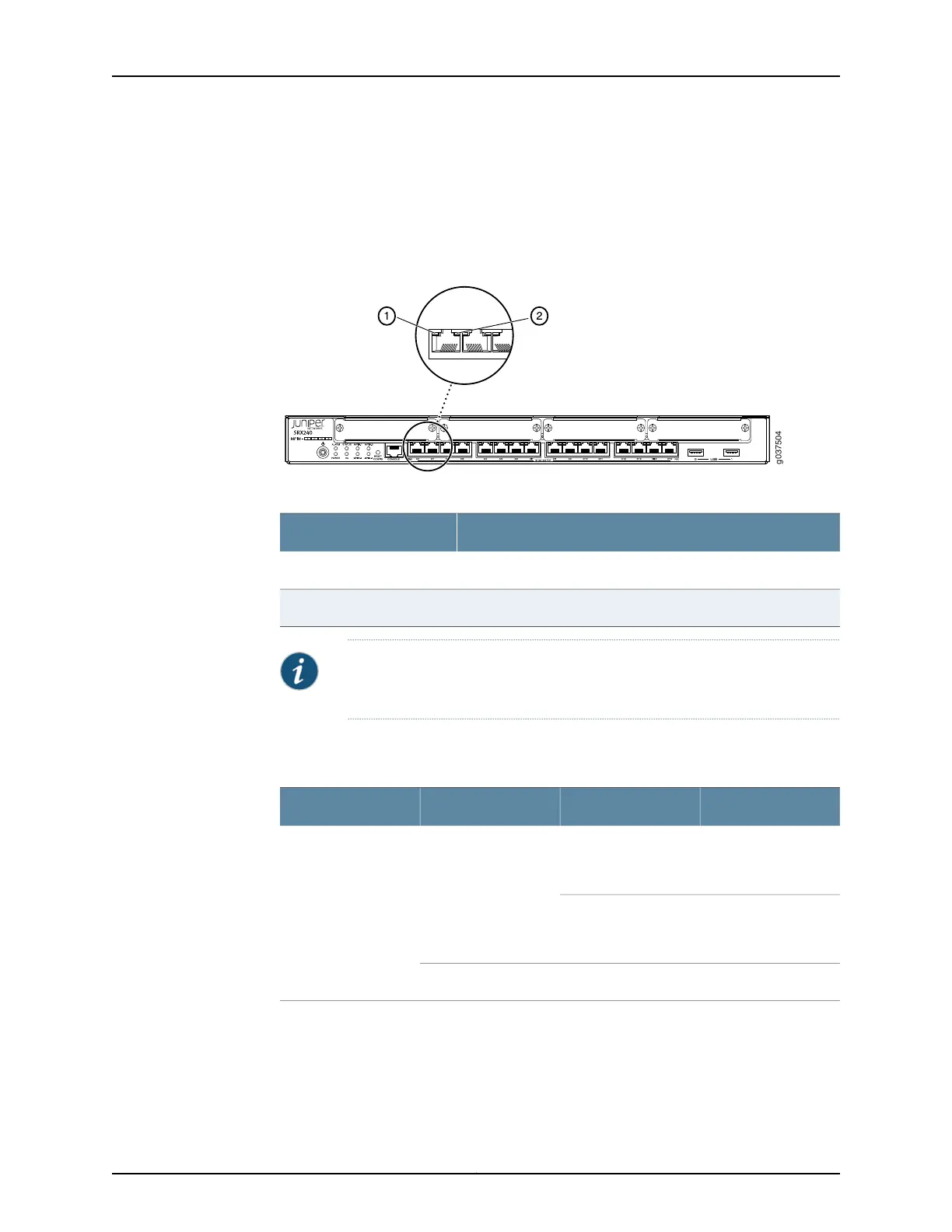
On the SRX240 Services Gateway, each Gigabit Ethernet port has the two LEDs as shown
in Figure 6 on page 20.
Figure 6: SRX240 Services Gateway Port LEDs
Table 11: SRX240 Services Gateway Port LEDs
LEDNumber
TX/RX/Link LED1
PoE (Power over Ethernet) LED2
NOTE: The PoELED is enabledonly on the PoE variant of the SRX240Services
Gateway. For non-PoE services gateways, the PoE LED remains off.
Table 12 on page 20 describes the Ethernet port LEDs.
Table 12: SRX240 Services Gateway Ethernet Port LEDs
DescriptionStateColorFunction
Link is active. Data
communication is
taking place.
BlinkingGreenTX/RX/Link
Link is active. No data
communication is
taking place.
Steady
Link is inactive.OffUnlit
Copyright © 2015, Juniper Networks, Inc.20
SRX240 Services Gateway Hardware Guide



 To Next Page