• SRX240 Services Gateway AC Power Specifications and Requirements on page 37
• SRX240 Services Gateway Power Supply on page 25
Grounding the SRX240 Services Gateway
The following tools and parts are required for grounding the SRX240 Services Gateway:
•
Grounding cable for your services gateway—The grounding cable must be minimum
14 AWG (2 mm²), minimum 90°C wire, or as permitted by the local code.
•
Grounding lug—Ring-type, vinyl-insulated TV14-6R lug or equivalent for your grounding
cable
•
Washers and 10-32x.25-in. screws to secure the grounding lug to the protective earthing
terminal
•
Phillips (+) screwdrivers, numbers 1 and 2
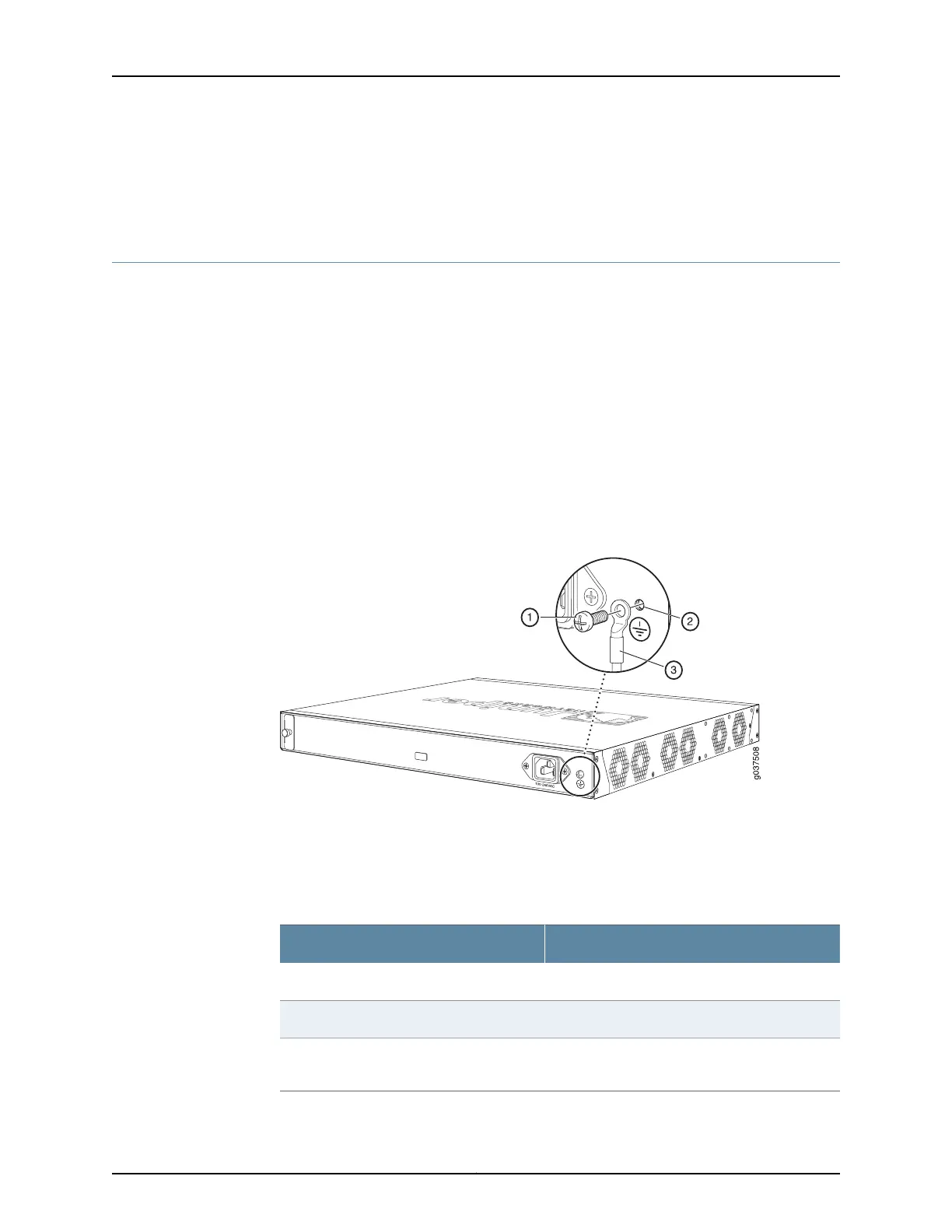
Figure 14 on page 60 shows the SRX240 grounding point.
Figure 14: Grounding the SRX240 Services Gateway
You ground the device by connecting a grounding cable to earth ground and then attaching
it to the chassis grounding points using one M3 screw.
Table 33 on page 60 lists the specifications of the grounding cable used with the device.
Table 33: Grounding Cable Specifications for the Services Gateway
SpecificationGrounding Requirement
14 AWG single-strand wire cableGrounding cable
Up to 4 AAmperage of grounding cable
Ring-type, vinyl-insulated TV14-6R lug or
equivalent
Grounding lug
Copyright © 2015, Juniper Networks, Inc.60
SRX240 Services Gateway Hardware Guide



 To Next Page