32
FILE STRUCTURE- MAPPING/ LOCALIZING SCANS
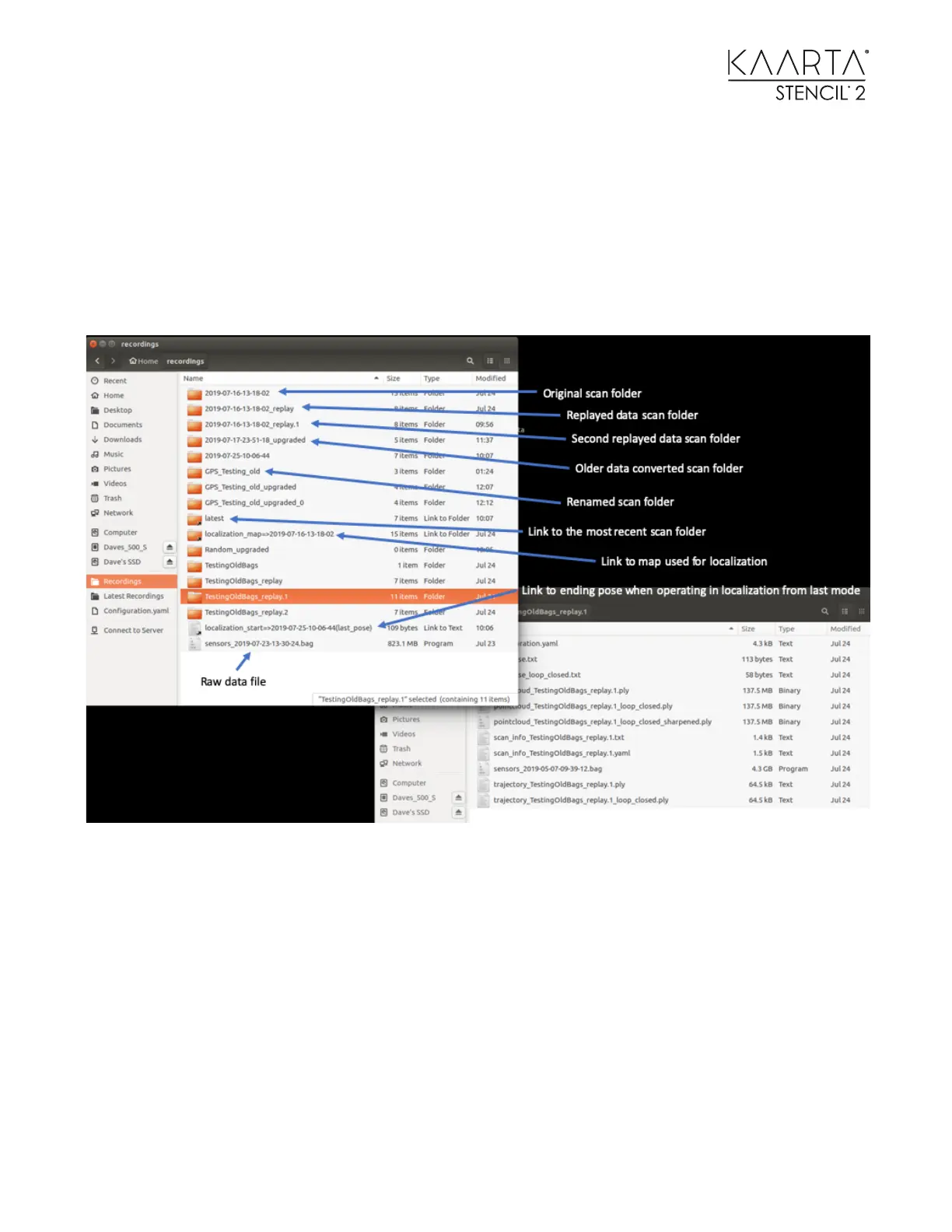
Stencil 2 organizes scan data using a top-level folder for each scanning run. All processing done
on the point cloud in these folders will be stored in the same scanning folder. New folders at the
top level are only created when conducting a new scan, when replaying a raw data .bag file, or
when converting old Stencil files to the new Stencil 2 format. The top-level scan folder names can
be changed to make it easier to recognize and organize scanning files. An example of the top-
level directory is shown here:
The following picture shows the typical files generated when mapping and running the
sharpening and loop closure tools.



 To Next Page