79
CHAPTER 6
TIPS FOR COLLECTING BETTER DATA
GENERAL
If you are doing a lot of indoor scanning in tight spaces and small rooms, consider the Kaarta
Contour product. Stencil 2 is meant for larger indoor spaces and outdoor environments.
The less occluded the sensor is, the better the results will be.
Start from a stationary position. Allow five seconds after the USB Indicator starts blinking before
moving.
Plan your scan.
• Scout the area to be scanned beforehand and plan your route.
• For more complex scans, consider taking some preliminary scans to see how they come
out before committing to a longer scan.
• Shorter paths that cross are better than a longer single path.
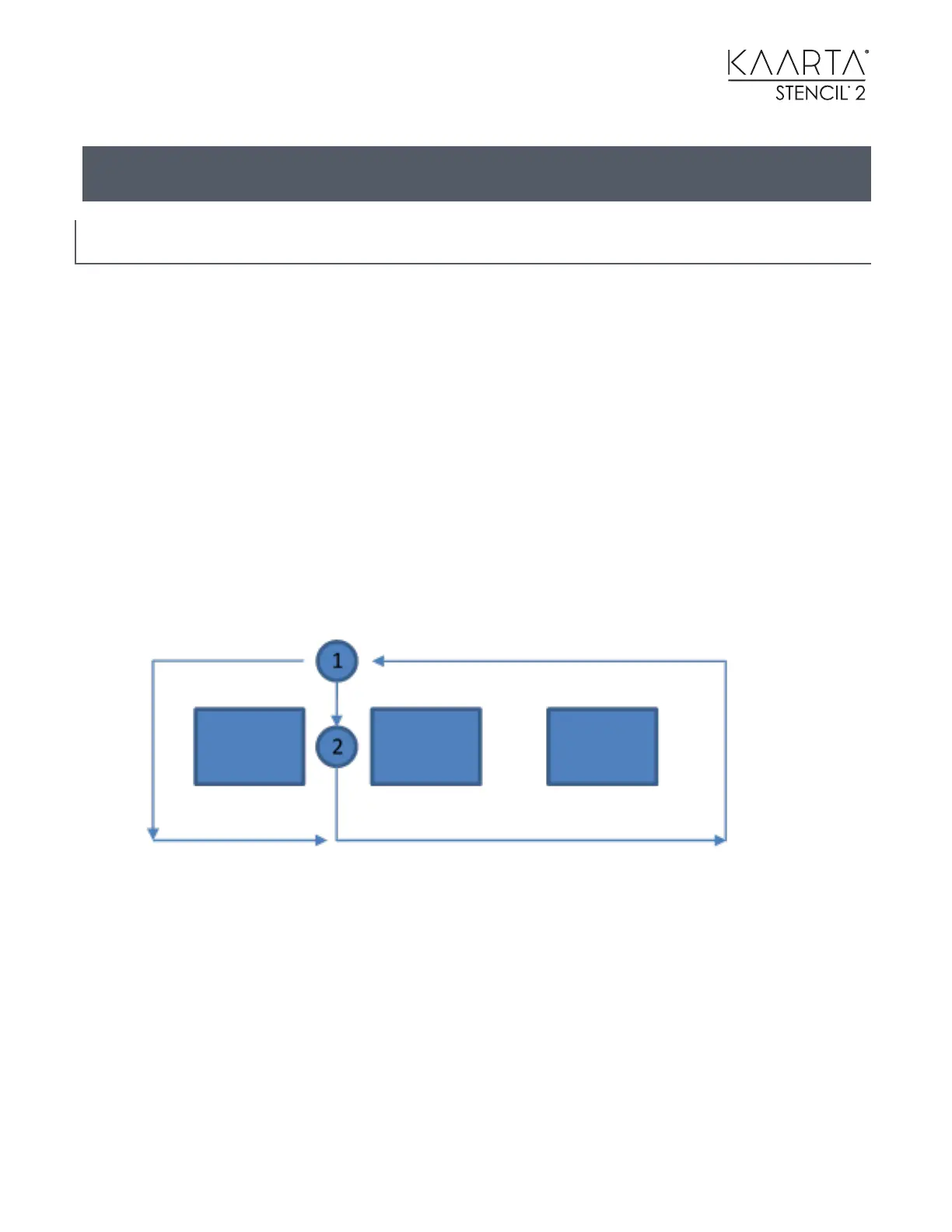
• If you can scan a place that you will return to sooner, it will decrease overall map drift. For
example, in the diagram below it is better to start at 1, rather than 2. If you must start at 2,
move to 1 and back to 2 before proceeding to capture more of the scene.
Use the IPad with Stencil 2 for real-time feedback on the success of the mapping.
If the open area is large (>150 meters), then make sure you keep 3D structure in the field of view
at all times. Don’t scan through the middle of the area, but stay within sight of the edges.
Scanning will fail if there are insufficient 3D structures to match between laser scans. It is better to
create two independent maps and try to connect two areas through the flatter area later.



 To Next Page