38
CHAPTER 3
TOOLS FOR ADDITIONAL FUNCTIONALITY
There are additional tools to help improve both Stencil 2 performance and final point clouds.
These are Loop Closure, Sharpening, Floor Planner, and some additional Post Processing
Command Line tools.
LOOP CL OSURE TOOL
The Loop Closure Tool performs global smoothing by introducing loop closure techniques. It is
useful if there are overlapping paths in the trajectory even if you do not start and stop at the same
location, but even more so if you do. Overlapping trajectories are not necessary if GNSS data has
been recorded by Stencil for this scan. This tool is described in detail in the GNSS Operations
portion of this Users Guide.
SHARPENING TOOL
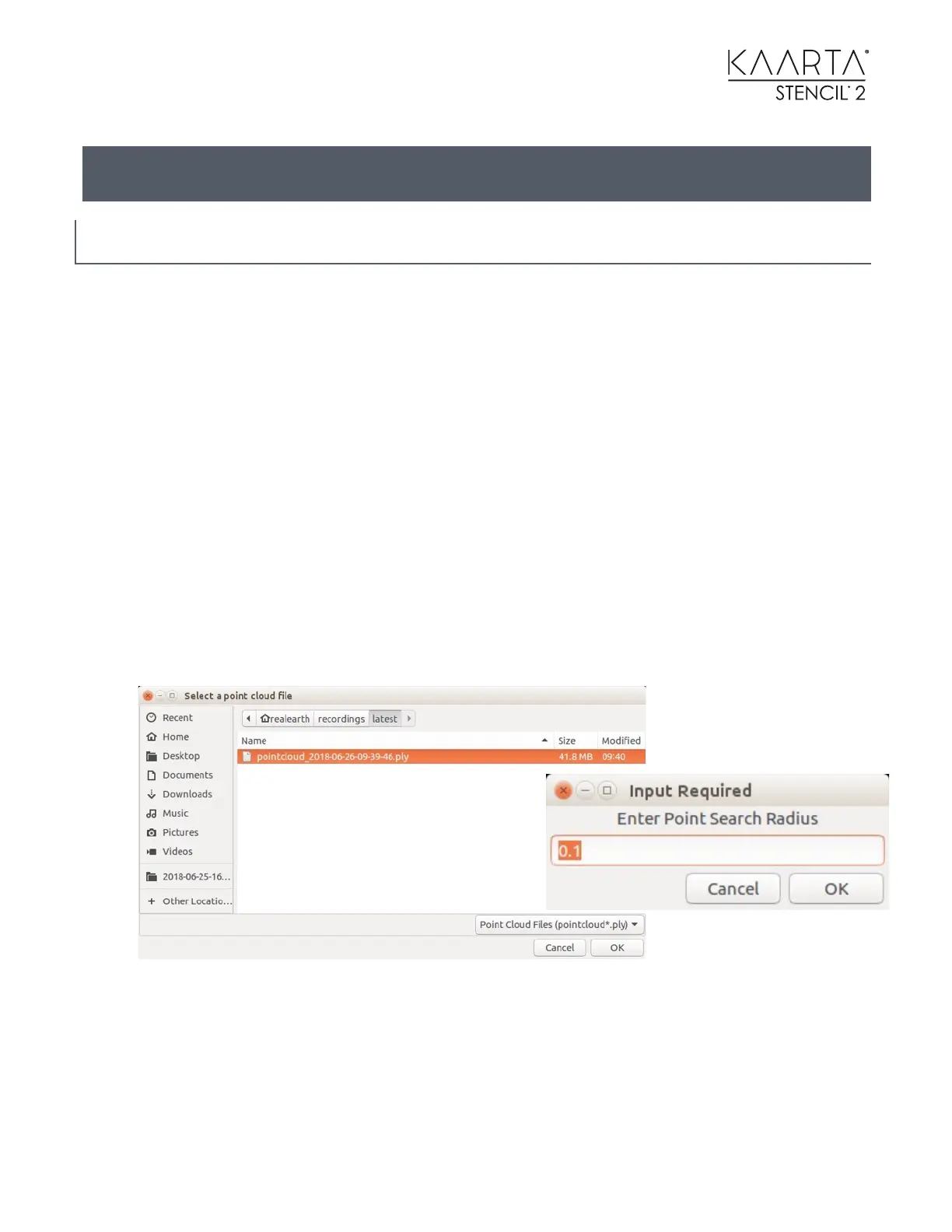
The Sharpening Tool compresses flat surfaces. This reduces the repeatability blur of the lidar.
When prompted, choose a .ply file as shown on the left below.
Set the Point Search Radius to 0.1 meters for indoors or 0.2 meters for outdoors. This program
has been tested to work with point clouds up to 500M points.



 To Next Page