39
FLOOR PLANNER TOOL
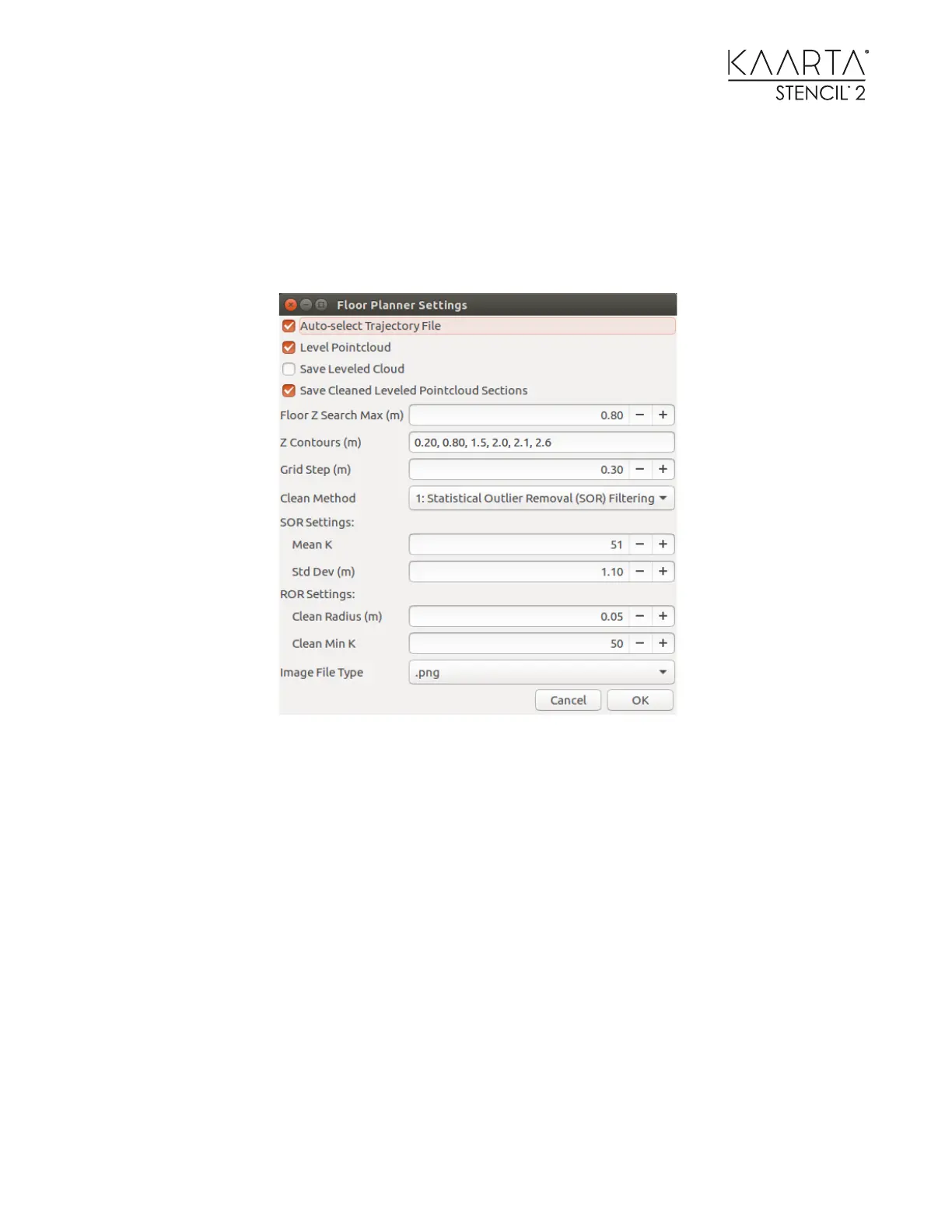
The Floor Planner tool will auto level, rotate, and generate 2D images of sections from a point
cloud file. The tool uses a parameter file accessed through the desktop icon labeled Settings for
Floor Planner.
The Floor Planner allows customization using the Settings for Floor Planner Icon
Auto-select Trajectory File – If checked, Stencil will use the Trajectory file in the same folder as the
point cloud file. Note that if you ran loop closure or sharpening on the point cloud, you will have to
manually select it in the next window.
Level Pointcloud – Automatically levels of the point cloud
Don’t check this box if the file has already been leveled and you are running this tool multiple
times on the slices to vary the cleaning parameters.
Save Leveled Cloud – Saves the full-size point cloud for other uses. It avoids re-running this step if
using this tool multiple times on the same point cloud.
Save Cleaned Leveled Pointcloud Sections – Saves individual slices as specified by the section pairs
listed next. To save the complete cleaned, leveled, subsampled point cloud, specify the minimum
and maximum heights of the point cloud expected. (i. e. -0.5, 20) in ascending order pairs.



 To Next Page