40
Floor Z Search Max (m) - Section of the point cloud to search for the floor plane – The height of
Stencil 2 at the start of mapping has an elevation value of zero. If Stencil 2 is set at 2 meters, a
value of -0.5 limits the search space for the floor to all z values less than 1.5. Smaller values search
higher for the floor and larger negative values would search lower for the floor.
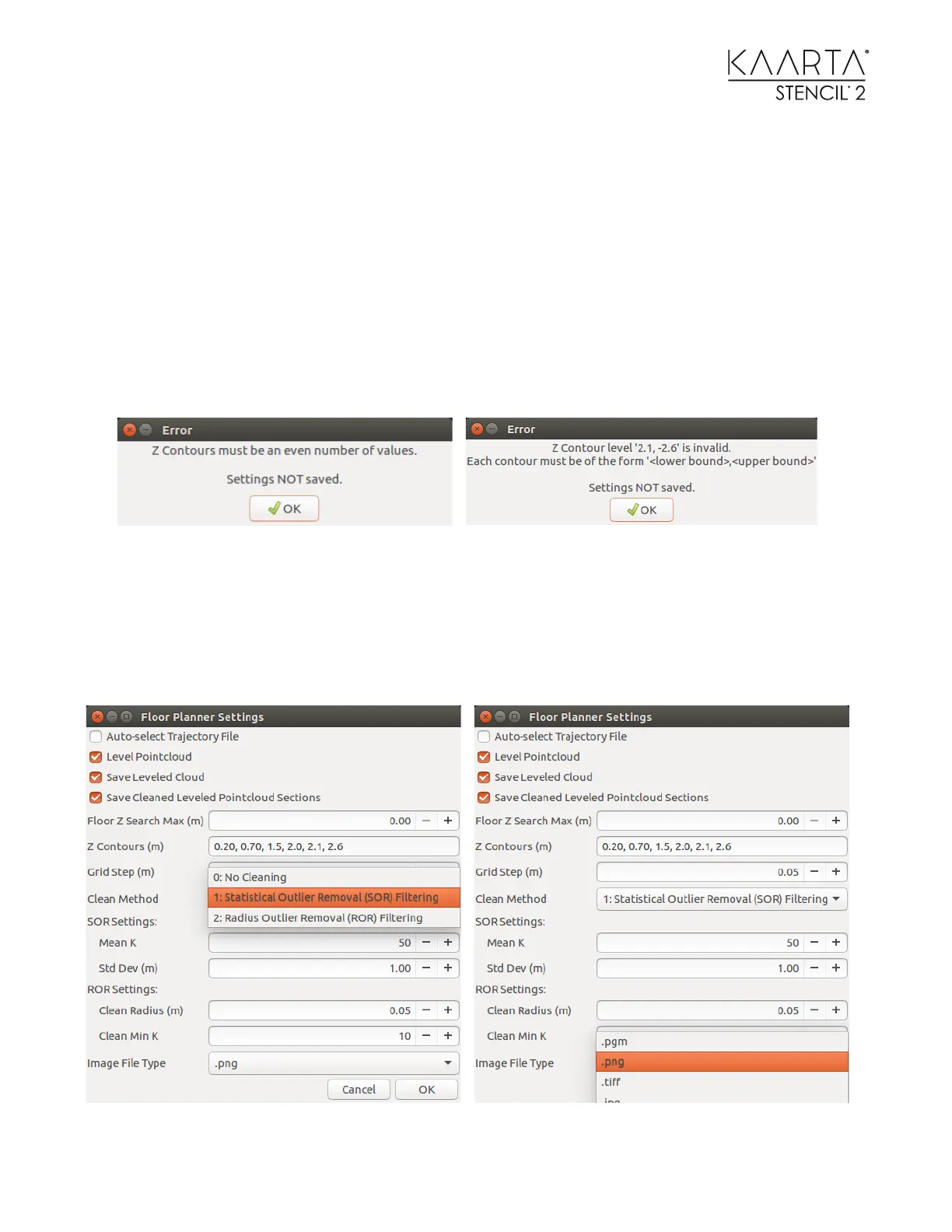
Z Contours (m) - Specification of the height sections – Selects height pairs with respect to the
leveled floor to use in setting the thickness of the sections. The initial selection should be between
0.1 – 0.2 meters to eliminate the floor from cleaning and final image generation. These pairs can
overlap. For example, specify 0.2, 1.5 and 0.2, 2.0. Generate as many slices as you want, but there
must always be an even number of elements (pairs) in ascending order. If there are an odd
number of pairs or descending order, one of the following error screens will come up.
Gridstep (m) – Subsamples to use in the sections by distance between points. Increasing this
number decreases point density and resolution of image data. Decreasing this number increases
point density and the resolution of the image data.
Clean Method – Setting the parameter to 0: skips the cleaning step. Setting this parameter to 1:
uses a Statistical Outlier Remover (SOR) Filter (Statistical Outlier Removal Filter) where you can
specify



 To Next Page