75
use the combined XY and Z distances when computing the 3D Match distance. You can decrease
the default horizontal region to 7.5 or less if errors are 2 – 3 meters. You can also decrease the
Vertical region 5 if the elevation error is 1 – 2 meters. These numbers represent patches that will
be used to match against each time you were in the same area. These are +/- values, so if you
selected 10 Horizontal and 5 Vertical, this represents a cylindrical patch with a radius of 10 (20 m
diameter) with a height of 10 meters (+/- 5m). If you are building maps in a parking garage or
other place where you have differing heights closely spaced, you may need to reduce the Vertical
Region to 1 or 1.5 so you do not end up matching different floors to one another.
If all issues were not fixed, try running again with different parameters. You can either run it
again on the original point cloud and trajectory or on the previously loop-closed results.
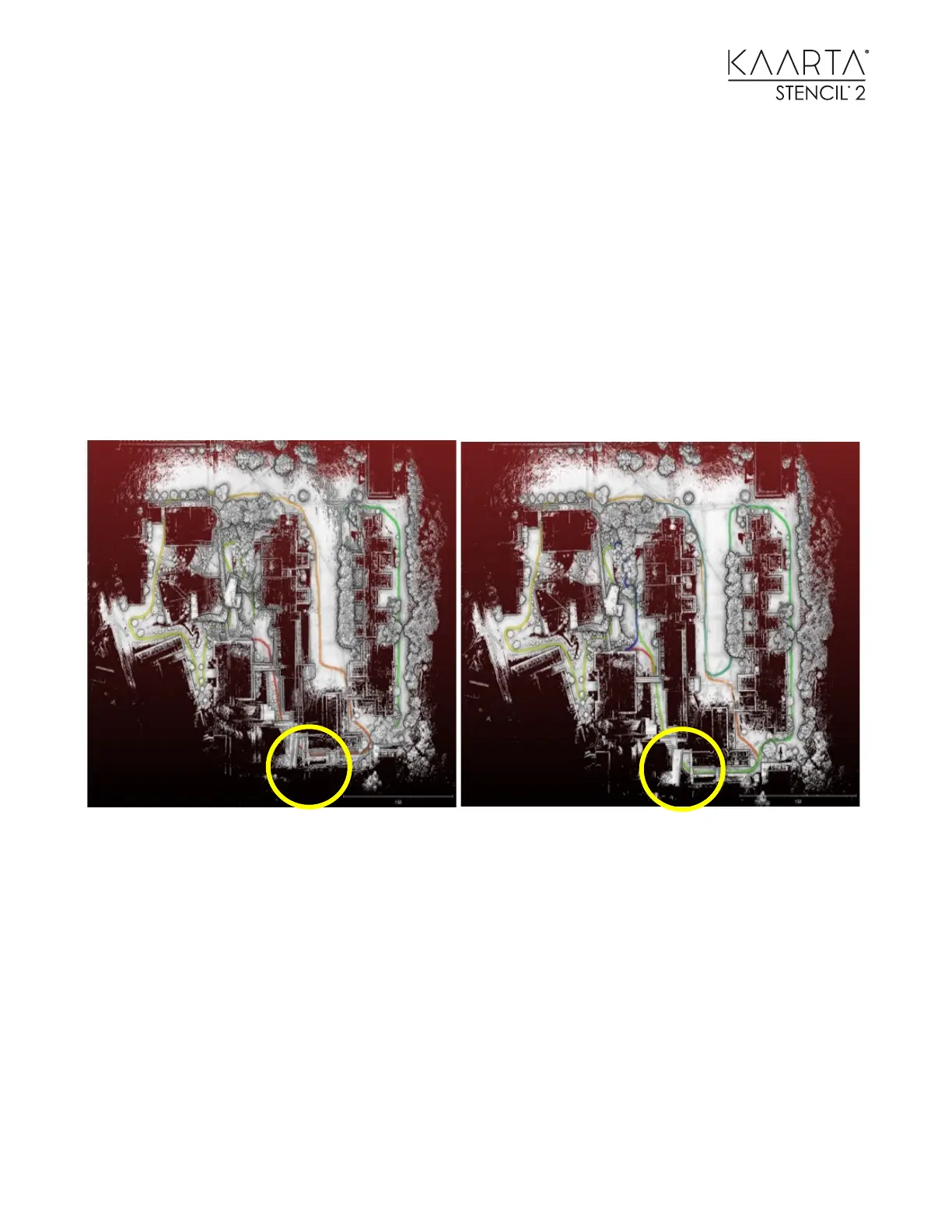
Left: Point cloud before loop closure - Right: After loop closure was run.
To use this map as a Prior or Reference map, select Choose Map for Localization to choose the
loop-closed map. Then use one of the Mode Switch desktop Icons to start localizing at the origin
of the loop-closed map or the ending point. Start scanning to create another map registered to
the loop-closed map for use in difference detection or adding additional detail to a map while
minimizing drift.



 To Next Page