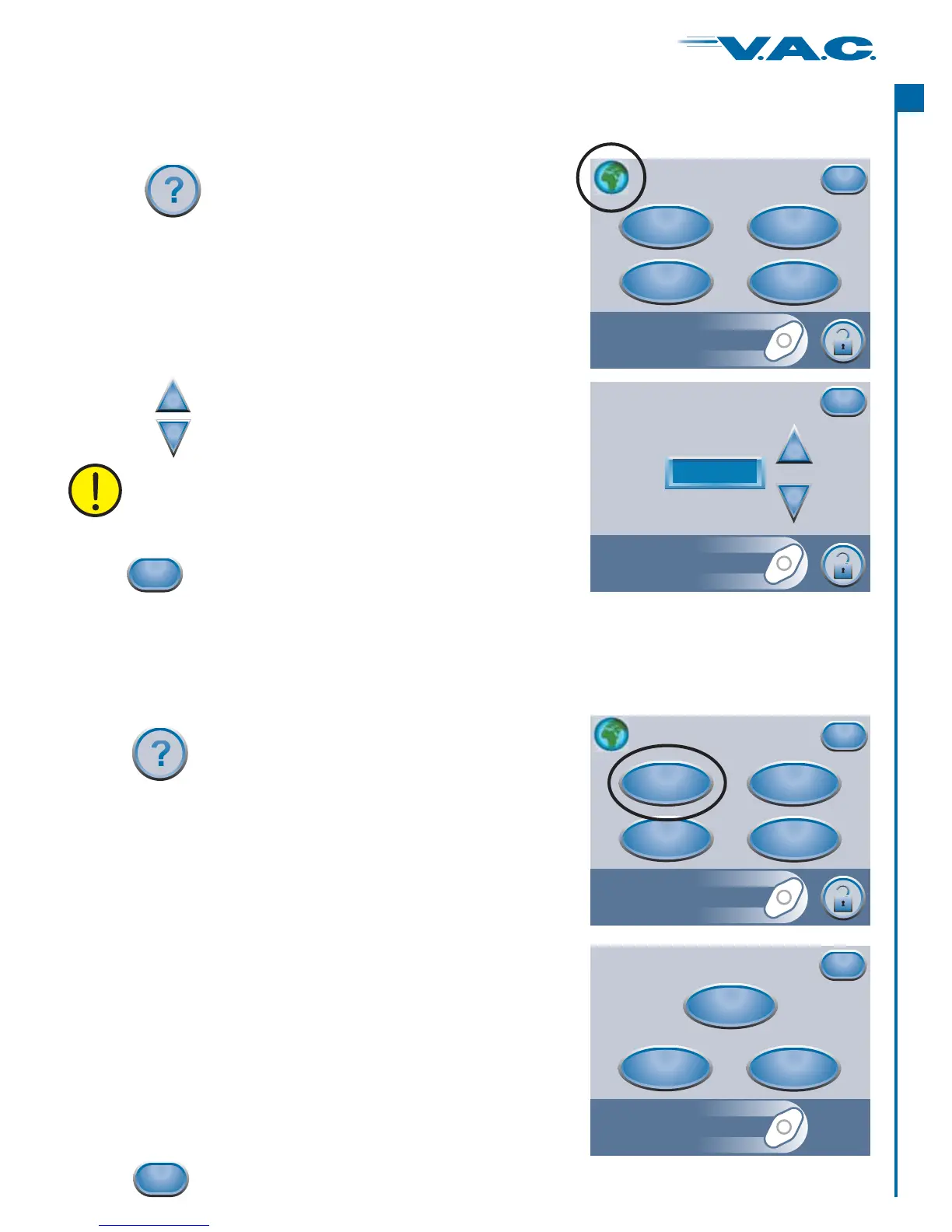
WARNING: Languages should only be selected
according to local regulatory requirements.
On-screen Operating Instructions
Press ‘ ’ to access the ‘
’ selection screen.
Operating Instructions Operating
Instructions
Help Menu
Operating
Instructions
Contact
Information
About
Exit
Clinician
Mode
Operation
Cleaning
Alarms
Exit
Operating Instructions
From this ‘ ’ screen, one can browse
the various ‘ ’ that are available.
Choose from:
‘’ ,
‘ ’ instructions and
‘ ’ for alarm descriptions and their suggested
resolutions.
Operating Instructions
Help Screens
Operation
Cleaning
Alarms
• instructions
•
•
when finished.Press
Exit
Press
to access the ‘ ’.Help Menu
Changing Languages
Press the ‘ ’ (upper left) to access the ‘ ’
screen.
Globe Language
Press
to access the ‘ ’.Help Menu
Help Menu
Operating
Instructions
Contact
Information
About
Exit
Clinician
Mode
when finished.Press
Exit
Language
Exit
English
+
_
Help Menu
Use the buttons to select the required language.
+
_
11
®
A
c
t
I


 To Next Page