28
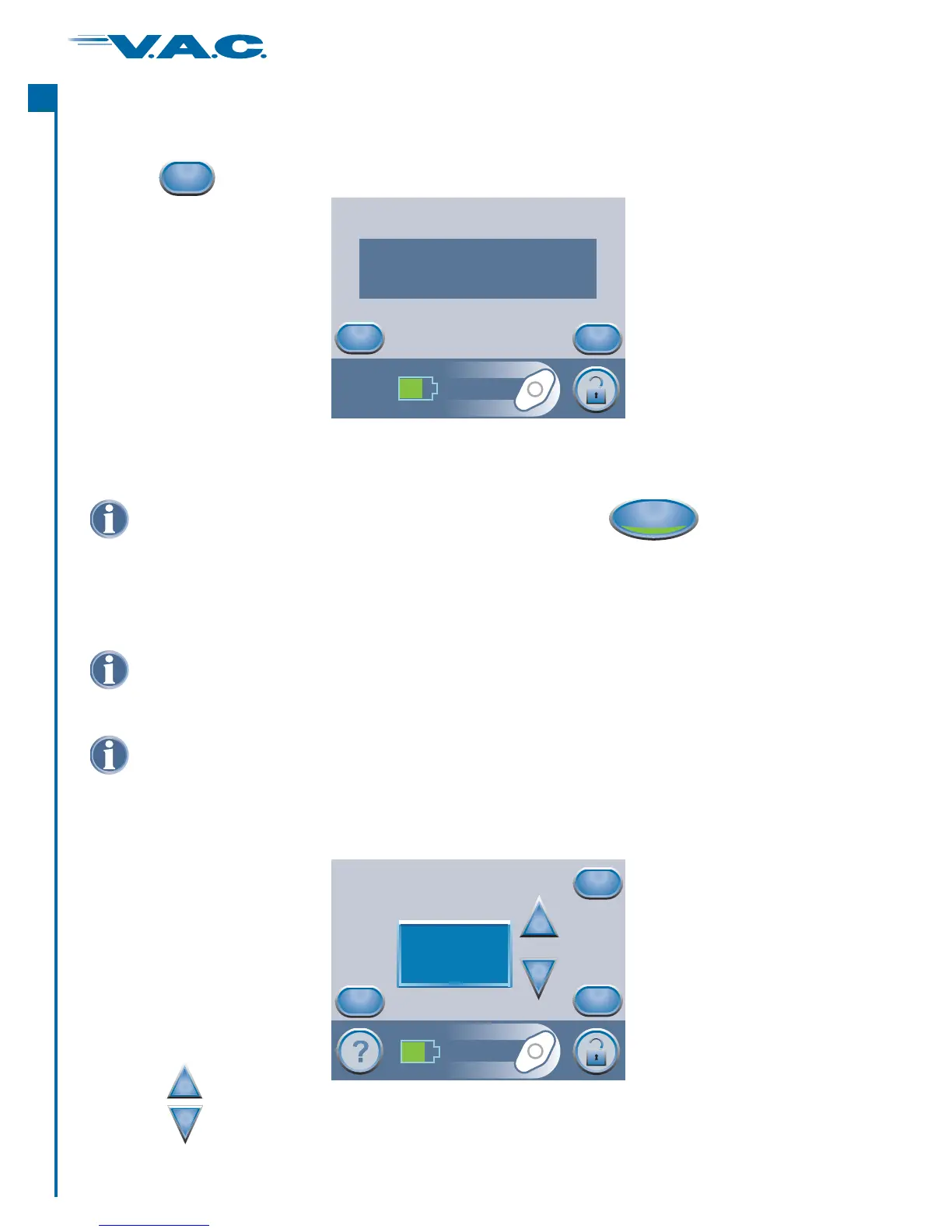
Settings Confirmation
If the displayed settings are as desired, press ‘ ’ to continue to the Clinician Mode Home
screen. Otherwise, press ‘ ’ to change any settings that are incorrect.
OK
Back
when finished with the ‘Settings’ screen leads to this ‘ ’ screen.Confirm
Pressing
Exit
Settings (cont.)
Confirm
Back
OK
Pressure: 125mmHg
Mode: Continuous
Intensity: Low
Settings Guide
From the Clinician Mode Home screen, press ‘ ’, then ‘ ’, thenTherapy Next ‘ ’, and
then ‘ ’ to access this screen.
Settings Guide
OK
Press when finished with this screen.‘Next’
Use the buttons to select from the available wound type selections.
+
_
Select Wound
Cancel
Next
Back
+
_
Partial Thickness
Burns
If settings were changed with V.A.C. Therapy off, press to start therapy.
®
On/Off
Should physician orders fall outside the pre-set therapy ranges, select ‘ ’ in this
mode or use Manual Therapy Settings detailed earlier in the Clinician section of this
manual.
Other
The Settings Guide tool helps the clinician select from pre-set therapy ranges according
to wound type and treating physician’s orders. Selected ranges are a guide based on
common settings for different wound types. Individual patient conditions may vary.
Consult physician to verify settings for each patient.
®
A
c
t
I


 To Next Page