29
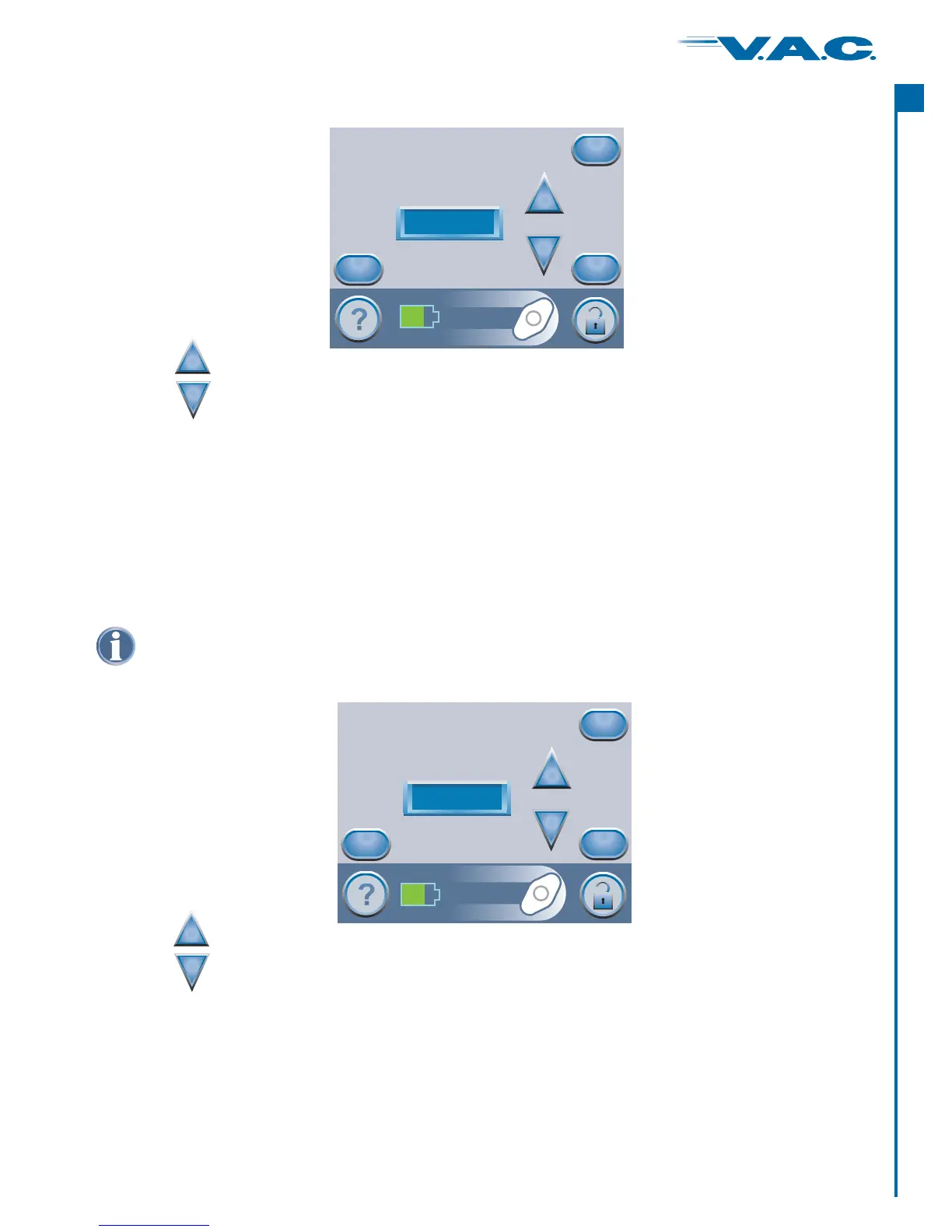
Pressure selections are in ranges for the wound type selected on the previous screen.
Settings Guide (cont.)
Press when finished with this screen.‘Next’
For wound types for which ‘Intermittent’ is an option, this ‘ ’ screen will
appear.
If ‘Intermittent’ is not an option, the ‘Confirm’ screen will appear (see next page).
Select Mode
Press when finished with this screen.‘Next’
Use the buttons to select from the available pressure selections.
+
_
Use the buttons to choose ‘ ’ or ‘ ’ Therapy.Continuous Intermittent
+
_
Select Mode
Intermittent
+
_
Cancel
Back
Next
Select Pressure
125 mmHg
+
_
Cancel
Back
Next
®
A
c
t
I


 To Next Page