Press ‘ ’ to return to the screen.Exit ‘Utilities’
Changing Screen Brightness
Changing AC Light
AC Light
AC Light
Brightness
Brightness
Brightness
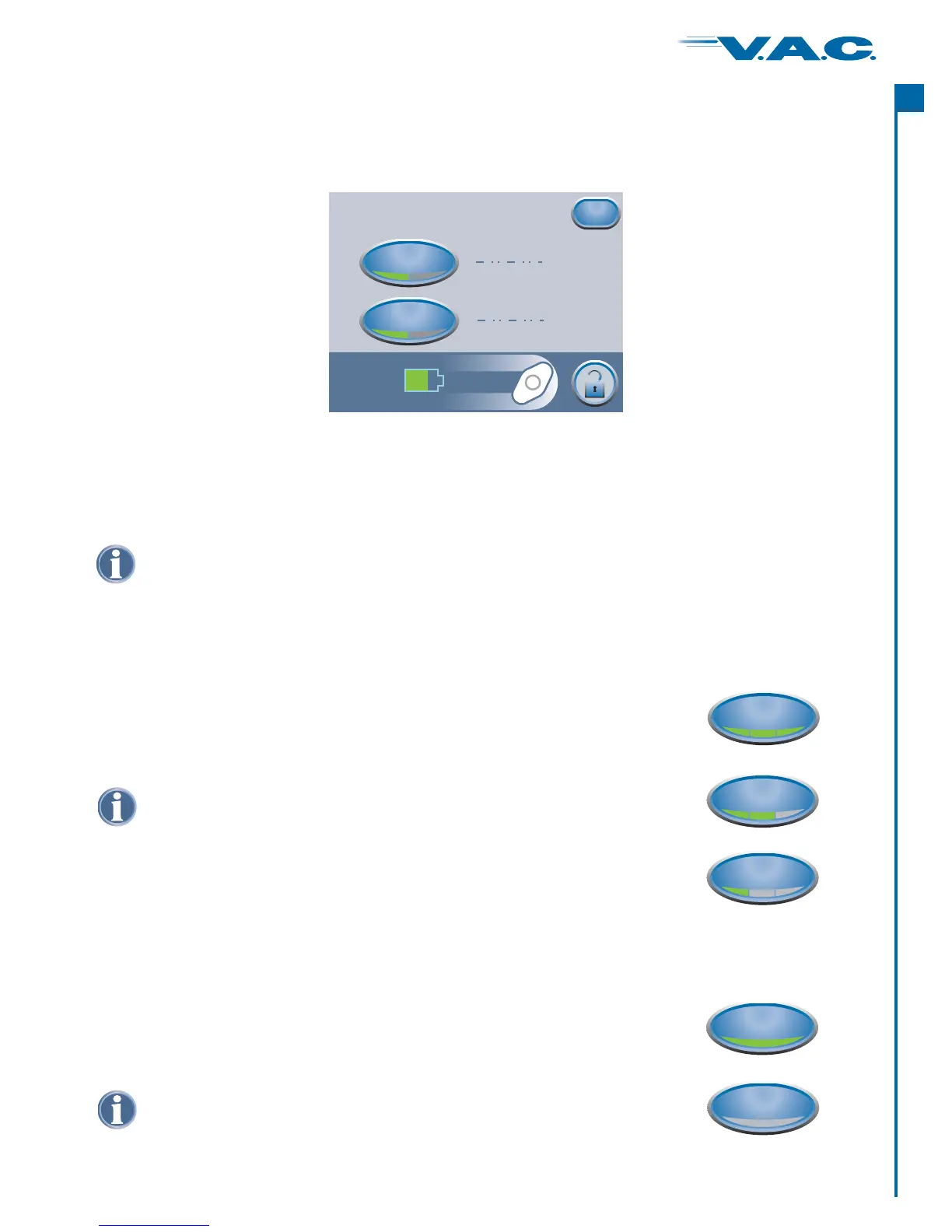
Pressing ‘ ’ switches between three levels of display screen
brightness.
Brightness
Pressing ‘ ’ prevents the display backlight from dimming when
the unit is properly connected to the ActiV.A.C. Power Supply.
AC Light
®
D setting is: Onefault
From the Clinician Mode Home screen, ‘ ’Region Settingspress then press to access
this screen.
‘Utilities’
Clinician Utilities (cont.)
Changing Pressure Units and Date Format
Pressing ‘ ’ switches between (millimeters of Mercury) and kPa (kilo-
Pascals) units of measurement.
Pressing ‘ ’ switches between displaying DD MM YY (Day-Month-Year) and MM
DD YY (Month-Day-Year) formats.
Pressure Unit
Date Format
mmHg
Regional Settings
Pressure Unit
Date Format
Exit
kPa
DD MM YY
MM DD YY
mmHg
D settings are: mmHg and MM DD YYefault
D setting is: Highefault
High
Medium
Low
On
Off
39
®
A
c
t
I


 To Next Page