Therapy
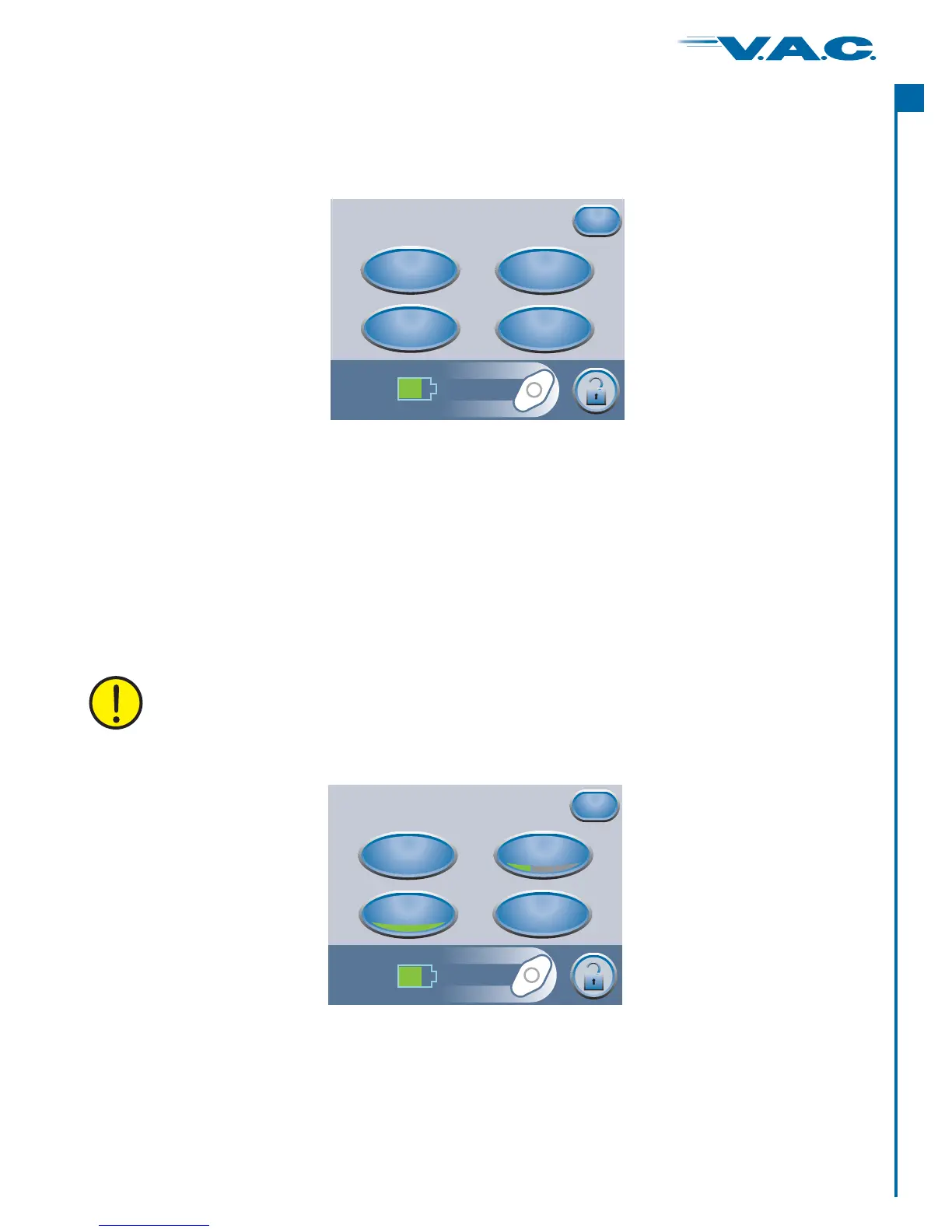
From the ‘ ’ screen the clinician can access:Therapy
·
·
·
·
Settings
Seal Check™
Settings Guide
History
Exit
‘ ’ - Manually set therapy.
‘ ’ - Assists in finding leaks.
‘ ’ - Guide for preset therapy settings.
‘ ’ - View or export therapy history.
Press ‘ ’ to return to the Clinician Home screen.
Accessing Manual Therapy Settings
Therapy
Settings
Seal Check™
History
Exit
Settings
Guide
Settings
From the ‘ ’ screen the clinician can:Settings
Settings changed manually take immediate effect when therapy is on.
Settings
Pressure
Continuous
Intermittent
Exit
Intensity
·
·
·
·
Change settings.
Change .
Toggle between and therapy.
Set therapy times.
‘Pressure’
‘Intensity’
‘Continuous’ ‘Intermittent’
‘Intermittent’
From the Clinician Mode Home screen, press ‘ ’, then to access
the Settings screen.
Therapy then ‘ ’, ‘ ’Next Settings
From the Clinician Mode Home screen, press ‘ ’, then ‘ ’ to access the Therapy screen.Therapy Next
Press ‘ ’ when finished with the ‘Settings’ screen and go to the ‘Confirm’ screen.Exit
25
®
A
c
t
I


 To Next Page