View or Export Therapy History
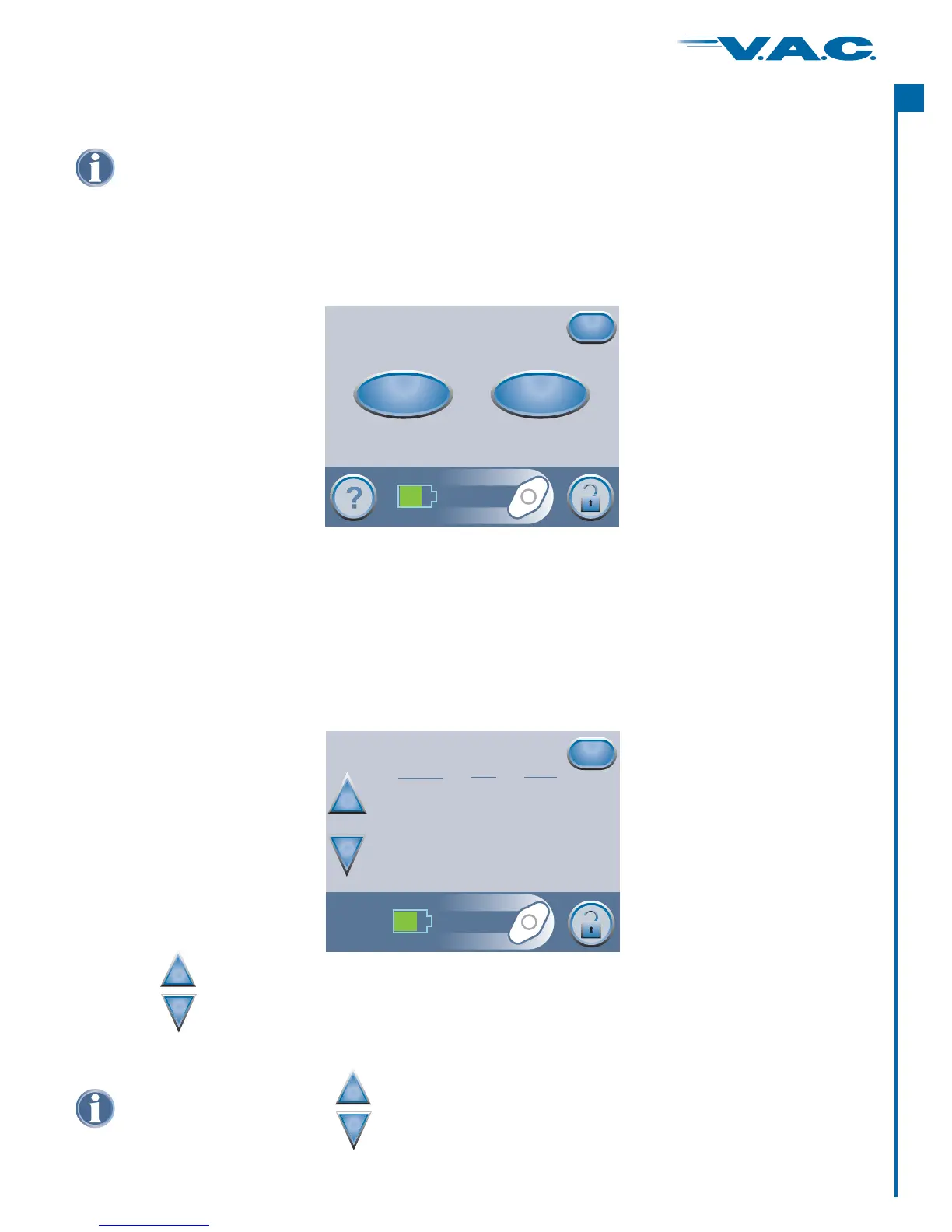
Starting from the Clinician Mode Home screen, press ‘ ’, then then ‘ ’ to
access this screen.
Therapy ‘Next’ History
The screen has two options:
View Therapy History on screen.
‘Therapy History’
‘View History’:·
· Export History’:‘ Access to screens where the Therapy History Report can be transferred
via USB or IR (Infrared).
Therapy History
Export History
View History
Exit
View Therapy History
Press the ‘ ’ button on the screen to access this on-screen
therapy history display.
View History ‘Therapy History’
Press ‘ ’ to return to the ‘ ’ screen.Exit Therapy History
Use the buttons to scroll through the Therapy History Report.
+
_
Holding these b will rapidly scroll through the Therapy History Report.uttons
+
_
History
+
_
Exit
dd/mm/yy Time Event
12/06/06 15:48 Unit On
12/06/06
12/06/06
12/06/06 15:55 Dressing Changed, 4
12/06/06 22:23
12/06/06 22:23 Therapy Off
12/06/06 22:27 Therapy On
12/06/06 22:29
15:48 Therapy On
15:54 Canister Changed
Canister Full
Auto Therapy Off Leak
12/06/06 22:32 Therapy On
Therapy History is a chronological log with dates and times for therapy starts/stops,
therapy settings, alarm occurrences, and canister/dressing changes. Data can be
reviewed on-screen or transferred from the ActiV.A.C. Therapy Unit electronically in the
form of a Therapy History Report.
®
®
A
c
t
I
35


 To Next Page