Always document the number of foam pieces used in patient chart and on the
V.A.C. Drape.
®
Information displayed represents the last logged entry.
Dressing
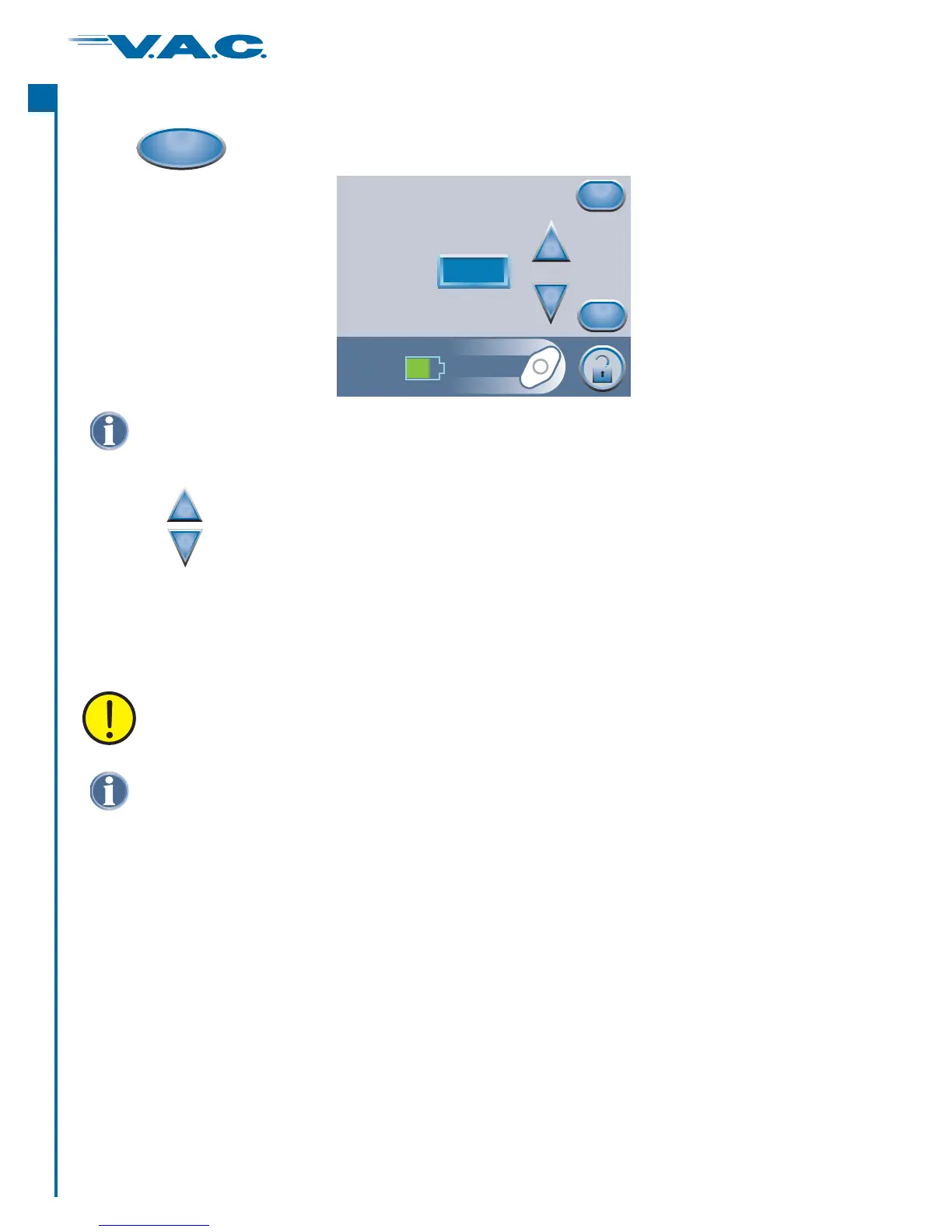
to access this ‘ ’ screen.Foam PiecesPress
Use the buttons to change the number of pieces of foam used during the current
dressing change.
+
_
OK
Foam Pieces
Press OK to log number of
foam pieces and time/date
Last recorded
on 15:55 12/06/06
4
+
_
Cancel
Starting Therapy (cont.)
Logged information will appear in Therapy History as follows:
Where the numeral after “Dressing Changed” is the number of foam pieces recorded on
the above screen.
12/06/06 15:54 Canister Changed
12/06/06 15:55 Dressing Changed, 4
dd/mm/yy Time Event
Press ‘ ’ to log the number of foam pieces used and return to the ‘Item to Log’ screen. The
current time and date will be recorded.
Press ‘ ’ to return to the ‘Item to Log’ screen without logging an entry.
OK
Cancel
®
A
c
t
I
34


 To Next Page