16
On/Off
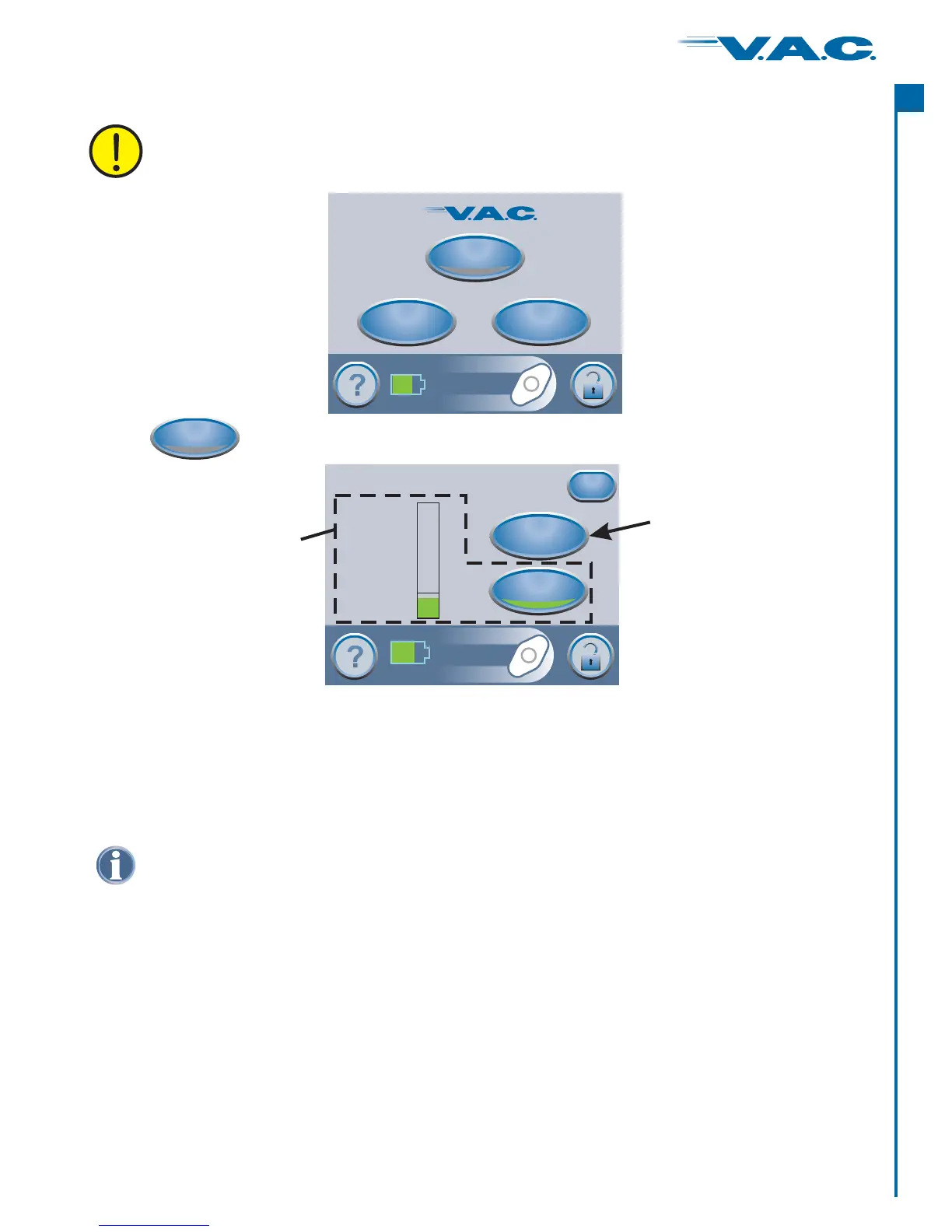
to start therapy .and this ‘ ’ screen will appearTherapy StartPress
Starting Therapy
®
A
c
t
I
On/Off
Therapy
Utilities
Clinician Mode
Jun 22 2006
15:38
Continuous
0 mmHg
Therapy Off
Seal Check Overview
™
Patients only have access to the Seal Check Tool through the ‘ ’ screen
when the ActiV.A.C. Therapy Unit detects a possible leak.
™
Leak Alarm
®
·
·
·
Seal Check
Seal Check
Seal Check
™
™
™
is used to help find air leaks.
features an audible tone that speeds up or slows down as the leakage rate
changes. Pressing the Seal Audio button will switch between the audible tone being On or
Off.
also features a real time bar graph that gives a visual indication of the
leakage rate.
The Tool appears three (3) different ways:
3. the ‘Leak Alarm’ screen after
Seal Check
™
™
™ ®
1. When therapy is started from the Clinician Mode Home screen, discussed on the following
pages.
2. When the button is pressed from the ‘Therapy’ screen.
When the button is pressed on the ActiV.A.C.
Therapy Unit detects a possible leak.
Seal Check
Seal Check
From this screen the clinician can use the Tool to view the integrity of the V.A.C.
Dressing. The clinician can also use the Tool to record a canister change or the number of
foam pieces used during a dressing change.
‘Seal Check ’
‘Log’
™ ®
Therapy Start
About
Exit
Log
Leak Rate
Low
High
Seal Audio
Seal Check Tool
™
Log Tool
WARNING: Ensure that a new V.A.C. Dressing was applied and therapy settings
have been selected per physician’s orders before starting therapy.
®
®
A
c
t
I
31


 To Next Page