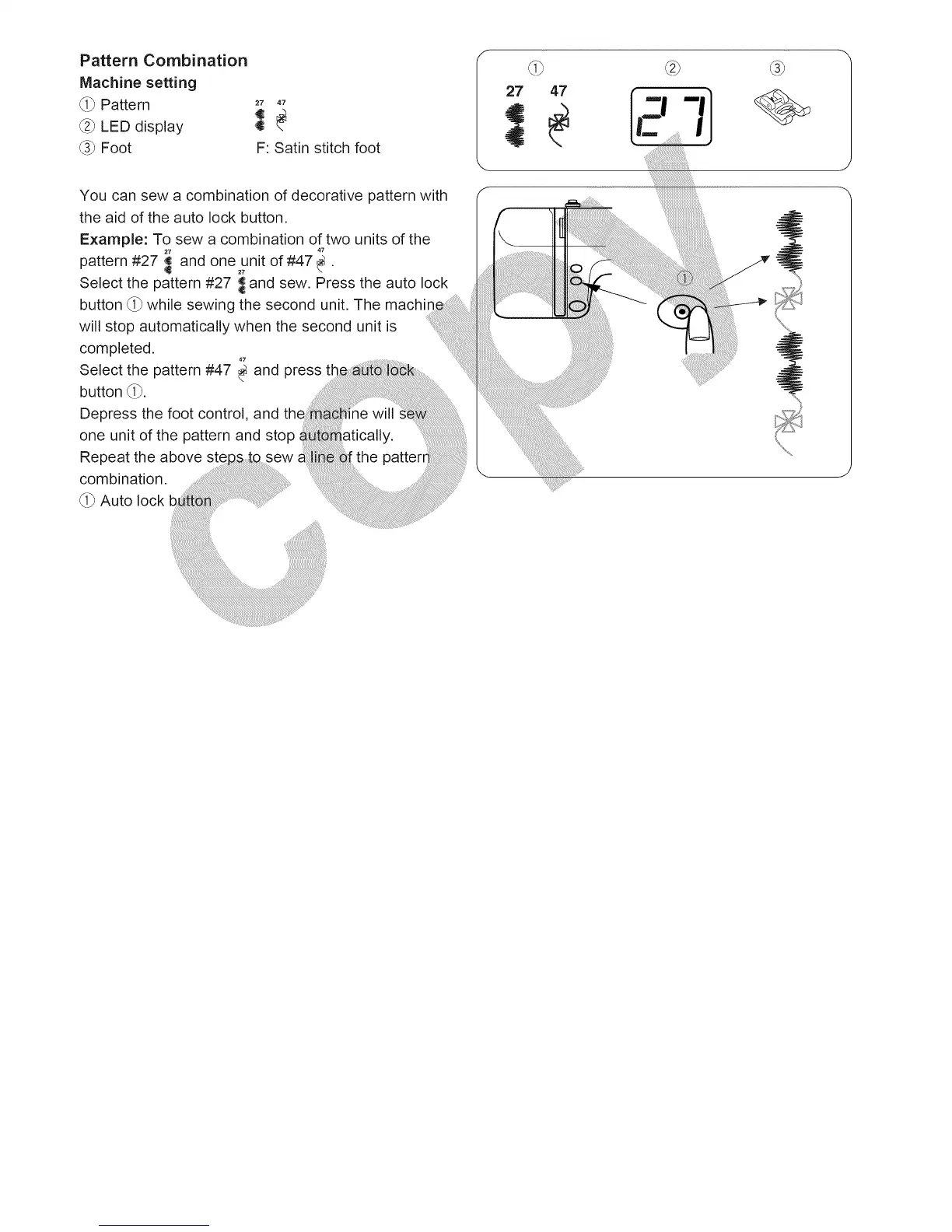
Pattern Combination
Machine setting
_i_ Pattern
_2_LED display
_3_Foot
F: Satin stitch foot
You can sew a combination of decorative pattern with
the aid of the auto lock button.
Example: To sew a combination of two units of the
27
pattern #27 _ and one27unitof #47 .
Select the pattern #27 _ and sew. Press the auto lock
button (i_ while sewing the second unit. The machin,
will stop automatically when the second unit is
completed.
Select the pattern #47 _ and
press
button (i_.
Depress the foot control, and the
one unit of the pattern and stop
27
47
:::::::::::::::::::::::::::::::::::
',:::::::::::::::::::::::::::::::::::::::::::::::::::::::::::::::::::::





 To Next Page