Adjusting the stitch width and density in
buttonholes
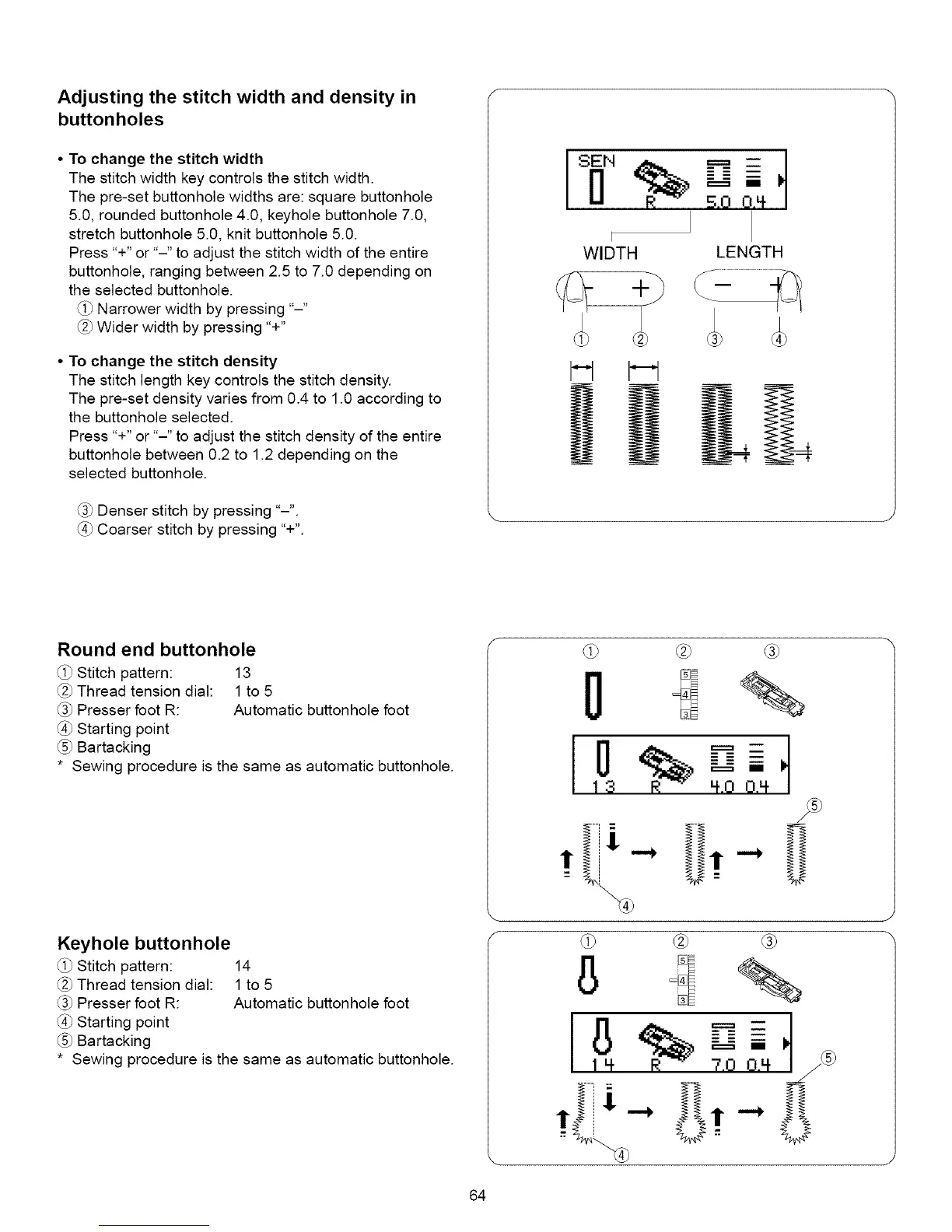
• To change the stitch width
The stitch width key controls the stitch width.
The pre-set buttonhole widths are: square buttonhole
5.0, rounded buttonhole 4.0, keyhole buttonhole 7.0,
stretch buttonhole 5.0, knit buttonhole 5.0.
Press "+" or "-" to adjust the stitch width of the entire
buttonhole, ranging between 2.5 to 7.0 depending on
the selected buttonhole.
Narrower width by pressing "-"
Wider width by pressing "+"
• To change the stitch density
The stitch length key controls the stitch density.
The pre-set density varies from 0.4 to 1.0 according to
the buttonhole selected.
Press "+" or "-" to adjust the stitch density of the entire
buttonhole between 0.2 to 1.2 depending on the
selected buttonhole.
Denser stitch by pressing "-".
Coarser stitch by pressing "+".
•. S.O 0.4
F
WIDTH
LENGTH
Round end buttonhole
Stitch pattern:
Thread tension dial:
Presser foot R:
Starting point
Bartacking
* Sewing procedure is the same as automatic buttonhole.
13
1 to5
Automatic buttonhole foot
Keyhole buttonhole
Stitch pattern: 14
Thread tension dial: 1 to 5
(_ Presser foot R: Automatic buttonhole foot
(_) Starting point
(_ Bartacking
* Sewing procedure is the same as automatic buttonhole.
(-
®
64






 To Next Page