Keyline S.p.A. NINJA Man. cod. B409286FG Copyright by Keyline - Italy 33
SET UP SET UP
ITALIANO / ENGLISH
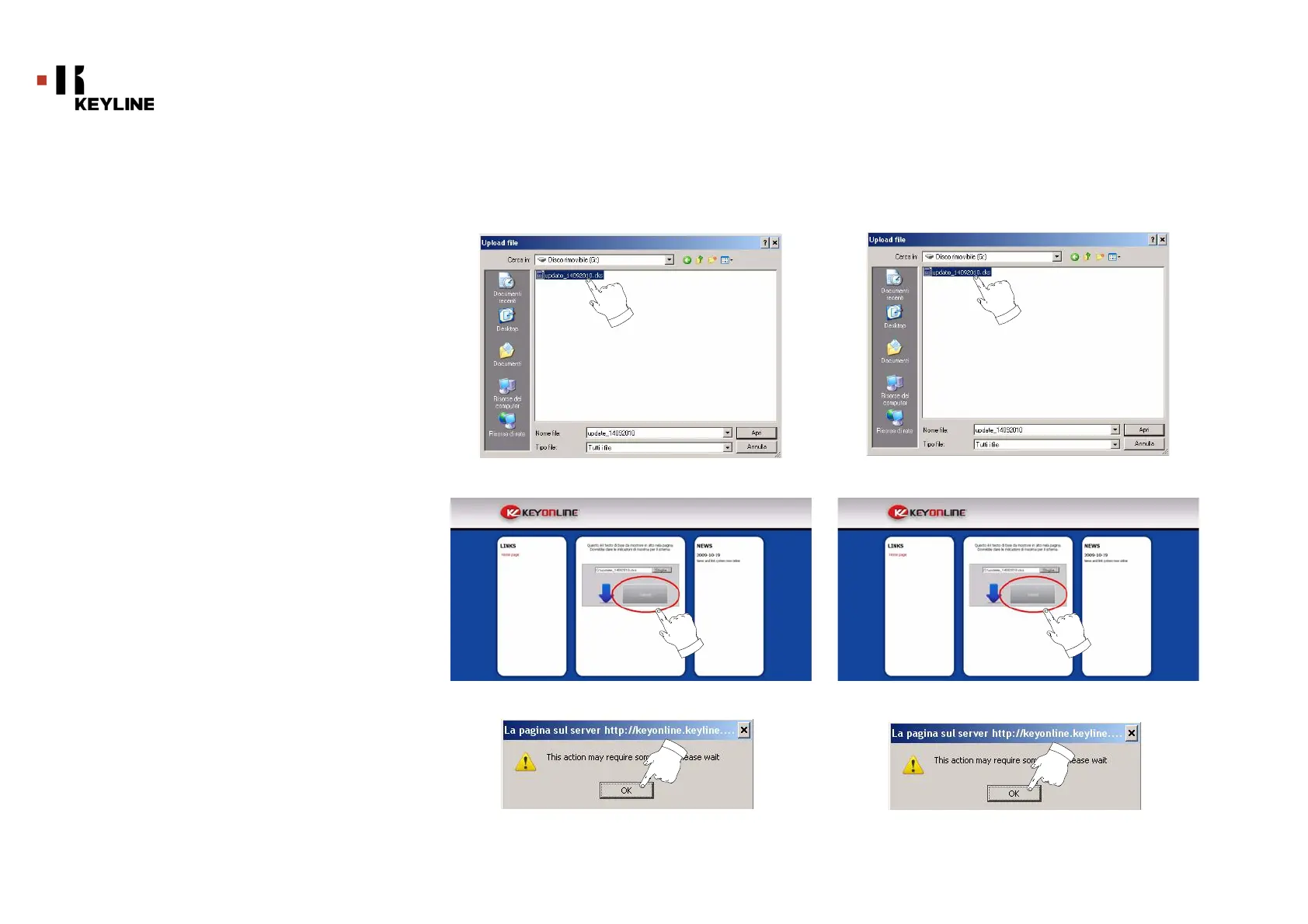
4. Cercare e selezionare il file con estensione .cks
precedentemente salvato nella chiavetta, quindi premere "APRI".
5. Premere il pulsante "Submit".
6. Apparirà il seguente messaggio:
7. Premere OK per avviare il download del file e quando il
browser chiederà dove salvarlo, selezionare la chiavetta USB.
4. Search and select the .csk file previously saved in the
flash drive, then press "OPEN".
5. Press the "Submit" button.
6. The following message shall appear:
7. Press "OK" to start downloading the file and when the
browser asks where to save it, choose the USB flash drive.



 To Next Page