53210A Math, Graphing, and Data Logging 6
Keysight 53210A User’s Guide 169
The number of readings represented by a histogram (Figure 6-7) can be queried
with the command:
CALCulate2:TRANsform:HISTogram:COUNt?
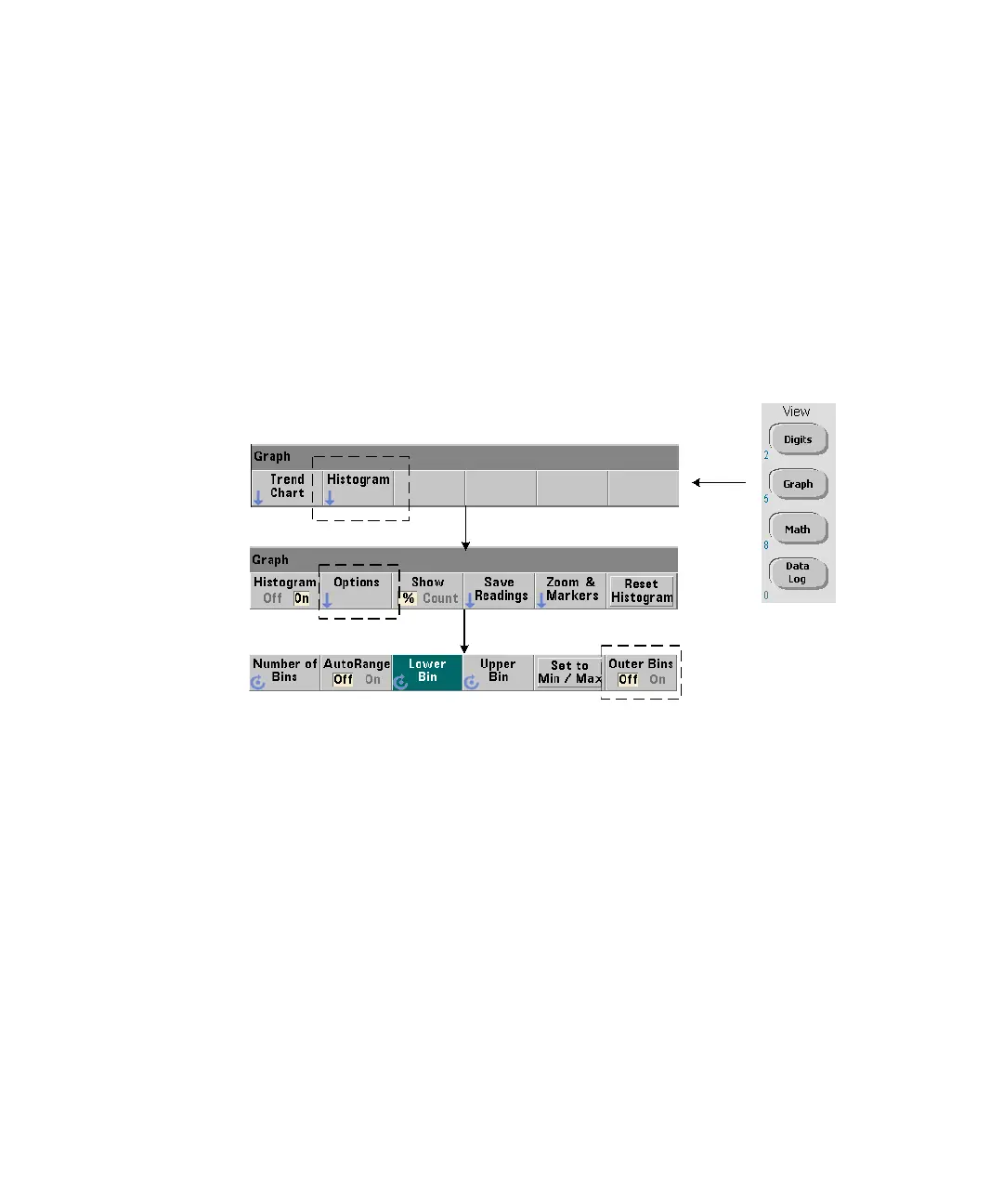
Setting Up the Histogram
The counter builds a histogram based on number of bins (points), a lower range,
and an upper range.
Number of Bins
The number of bins is specified with the command:
CALCulate2:TRANsform:HISTogram:POINts {<value>|MINimum|MAXimum|DEFault}
CALCulate2:TRANsform:HISTogram:POINts? [{MINimum|MAXimum|DEFault}]
(query form)
value
- specifies the number of bins (points) between the lower and upper range
values.
value can range from 10 to 1,000. Following a reset (*RST) or instrument
preset (
SYST:PRESet) the number of bins is set to 100.



 To Next Page