Keysight 53210A User’s Guide 19
List of Figures
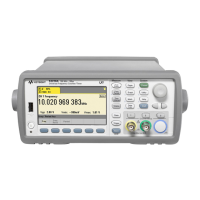
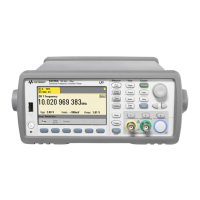
Figure 1-1 The 53210A Universal Frequency Counter/Timer. . . .24
Figure 1-2 The 53210A Display. . . . . . . . . . . . . . . . . . . . . . . . . . . .27
Figure 1-3 53210A User’s Guide Organization. . . . . . . . . . . . . . . .47
Figure 2-1 The 53210A Web-Enabled Interface
‘Welcome Page’. . . . . . . . . . . . . . . . . . . . . . . . . . . .52
Figure 2-2 The Web UI SCPI Command Interface. . . . . . . . . . . . .54
Figure 2-3 Starting Keysight Connection Expert. . . . . . . . . . . . . .60
Figure 2-4 Keysight Connection Expert Interface Window. . . . . .61
Figure 2-5 Adding a Sockets Connection. . . . . . . . . . . . . . . . . . . .62
Figure 2-6 Setting a VISA Alias for the USB Address String. . . . .66
Figure 2-7 Selecting the GPIB Address. . . . . . . . . . . . . . . . . . . . .68
Figure 2-8 Starting Interactive IO for a Selected Interface. . . . . .70
Figure 2-9 Selecting the Update File Path. . . . . . . . . . . . . . . . . . .75
Figure 2-10 Specifying the Address or Host Name. . . . . . . . . . . . .76
Figure 3-1 Standard Frequency Measurement. . . . . . . . . . . . . . .94
Figure 3-2 Ratio of Two Input Signal Measurements. . . . . . . . . . .96
Figure 3-3 Standard Period Measurement. . . . . . . . . . . . . . . . . . .99
Figure 4-1 53210A Input Signal Conditioning. . . . . . . . . . . . . . .103
Figure 4-2 Using AC Coupling to Reach Trigger Points. . . . . . . .110
Figure 4-3 Measureable Frequency Range with Bandwidth Filter
Enabled. . . . . . . . . . . . . . . . . . . . . . . . . . . . . . . . . .111
Figure 4-4 Input Signal Threshold Level and Sensitivity. . . . . . .112
Figure 4-5 Input Coupling and Relative Threshold Levels. . . . . .116
Figure 5-1 Triggering and Gating Time Line. . . . . . . . . . . . . . . .125
Figure 5-2 Trigger and Gate Cycle - Triggering. . . . . . . . . . . . . .127
Figure 5-3 Trigger and Gate Cycle - Gating. . . . . . . . . . . . . . . . .128
Figure 5-4 The Counter ‘Wait-for-trigger’ State. . . . . . . . . . . . .134
Figure 5-5 Gate Source Sequence. . . . . . . . . . . . . . . . . . . . . . . .137
Figure 6-1 Enabling the Math Operations. . . . . . . . . . . . . . . . . .147
Figure 6-2 53210A Display with Scaling Functions Enabled. . . .150
Figure 6-3 Counter Display with Limit Testing and Statistics
Enabled. . . . . . . . . . . . . . . . . . . . . . . . . . . . . . . . . .157
Figure 6-4 53210A Limit Checking. . . . . . . . . . . . . . . . . . . . . . . .162
Figure 6-5 53210A Histogram Structure. . . . . . . . . . . . . . . . . . .165



 To Next Page