2 53210A Software Installation and Interface Configuration
70 Keysight 53210A User’s Guide
Using Interactive IO
The Connection Expert ‘Interactive IO’ utility provides another method (Table 2-1)
of sending commands to the 53210A. Interactive IO is accessible from any of the
PC’s IO interfaces, and allows you to send any command in the 53210A SCPI
command set to the instrument. You can also choose from a menu of IEEE-488
Common commands (e.g. *IDN?, *RST, *TST?).
Interactive IO can be used to:
– troubleshoot communication problems
– issue a “device clear”
– learn the instrument's command set
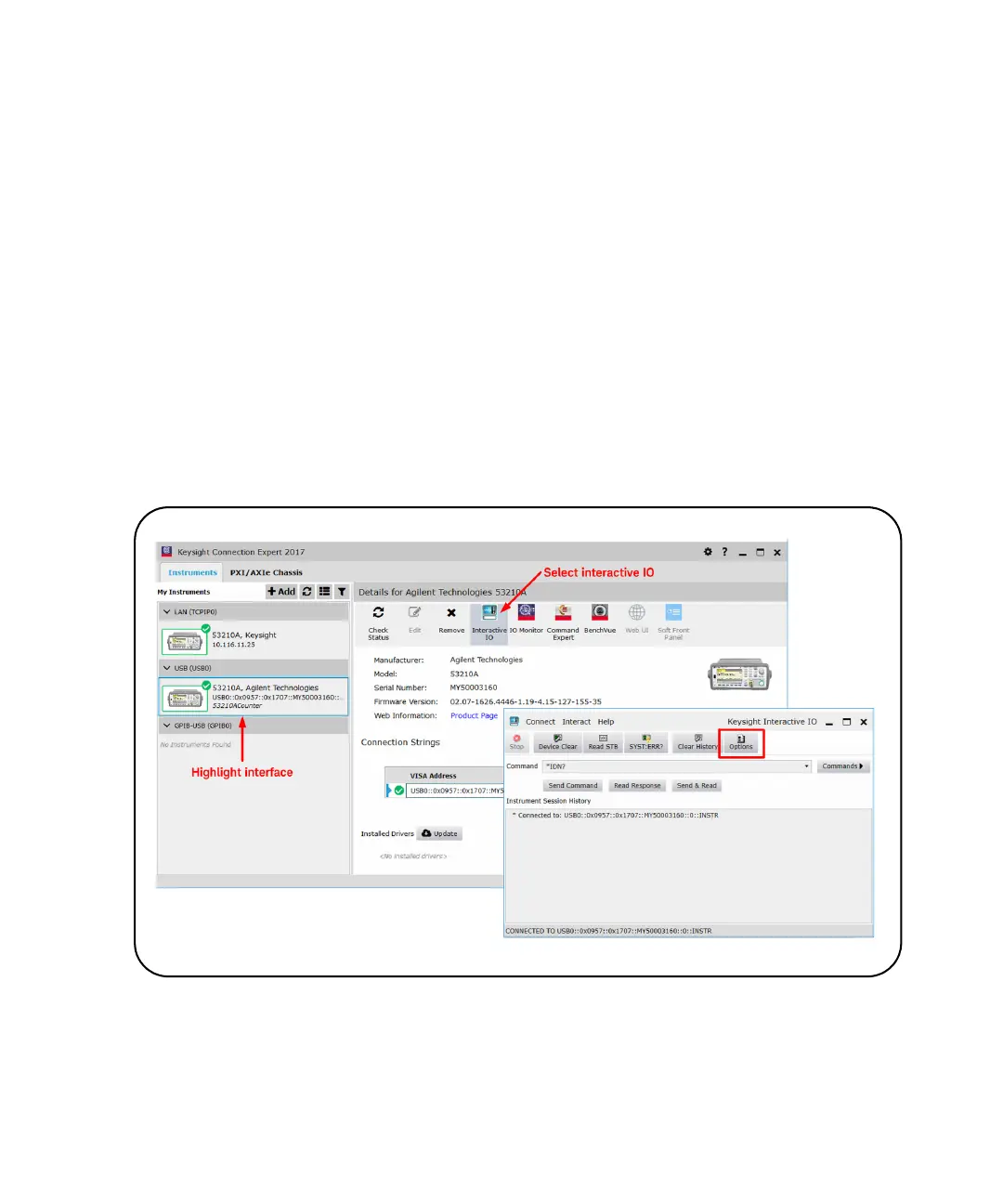
Figure 2-8 shows how Interactive IO is started for a selected interface.
Figure 2-8 Starting Interactive IO for a Selected Interface.



 To Next Page