7Service
68 Keysight 85024A User’s and Service Guide
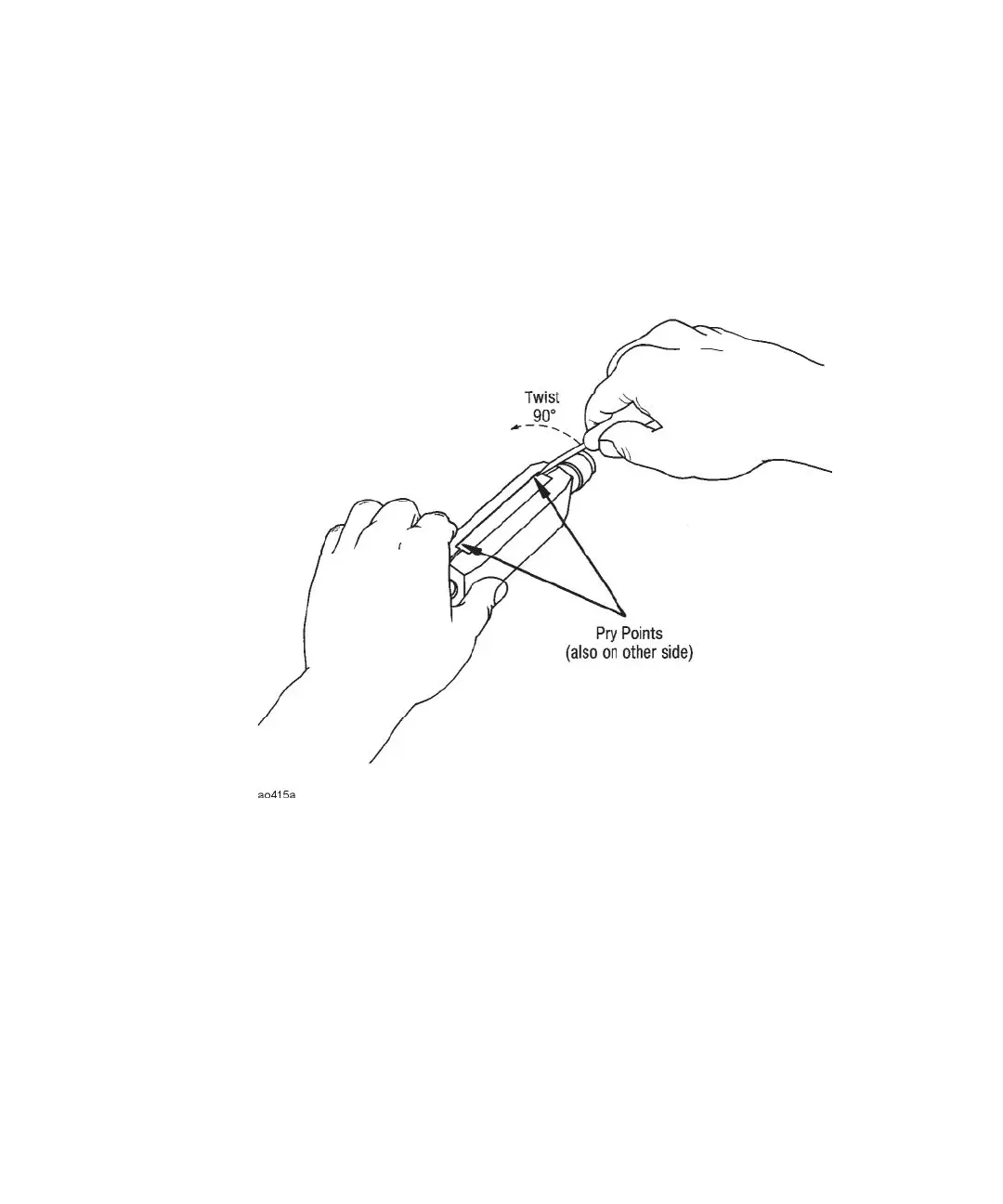
2 Perform step 1 in several places along the four pry points shown in Figure 7-8.
Reassembling the covers
3 Replace the metal housing reinforcement and plastic covers as show in
Figure 6-1, “Replaceable parts identification” on page 53. The reinforcement is
very important; it ensures that the covers will not pop off if the unit is dropped.
Figure 7-8 Cover removal











 To Next Page