Audio system
530
(Continued)
• Permission is required to down-
load contacts from the mobile
phone. When you attempt to
download data, you may need to
permit the download on the
mobile phone. If the download
fails, check the mobile phone
screen for any notification or the
mobile phone’s permission setting.
• Depending on the mobile phone
type or status, downloading may
take longer.
• When you download your con-
tacts, any old data will be deleted.
• You cannot edit or delete your
contacts on the system.
• When you connect a new mobile
phone, your contacts downloaded
from the previous mobile phone
will not be displayed, but they will
remain in your system until you
delete the previous phone from the
device list.
Answering calls
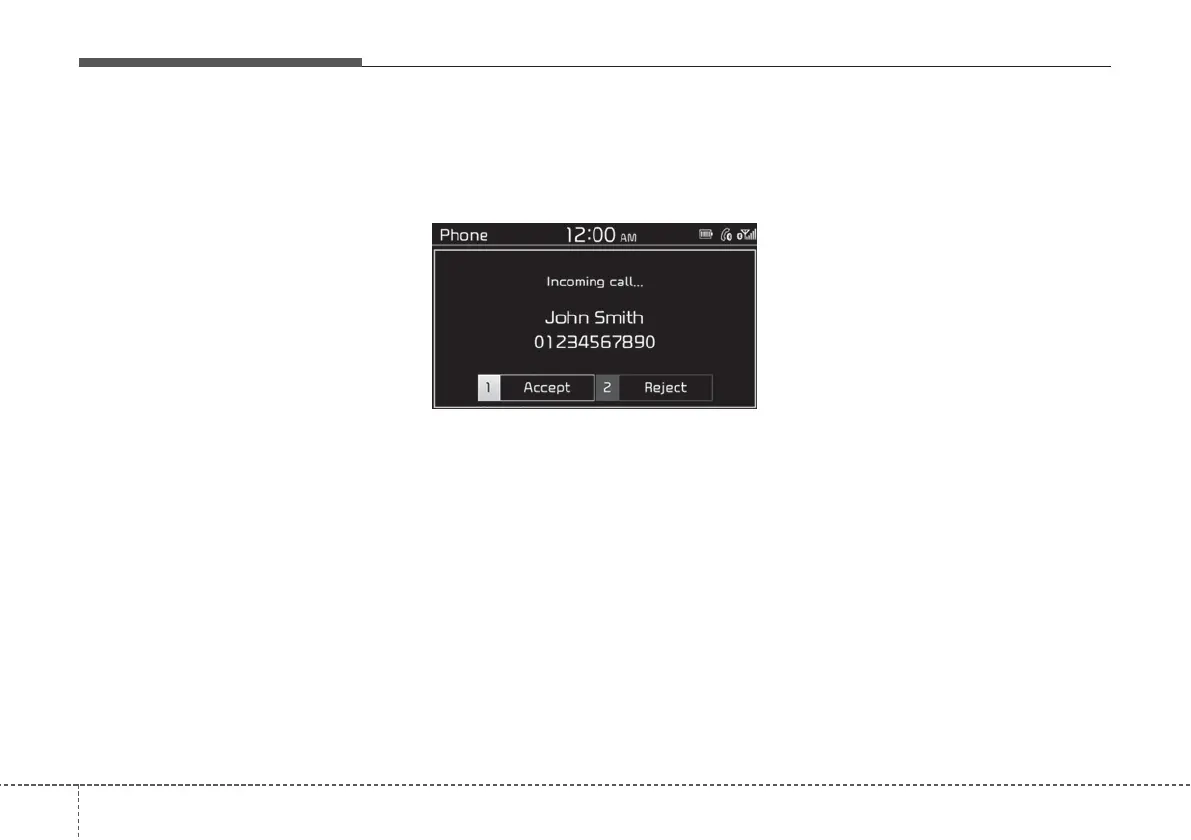
When a call comes in, a notification
pop-up window of the incoming call
appears on the system screen.
To answer the call, press the [1] but-
ton on the control panel to select
Accept.
• Alternatively, press the Call/
Answer button on the steering
wheel.
To reject the call, press the [2] button
on the control panel to select Reject.
• Alternatively, press the Call end
button on the steering wheel.
NOTICE
• Depending on the mobile phone
type, call rejection may not be
supported.
• Once your mobile phone is con-
nected to the system, the call
sound may be output through the
vehicle’s speakers even after you
exit the vehicle if the phone is
within the connection range. To
end the connection, disconnect the
device from the system or deacti-
vate Bluetooth on the device.



 To Next Page