46 User’s Manual TOS93 Series
Basic Operation | Basic Panel Operations
Changing values
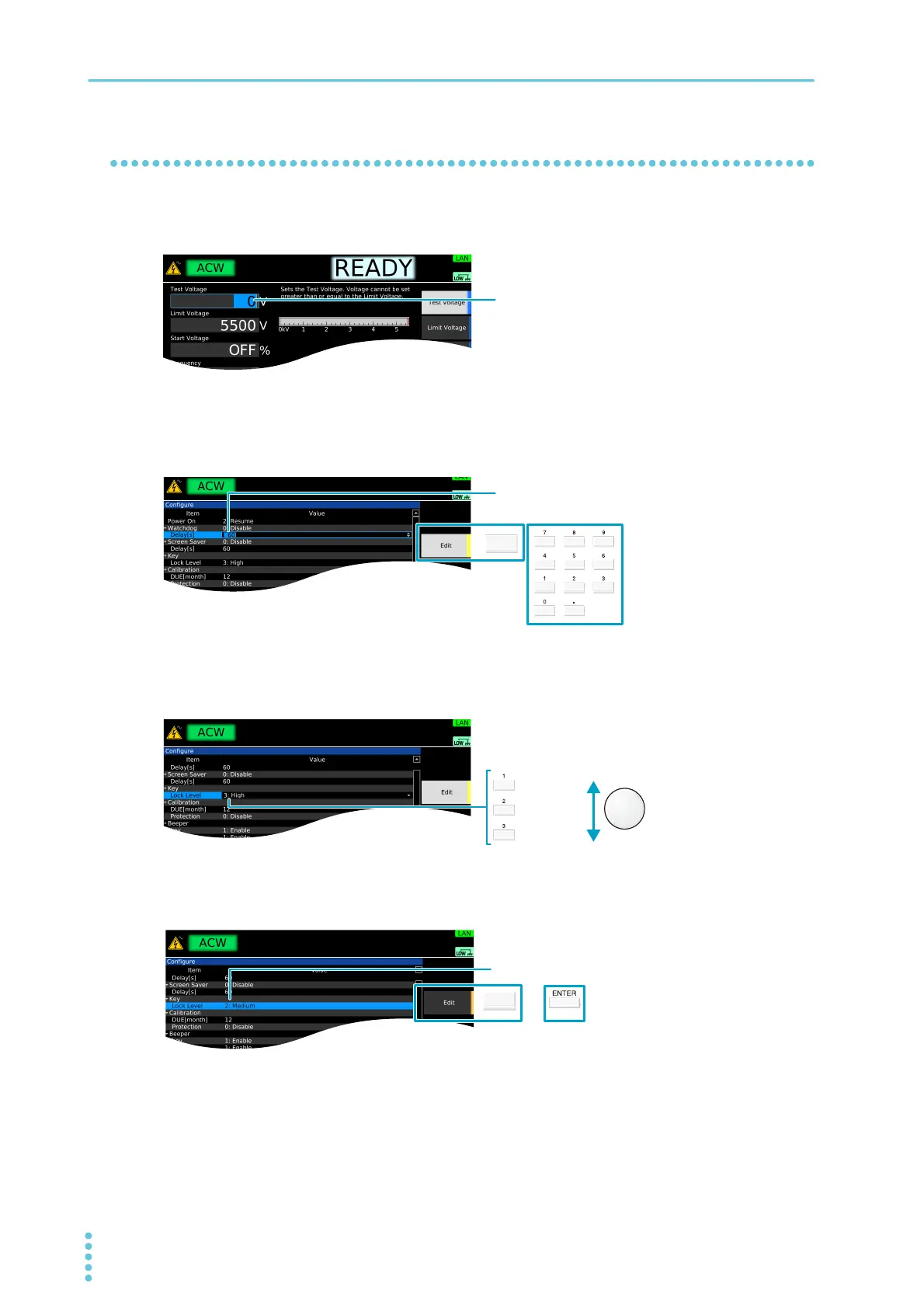
To change the test voltage or other values, use the numeric keypad or the rotary knob. If you enter a value
with the numeric keypad, following input, press the ENTER key to confirm the value.
On screens in which “Edit” is shown in the sub-function area, use the rotary knob to select the item you
want to change, and then press the Edit key or a numeric key to start changing the value. Procedures
using the Edit key are provided in this document.
When changing a setting, if there are multiple items you can choose from, select the item using the rotary
knob. If there is a number before the item name, you can also select using the numeric keypad. Proce-
dures using the rotary knob are provided in this document.
To confirm a value you entered, press the ENTER or Edit key. Procedures using the ENTER key are pro-
vided in this document.
Use the numeric keypad or the rotary knob to change
the value.
Pressing Edit or a numeric key makes it possible to edit
the value.
1: Low
2: Medium
3: High
Rotary knobNumeric keypad
Use ENTER or Edit to confirm the value.



 To Next Page