TOS93 Series User’s Manual 93
Earth Continuity Test | Setting Test Conditions
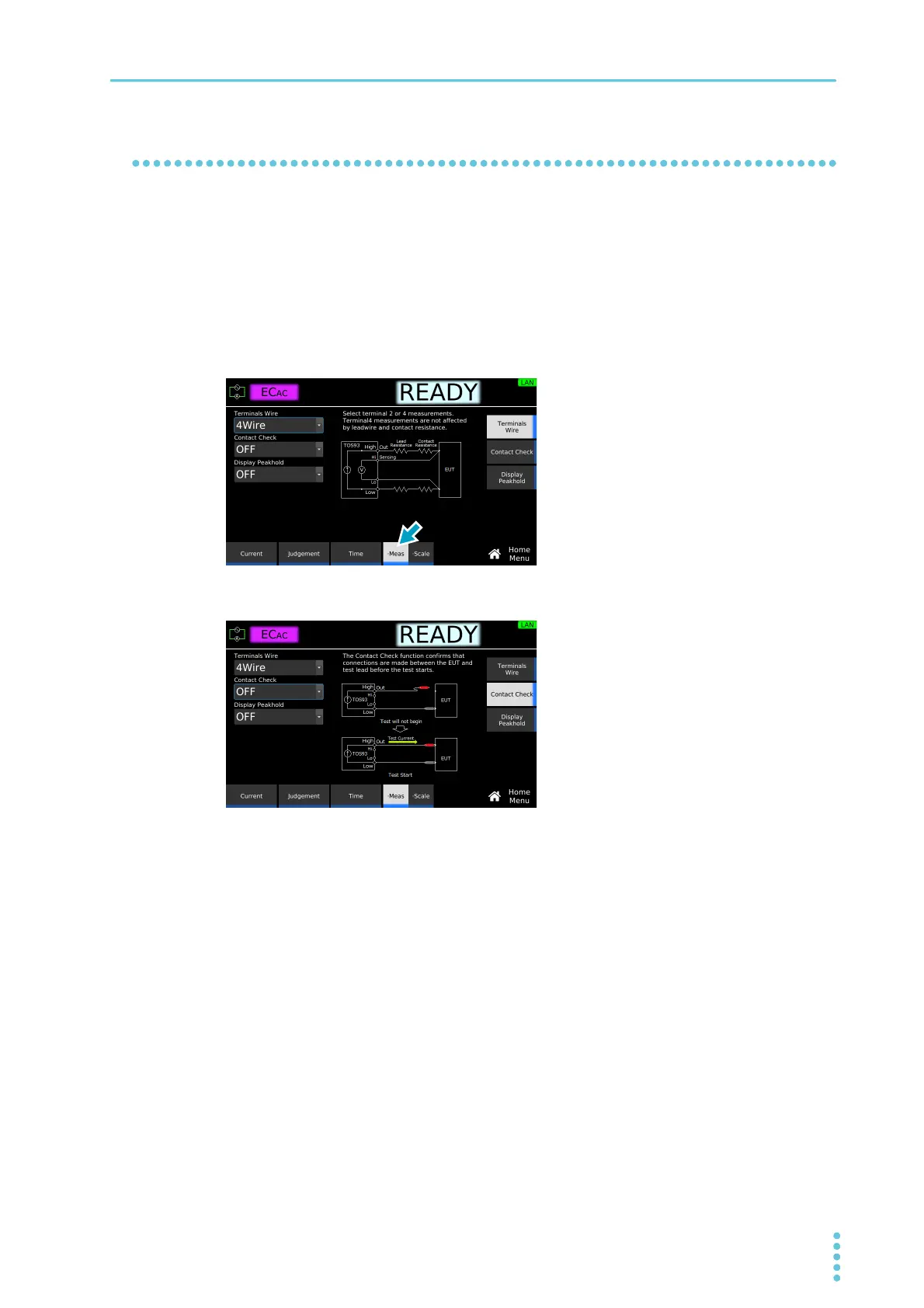
Contact check
A contact check between the test lead and EUT is checked at the start of tests. If you do not want to check
the contact, set Contact Check to off.
To start testing when Contact Check is set to on, press START with the test leads connected to the OUT-
PUT terminals open. Then, when the test leads make contact with the EUT and current starts flowing
through the OUTPUT terminal, the test starts.
1
On the Home menu screen, press Meas repeatedly until Meas is selected.
Each time you press the key, the setting changes between Meas and Scale.
2
Press Contact Check, and then turn the rotary knob to select ON or OFF.
This completes the setting.



 To Next Page