TOS93 Series User’s Manual 99
Earth Continuity Test | Starting a Test
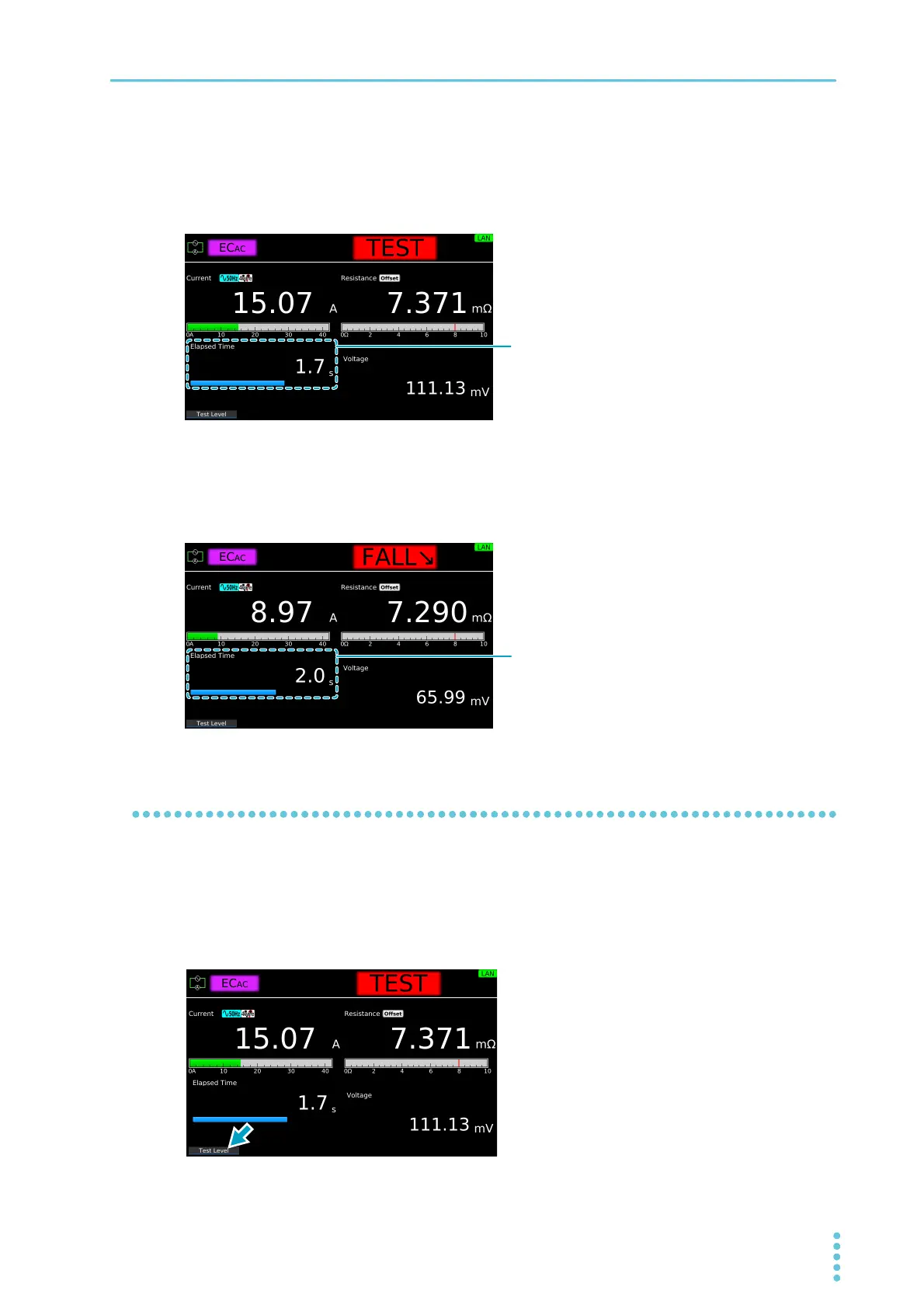
Test time display
During the test time, “TEST” and the elapsed time are displayed. If Test Time is set to on, the remaining
test time is displayed with a bar graph. If Test Time is set to off, the elapsed time is displayed up to 999.9
seconds. The timer blinks after 999.9 seconds.
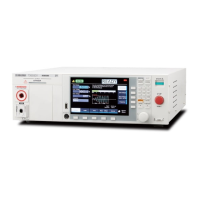
Voltage fall time display
If Fall Time is set to on, “FALL” and the elapsed time are displayed while the voltage is falling. The remain-
ing fall time is displayed with a bar graph.
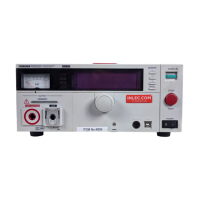
Changing the current setting during a test
During a test, press Test Level. Then, use the numeric keypad or the rotary knob to change the voltage.
The changed voltage is immediately applied to the test, but the current value on the display shows the
measured value. When “READY” appears in the upper right of the display after the test is finished, the new
current setting will be displayed.
The Output Error may occur when the output changes suddenly.
Elapsed time. If Test Time is set to on, the
remaining test time is displayed with a bar graph.
Elapsed time. The remaining fall time is
displayed with a bar graph.


 To Next Page