A75UM2E3 (Ver. E.2)
2-13
7) Change several settings such as zoom ratio, cutting size and Copy Count as you like.
As for the way to change these settings, refer to the corresponding page in the chapter 3.
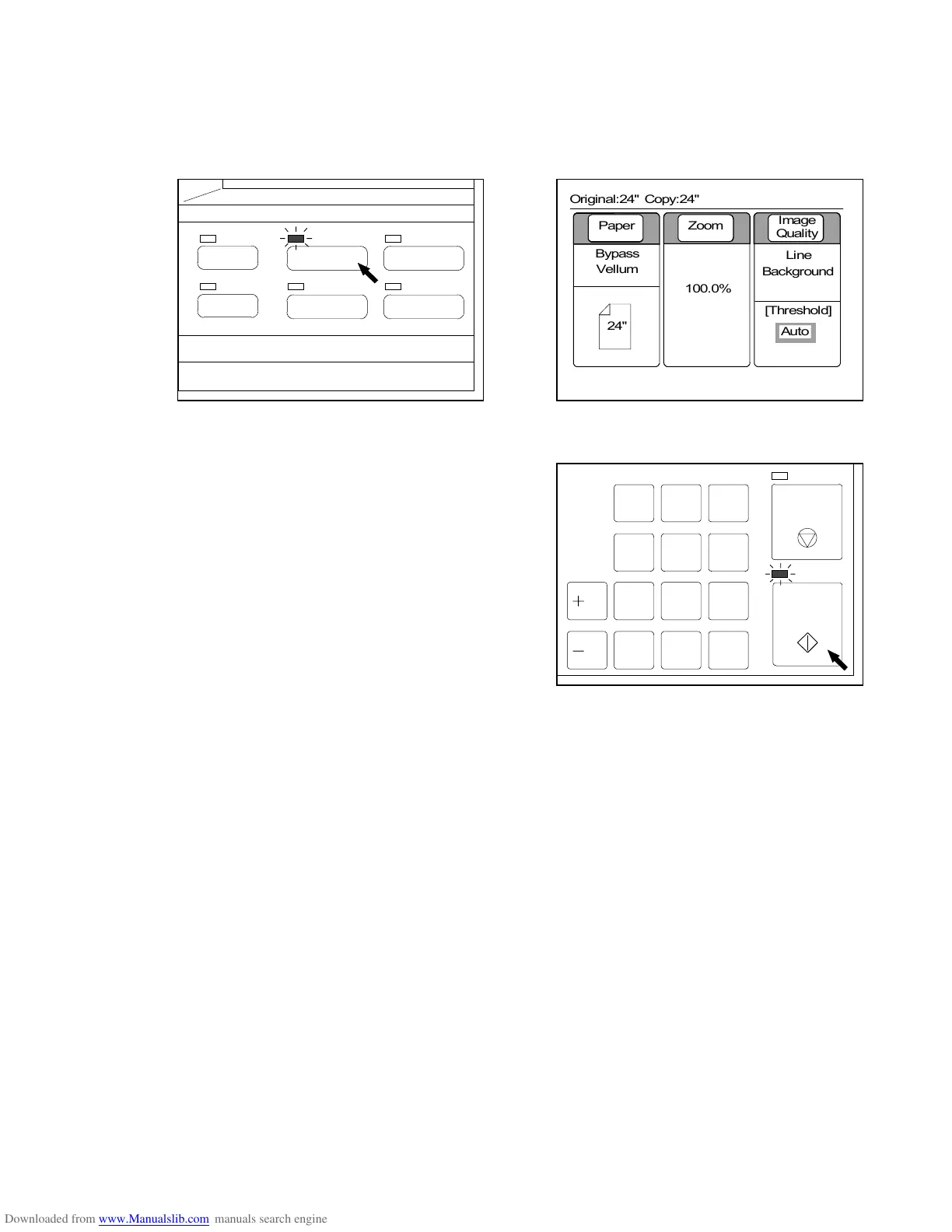
8) When you have finished to change and decide all settings, push the Basic Screen Key to go back
to the Basic Screen.
LED lamp of the Basic Screen Key lights up and LCD indicates the Basic Screen showing the
contents of your setting.
(Basic Screen Key) (Basic Screen)
9) It is possible to start copying pushing the Start Key.
You have to set the sheet media to the printer if you
do copying in the sheet media feeding.
Since the timing to set is decided whether or not
speeds of scanner and printer are same, refer to
“Setting the sheet media to the printer” on the next
page.
(Reference)
It is possible to quit scanning or multiple sheets of printing pushing the Stop/Eject Key.
As for the detail, refer to the page 2-10.
Note : Right after starting to copy pushing the Start Key, sometimes the original is carried
back to the trailing edge side, and then carried to the leading edge side again.
This action is not error.
STOP/
EJECT
START
789
456
123
0. C
/R
/L
PAPER
FUNCTION
BASIC SCREEN
MODE MEMORY
MENU
REFERENCE
0%
001



 To Next Page