EasyManua.ls Logo

KIP 2050 - Page 94

KIP 2050
252 pages
Print Icon
To Next Page IconTo Next Page
To Previous Page IconTo Previous Page
Loading...
A75UM3E8 (Ver. E.2)
3-49
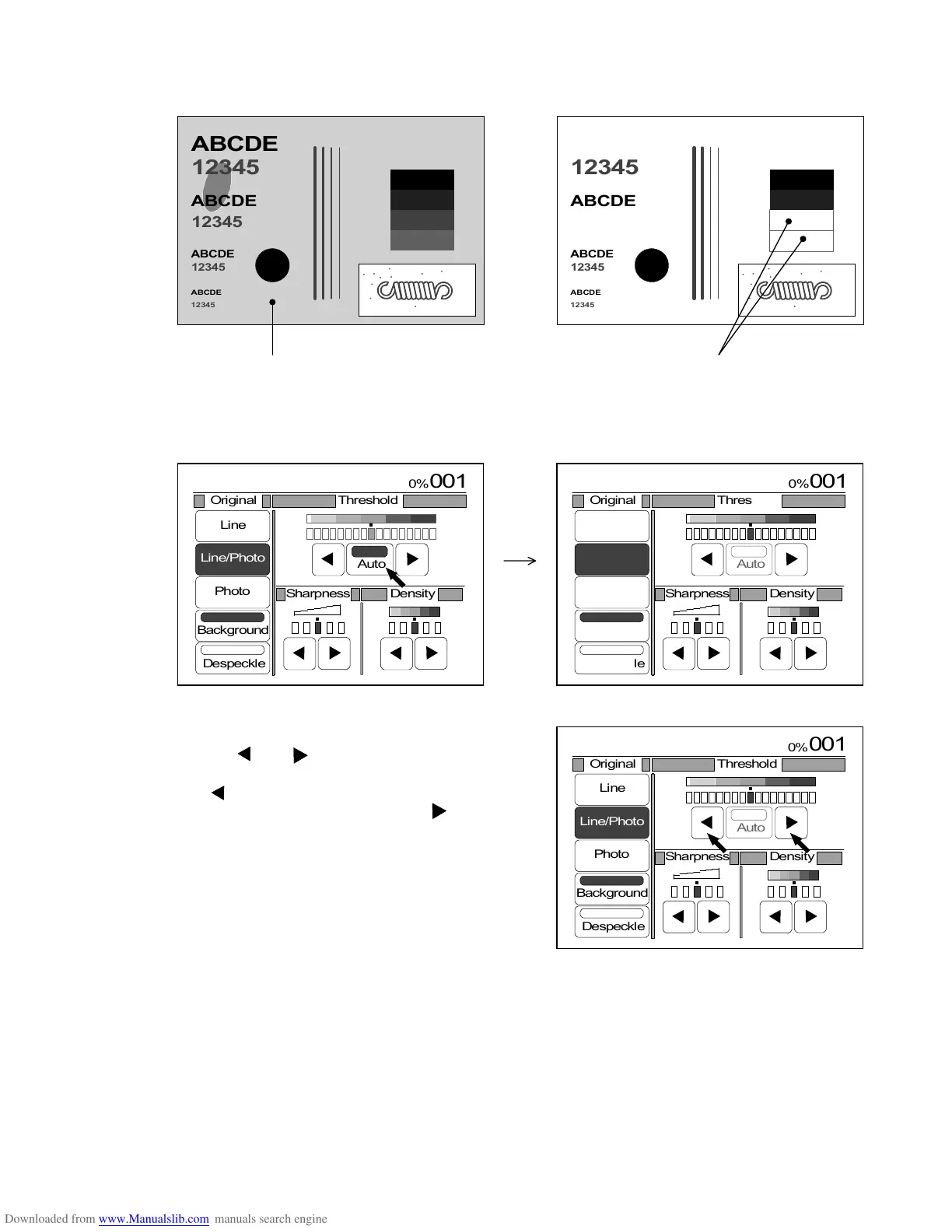
6) In most cases you will gain a proper copy that have no foggy background image.
If the copy still has some degree of foggy background image or if the necessary image is lost,
however, adjust the Threshold Level manually by doing the following 7) and 8).
(Copy still has the foggy background image.) (Necessary images are lost.)
7) Indicate the Image Quality Setting Screen again on the LCD pushing the Image Quality Key.
Press “Auto” to cancel the Auto Threshold while the Background Mode is selected.
8) It is possible to change the Threshold Level
pressing and .
If the copy has the foggy background image,
press .
If the necessary image is lost, press .
As for the detail for this adjustment of Threshold
Level, refer to “Threshold” on the page 3-54.
ABCDE
12345







ABCDE
12345
ABCDE
12345
12345
ABCDE
ABCDE
12345








ABCDE
12345
ABCDE
12345
12345
ABCDE
0%
001
Original Threshold
Line
Line/Photo
Photo
Background
Despeckle
Sharpness
Density
Auto
0%
001
Original Threshold
Line
Line/Photo
Photo
Background
Despeckle
Sharpness
Density
Auto
0%
001
Original Threshold
Line
Line/Photo
Photo
Background
Despeckle
Sharpness
Density
Auto

Table of Contents

Related product manuals