English
67
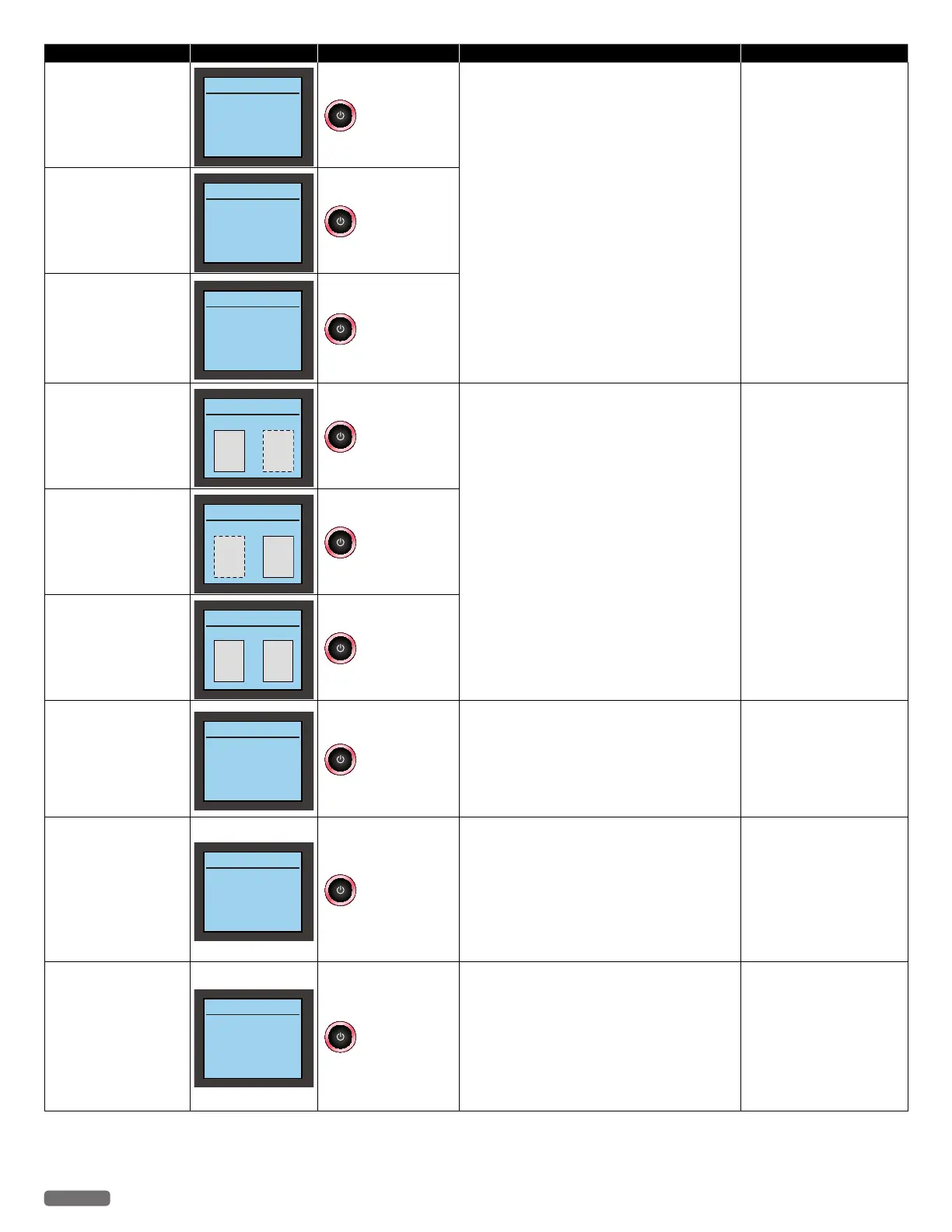
Status messages LCD messages LED behaviors Unit status or possible causes Refer to
Remove and Re-insert
black ink cartridge.
Cartridge Error
Remove and re-insert
black ink
blinks as pattern 1
Soiled or unsupported ink cartridge has been
inserted.
– Clean the surface of the nozzles and contacts on
the Ink cartridges with a dampened soft cloth
then let them dry before reinserting cartridge.
– Replace the current Ink cartridge(s) with an
authorized Ink cartridge(s).
•If this error occurs occasionally, try to replace
the current Ink cartridge(s) with a new Ink
cartridge(s).
“Cleaning the ink cartridge
nozzles and contacts”
on page 59.
“Changing the ink cartridge”
on page 57.
Remove and Re-insert
color ink cartridge.
Cartridge Error
Remove and re-insert
color ink
blinks as pattern 1
Remove and Re-insert
both black and color ink
cartridges.
Cartridge Error
Remove and re-insert
both black and
color ink
blinks as pattern 1
Black ink is empty.
Black Ink Empty
Empty
Empty
blinks as pattern 1
The ink is empty in the ink cartridge.
– Replace with a new Ink cartridge(s).
•Order new Ink cartridge(s) from our website at
www.kodakverite.com
“Changing the ink cartridge”
on page 57.
Color ink is empty.
Color Ink Empty
Empty
Empty
blinks as pattern 1
Both inks are empty.
Both Inks Empty
EmptyEmpty
blinks as pattern 1
No Ink detected
No Ink detected
Please insert
ink cartridges.
blinks as pattern 1
No ink detected.
– Remove and reinstall the Ink cartridges.
– Make sure the Ink cartridges are inserted
correctly.
– Clean the surface of the nozzles and contacts on
the Ink cartridges with a dampened soft cloth
then let them dry before reinserting cartridge.
“Changing the ink cartridge”
on page 57.
“Cleaning the ink cartridge
nozzles and contacts”
on page 59.
Black Ink Error
Black Ink Error
Please replace
the black ink.
blinks as pattern 1
Black ink cartridge error.
– Clean the surface of the nozzles and contacts on
the Ink cartridges with a dampened soft cloth
then let them dry before reinserting cartridge.
– Replace the current Ink cartridge with an
authorized Ink cartridge.
•If this error occurs occasionally, try to replace
the current Ink cartridge with a new Ink
cartridge.
“Cleaning the ink cartridge
nozzles and contacts”
on page 59.
“Changing the ink cartridge”
on page 57.
Color Ink Error
Color Ink Error
Please replace
the color ink.
blinks as pattern 1
Color ink cartridge error.
– Clean the surface of the nozzles and contacts on
the Ink cartridges with a dampened soft cloth
then let them dry before reinserting cartridge.
– Replace the current Ink cartridge with an
authorized Ink cartridge.
•If this error occurs occasionally, try to replace
the current Ink cartridge with a new Ink
cartridge.
“Cleaning the ink cartridge
nozzles and contacts”
on page 59.
“Changing the ink cartridge”
on page 57.
Continued on next page.


 To Next Page