EasyManua.ls Logo

Konica Minolta CHROMA METER - LCD Screen; LCD Screen Layout; Menu Structure

Konica Minolta CHROMA METER
114 pages
Print Icon
To Next Page IconTo Next Page
To Previous Page IconTo Previous Page
Loading...
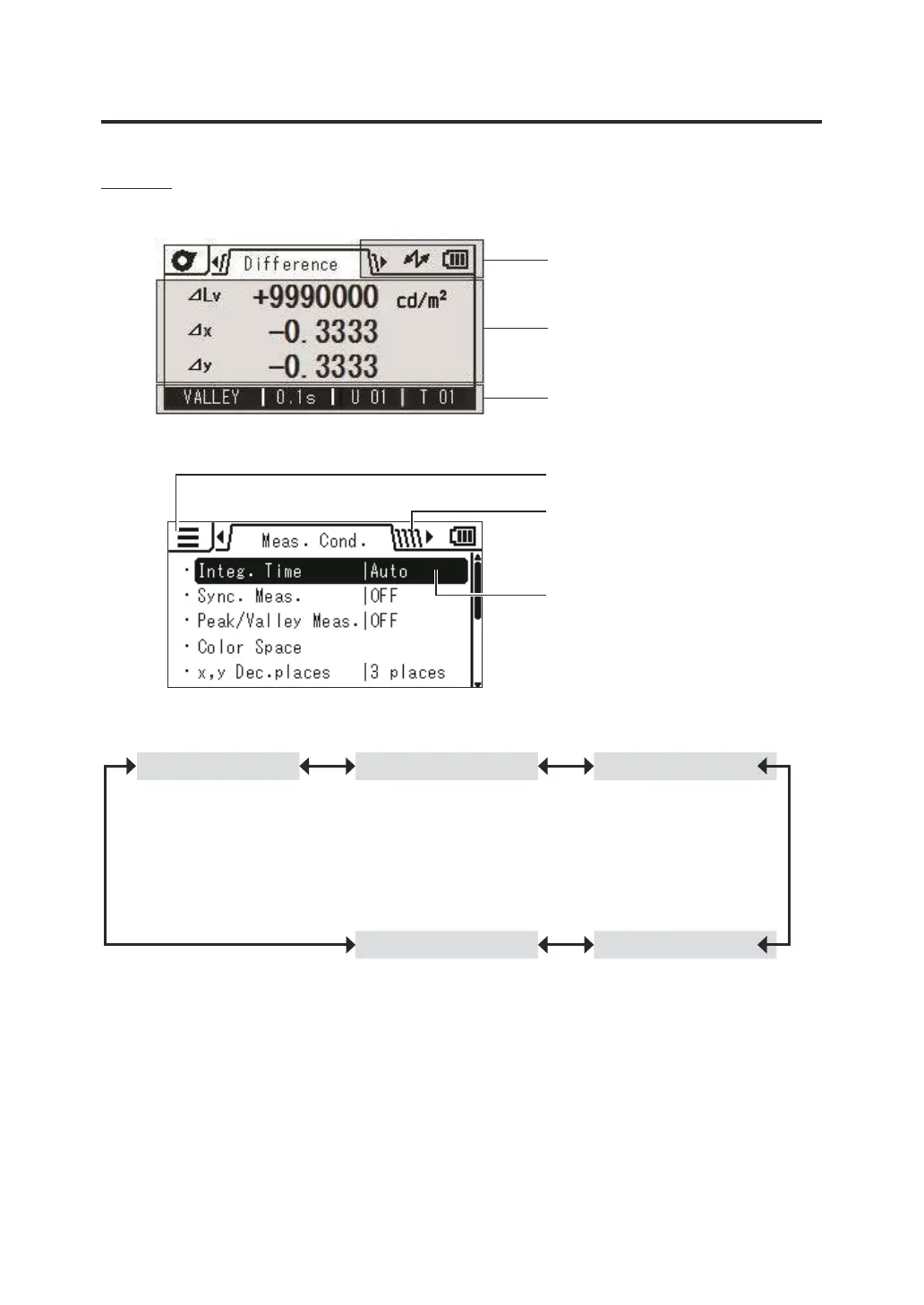
LCD Screen
Layout
Measurement screen
Instrument status area
Measurement result/information
display area
Data status area
Setting screen
Mode display area
Category tab area
(Changed with the ◄► LEFT/
RIGHT keys)
Selected item
(Changed with the ▲▼ UP/
DOWN keys)
Menu structure of the instrument
[Meas. Cond.] tab [Target] tab [User Calibr.] tab
Integ. Time
Sync. Meas.
Peak/Valley Meas.
Color Space*1
x,y Dec.places*1
CCF*2
Close-up Lens
Sel. Targ.
Measure and Register
Select from Stored Data
Enter Value
Delete
Delete All Data
Calib. Ch.
Measure and Register
Select from Stored Data
Delete
Delete All Data
[Meas. Result] tab
[Options] tab
*1: CS only
*2: LS only
Check
Delete
Delete All Data
Auto Power Off
Brightness
Save Meas.
Meas. Button
Initialize
Date/Time
Language
Calib. Alert
Instrument Info
Luminance Unit
15

Table of Contents

Related product manuals