Selecting the Integration Time
[Meas. Cond.] -
[Integ. Time]
Select the integration time according to the measurement purpose. You can select the
integration time from the following two modes. When you require high repeatability, such
as for measuring a low luminance object, select the mode offering a longer integration
time.
* Factory setting: Auto
Measurement time *1 Integration time *2
Auto *3 0.7 to 4.3 s 0.1 to 1.6 s
Manual 0.7 to 7.1 s 0.1 to 3.0 s
*1 Time required for actual measurement that is calculated as: "Integration time x 2 + Time for shutter opening
and closing + Calculation time"
*2 Time required for the sensor to measure light (i.e. exposure time)
*3 The measurement time is automatically switched according to the luminance. The following tables show the
integration time for measuring an "A" light source.
CS-150
Lv (cd/m
2
)
Up to 1 Up to 2 Up to 5 Up to 50 50 or more
Integration time (s)
0.8 0.4 0.3 0.2 0.1
CS-160
Lv (cd/m
2
)
Up to 8 Up to 10 Up to 20 Up to 50 Up to 500 500 or more
Integration time (s)
0.8 0.6 0.4 0.3 0.2 0.1
LS-150
Lv (cd/m
2
)
Up to 0.2 Up to 0.3 Up to 0.6 Up to 1 Up to 2 Up to 5 Up to 8 Up to 10 Up to 100 100 or more
Integration time (s)
1.6 1.4 1.2 1.0 0.8 0.6 0.4 0.3 0.2 0.1
LS-160
Lv (cd/m
2
)
Up to 1.5 Up to 3 Up to 4 Up to 5 Up to 8 Up to 10 Up to 20 Up to 50 Up to 100 100 or more
Integration time (s)
1.6 1.4 1.2 1.0 0.8 0.6 0.4 0.3 0.2 0.1
Operating Procedure
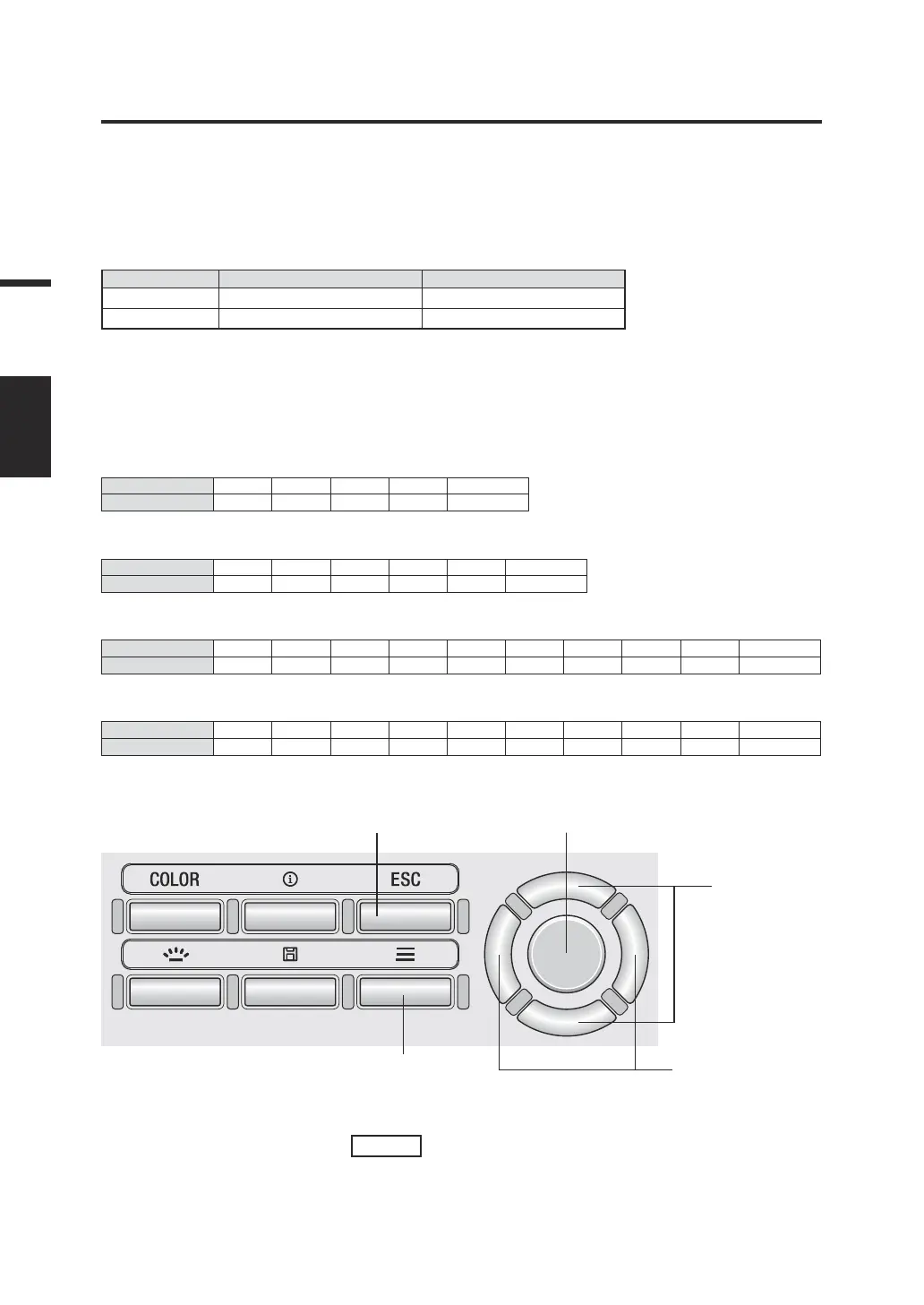
1
7 3, 5, 6
2
3, 4, 6
1. While the measurement screen is
displayed, press the
MENU
key.
The setting screen is displayed on the LCD
screen.
28
Settings
MEAS
SPEED




 To Next Page