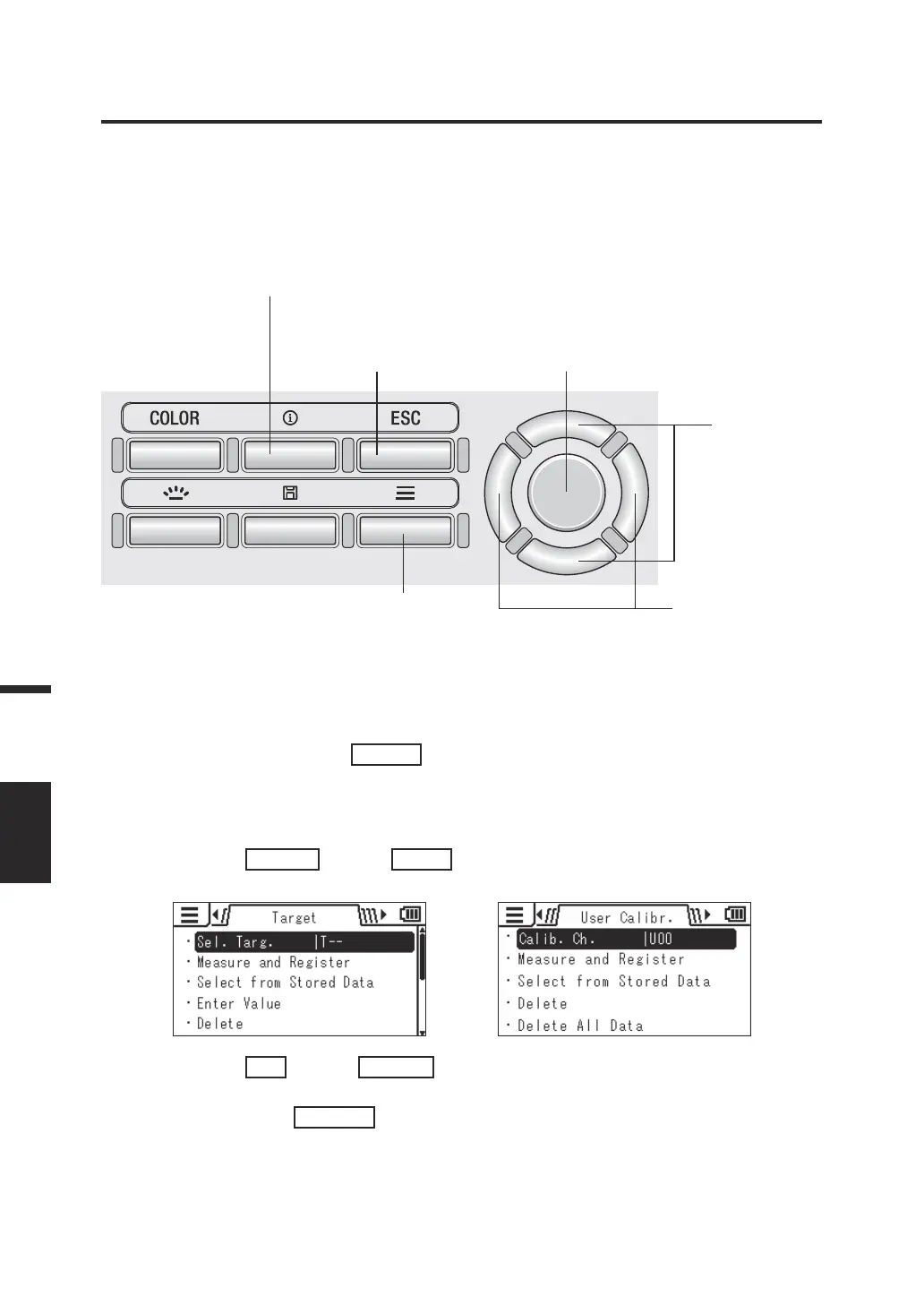
Selecting and Checking the Target/Calibration Channel
INFO key
You can select or check the measured values being stored by following the procedure
below. (This function is intended for selecting or checking the values stored for [Target] or
[User Calibr.].)
Operating Procedure 1
INFO key: Press this key and you can check the measurement
condition or the target/user calibration value being used.
1
5, 6 3, 5
2, 4
3, 4
Operating Procedure 2
1. While the measurement screen is
displayed, press the
MENU
key.
The setting screen is displayed on the LCD
screen.
2. Press the
RIGHT
key or
LEFT
key to display the [Target] or [User
Calibr.] screen.
3. Press the
UP
key or
DOWN
key to
select [Sel. Targ.] or [Calib. Ch.] and
then press the
ENTER
key.
80
Measurement
MEAS.
RESULT















 To Next Page