Selecting the Decimal Places for the Chromaticity Display
[Meas. Cond.] -
[x,y Dec.places]
You can select to use four or three decimal places for the chromaticity display. If the
measured value displayed on the LCD screen uctuates and is hard to read, select three
decimal places.
* Number of decimal places for chromaticity display: 4 places or 3 places
* Factory setting: 4 places
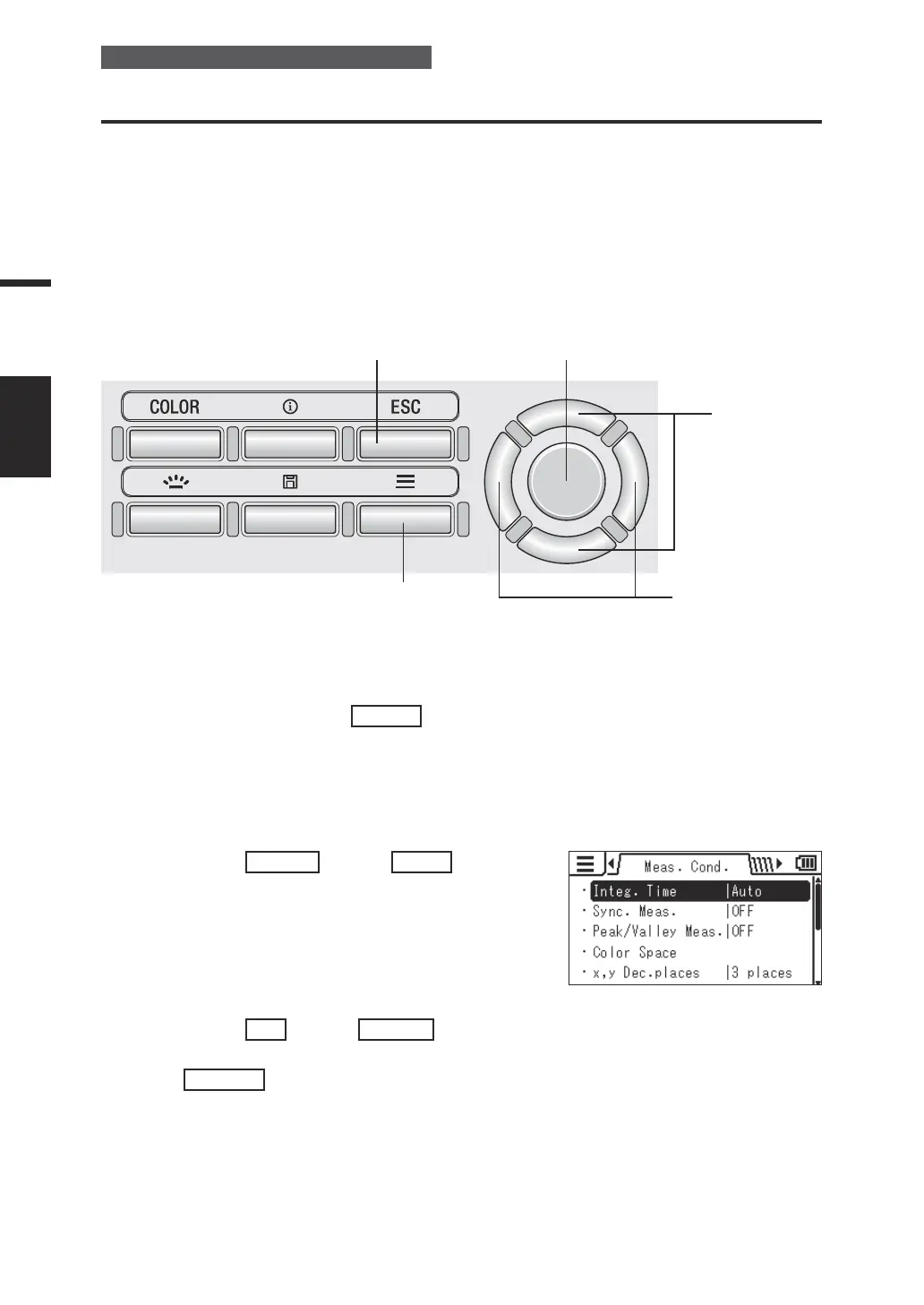
Operating Procedure
1
5 3
2
3, 4
1. While the measurement screen is
displayed, press the
MENU
key.
The setting screen is displayed on the LCD
screen.
2. Press the
RIGHT
key or
LEFT
key to
display the [Meas. Cond.] screen.
3. Press the
UP
key or
DOWN
key to
select [x,y Dec.places] and then press
the
ENTER
key.
CS-specic menu (Not shown for LS)
38
Settings
DISPLAY
DIGITS















 To Next Page