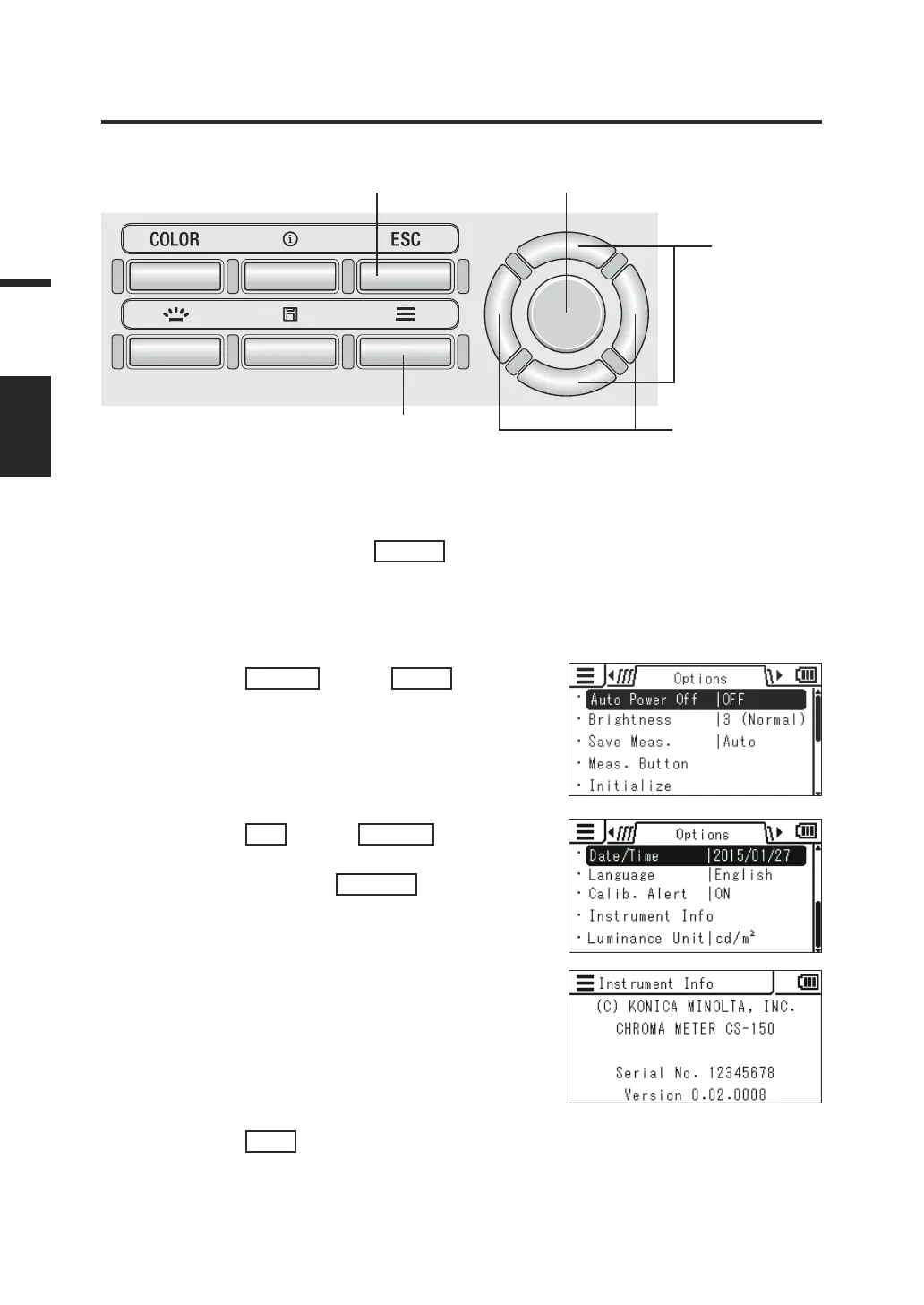
Checking the Instrument Information
[Options] -
[Instrument Info]
Operating Procedure
1
3
2
34
1. While the measurement screen
is displayed, press the
MENU
key.
The setting screen is displayed on the
LCD screen.
2. Press the
RIGHT
key or
LEFT
key to display the [Options]
screen.
3. Press the
UP
key or
DOWN
key to select [Instrument Info]
and then press the
ENTER
key.
Version and other information about the
instrument are displayed on the LCD
screen.
4. Press the
ESC
key twice.
The measurement screen is displayed
on the LCD screen.
62
Settings
VERSION















 To Next Page