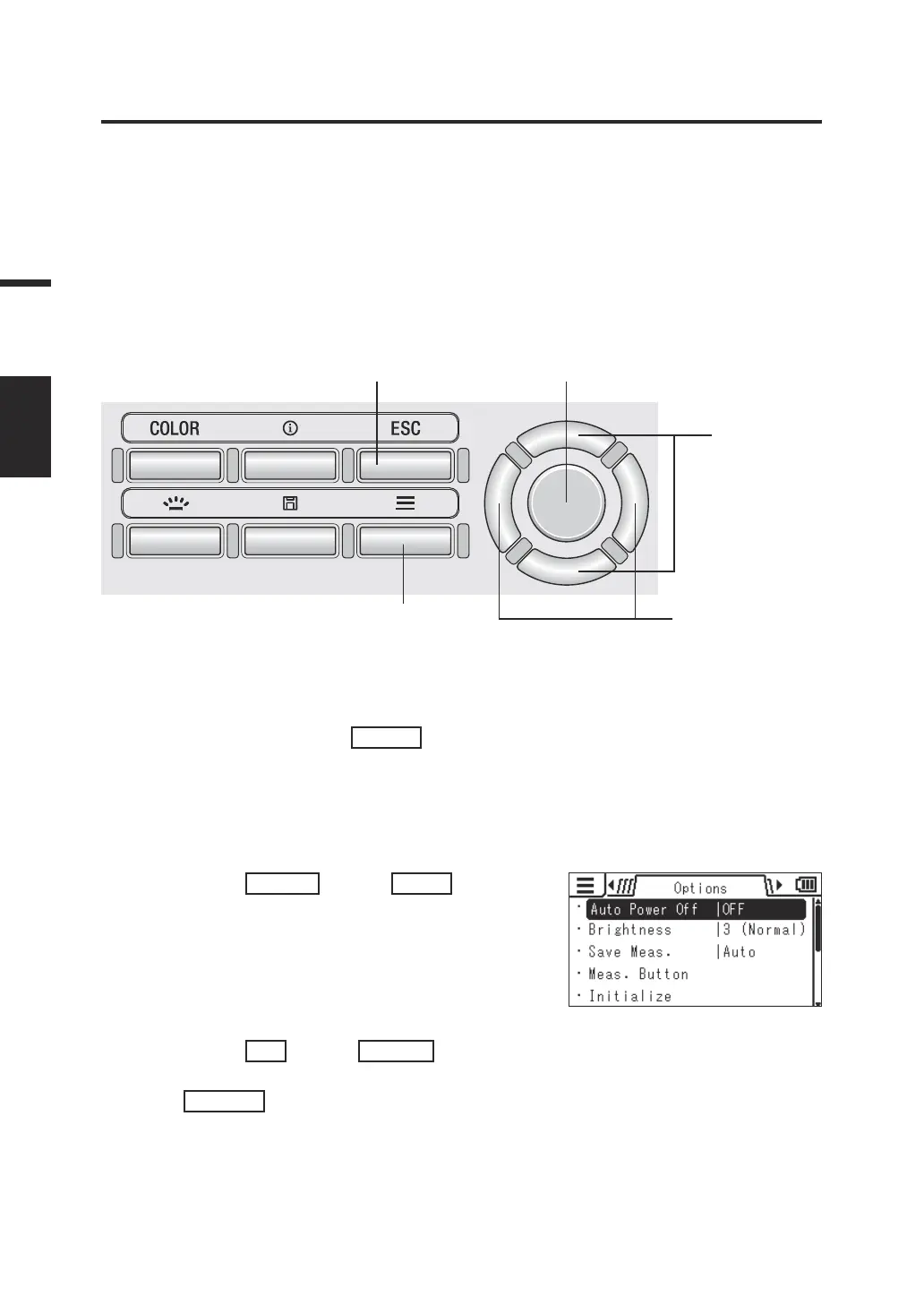
Selecting the Measuring Button Function
[Options] -
[Meas. Button]
You can select the function of the Measuring button from "Standard" and "Toggle." The
former performs measurement while the button is pressed and holds the last value when
the button is released; and the latter starts measurement when the button is pressed and
continues it until the button is pressed again.
* Measuring button function selection: Standard or Toggle
* Factory setting: Standard
Operating Procedure
1
5 3
2
3, 4
1. While the measurement screen is
displayed, press the
MENU
key.
The setting screen is displayed on the LCD
screen.
2. Press the
RIGHT
key or
LEFT
key to
display the [Options] screen.
3. Press the
UP
key or
DOWN
key to
select [Meas. Button] and then press
the
ENTER
key.
44
Settings
MEAS
MODE















 To Next Page