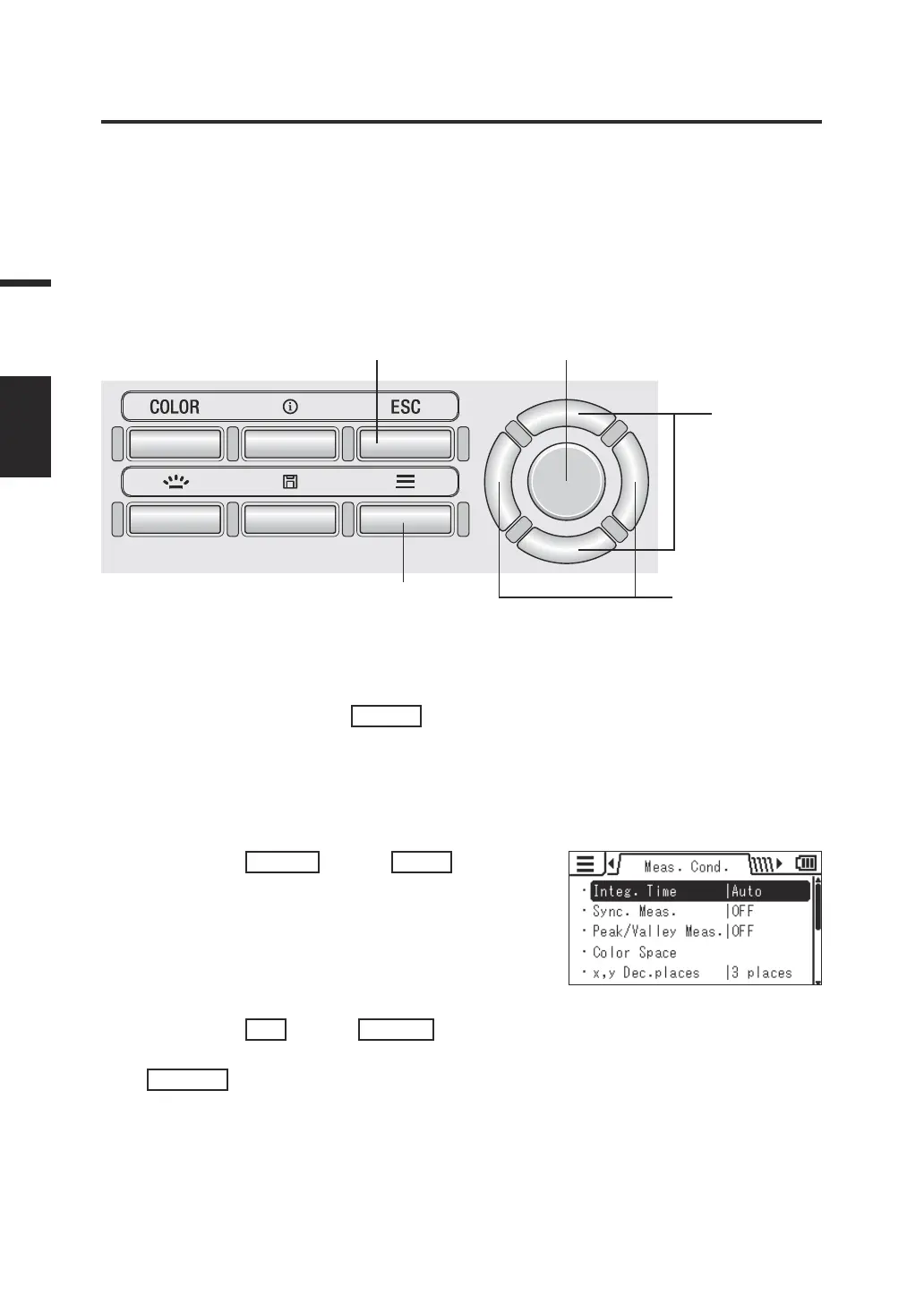
Setting the Synchronized Measurement Mode
[Meas. Cond.] -
[Sync. Meas.]
The synchronized measurement mode is a mode to perform measurement in
synchronization with the ashing frequency of a light source that ashes at a constant
cycle, such as the vertical synchronization frequency of a display unit.
* Synchronization frequency setting range: 20.00 to 200.00 Hz
* Factory setting: OFF
Operating Procedure
1
7 3, 5, 6
2, 6
3, 4, 6
1. While the measurement screen is
displayed, press the
MENU
key.
The setting screen is displayed on the LCD
screen.
2. Press the
RIGHT
key or
LEFT
key to
display the [Meas. Cond.] screen.
3. Press the
UP
key or
DOWN
key to
select [Sync. Meas.] and then press the
ENTER
key.
30
Settings
SYNC
MODE















 To Next Page