EasyManua.ls Logo

Kramer VP-440 - Page 58

Kramer VP-440
65 pages
Print Icon
To Next Page IconTo Next Page
To Previous Page IconTo Previous Page
Loading...
Kramer Electronics Ltd.
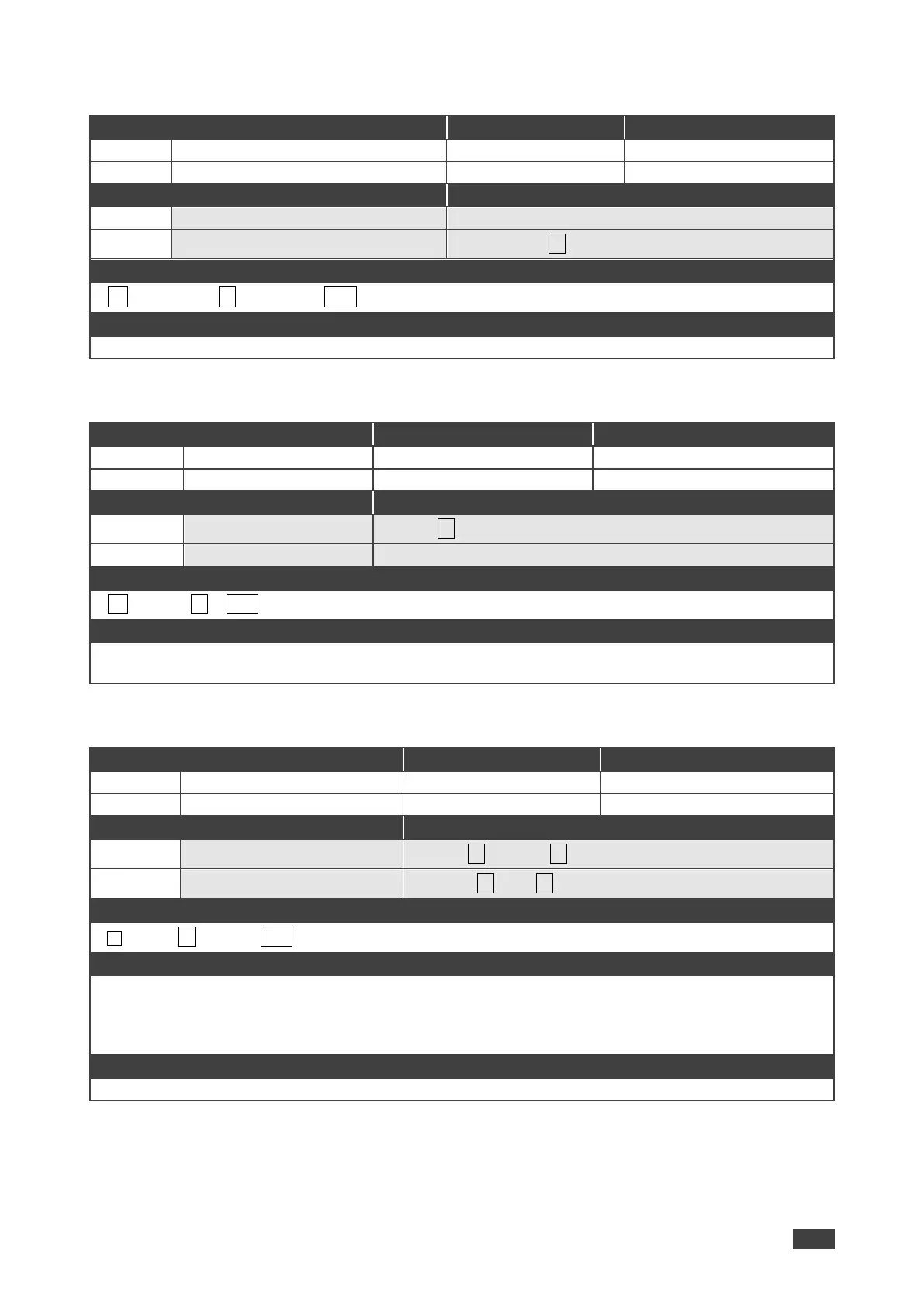
VP-440 Protocol 3000
56
PROT-VER?
Functions
Permission
Transparency
Set:
-
-
-
Get:
PROT-VER?
End User
-
Description
Syntax
Set:
-
-
Get:
Get protocol version
#PROT-VER?
Response
~nn@PROT-VER3000:version␍␊
Parameters
Version Format: XX.XX where X is a decimal digit
RESET
Functions
Permission
Transparency
Set:
RESET
Administrator
-
Get:
-
-
-
Description
Syntax
Set:
Reset device
#RESET
Get:
-
-
Response
~nn@RESETOK␍␊
Notes
To avoid locking the port due to a USB bug in Windows, disconnect USB connections immediately after
running this command. If the port was locked, disconnect and reconnect the cable to reopen the port.
ROUTE
Functions
Permission
Transparency
Set:
ROUTE
End User
-
Get:
ROUTE?
End User
-
Description
Syntax
Set:
Set layer routing
#ROUTEP1,P2,P3
Get:
Get layer routing
#ROUTE?P1,P2
Response
~ nn @ROUTEP1,P2,P3␍␊
Parameters
P1 (Layer number) 12=Video+Audio
P2 1=Scaler
P3 (Route from, valid values are in accordance to the selected layer and Route to selected according to
P1 and P2) video inputs = 0 (HDMI 1), 1 (HDMI 2), 2 (HDMI 3), 3 (HDMI 4), 4 (PC 1), 5 (PC 2)
Notes
This command replaces all other routing commands.

Other manuals for Kramer VP-440

Related product manuals