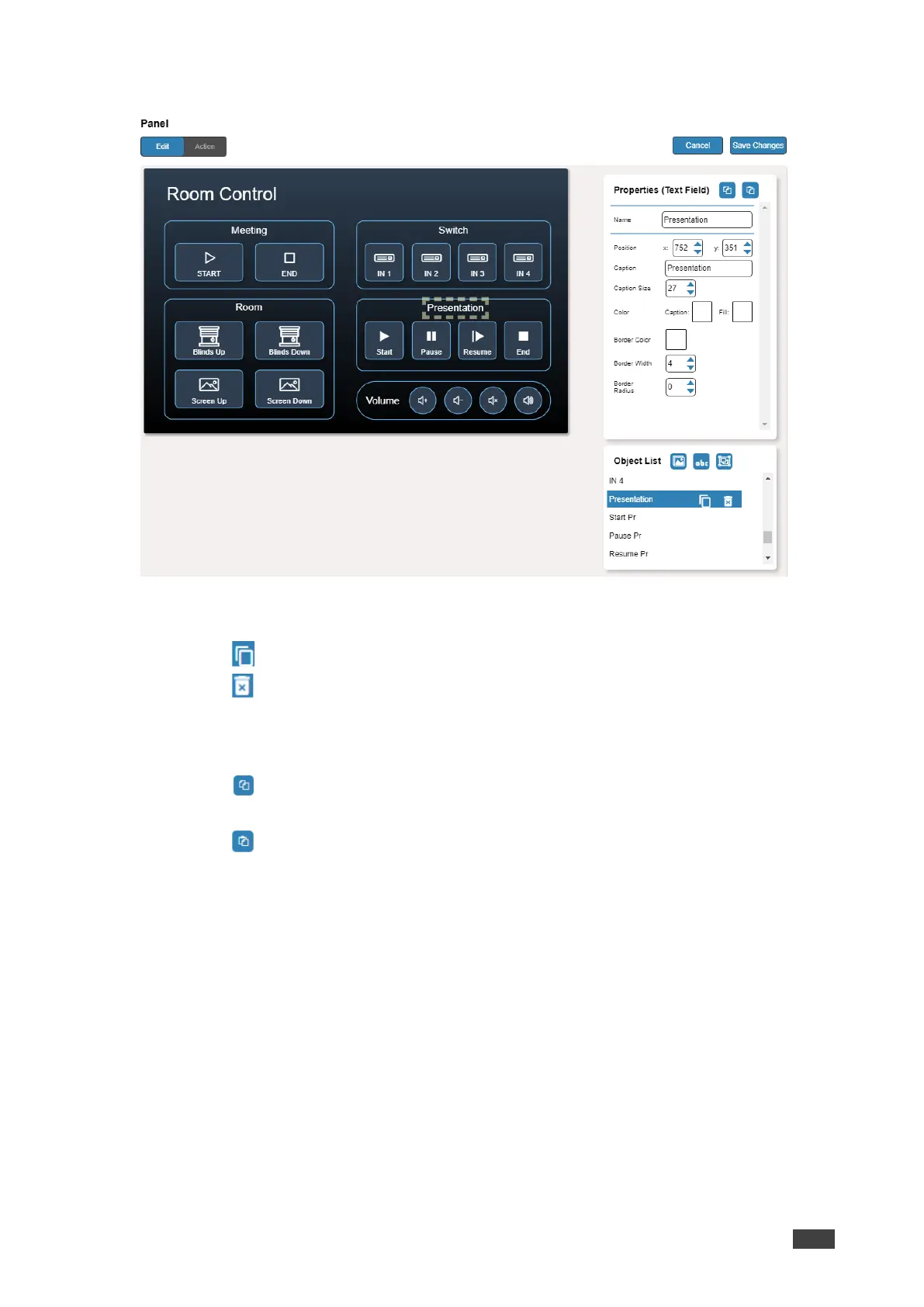
The Properties (Text Field) and NewTextField Object list appear:
Figure 48: Edit Panel – Properties (Text Field) Area
5. Next to Presentation, do any of the following:
▪ Click next to duplicate the text field.
▪ Click to remove the text field.
6. In the Properties (Text Field) area, perform any of the following actions:
7. Perform any of the following actions:
▪ Click to copy the selected text field properties (Caption Size, Caption and Fill
Color, Border Width and Color, and Border Radius).
▪ Click to paste button properties to a selected Text Field.
▪ Change the text field name.
▪ Set the position of the button by moving the button (or by entering the x, y position).
▪ Enter the caption.
▪ Enter Caption Size (or use up/down arrows).
▪ Click the Caption and Fill colors to change them.
▪ Change the button Icon and select its Color.
▪ Click Border Color button to select border color.
▪ Enter Border Width to change the border width (or use up/down arrows).
▪ Enter Border Radius to change the border edge radius (or use up/down arrows).
8. Click Save Changes.
Presentation text field is configured.



 To Next Page