Modifying a Frame
The default Maestro Control panel includes several frames (for example, the Video Frame)
that can be modified via the Edit Panel tab.
To modify a frame:
1. In the Navigation pane, click Automation. The Automation page appears (see
Figure 39).
2. Click the Panel tab. The VS-411XS Maestro Room Control panel appears (see
Figure 43).
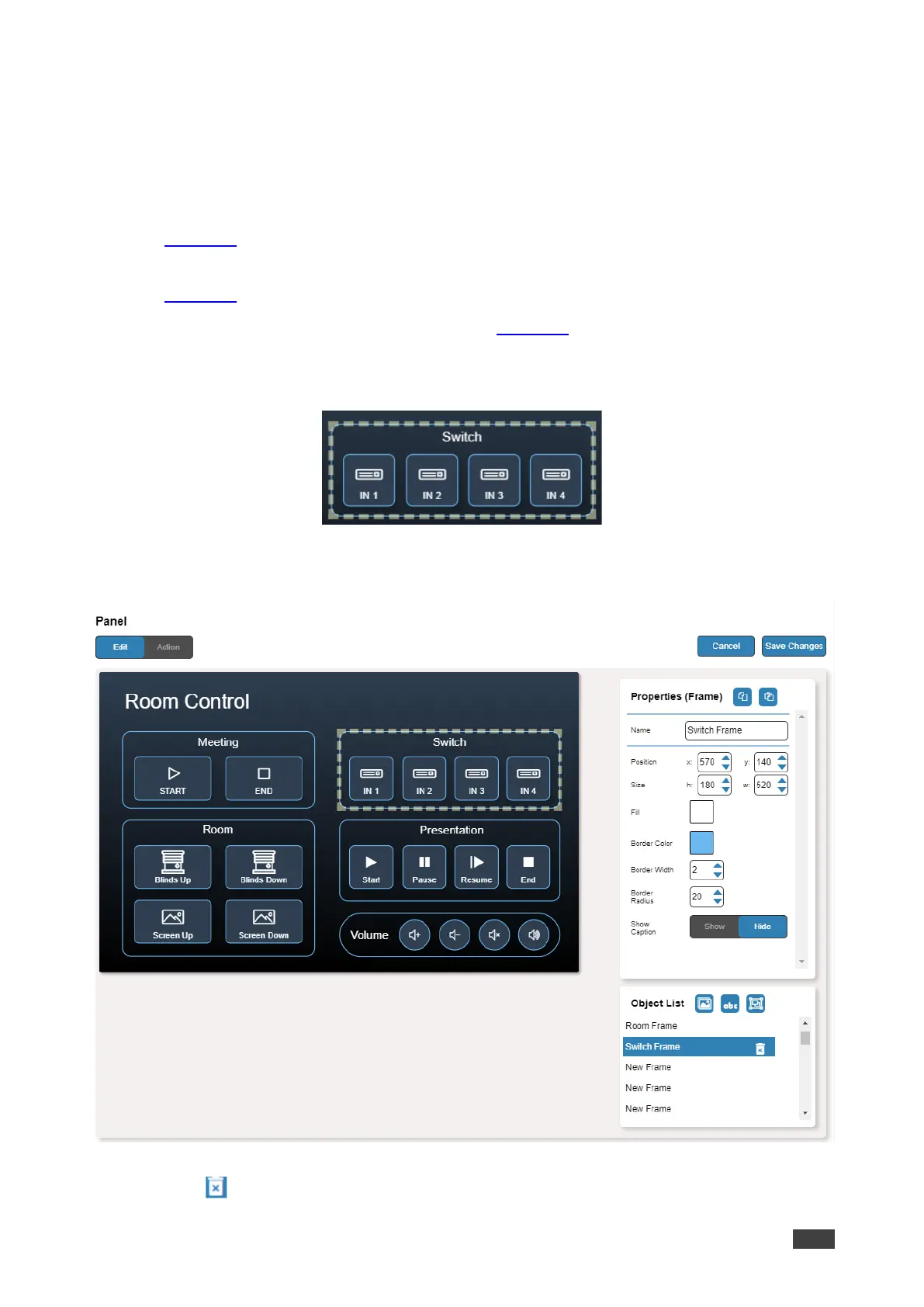
3. Click Edit. Edit Panel window appears (see Figure 44).
4. Click the relevant frame (in this example, Switch Frame appears in the Object List).
Video frame is selected in the control panel.
Figure 49: Edit Panel – Video Frame Selected
The Properties (Frame) and Video Frame Object list appear:
Figure 50: Edit Panel – Properties (Button) Area
5. Click next to Video Frame to remove the frame from the panel.



 To Next Page