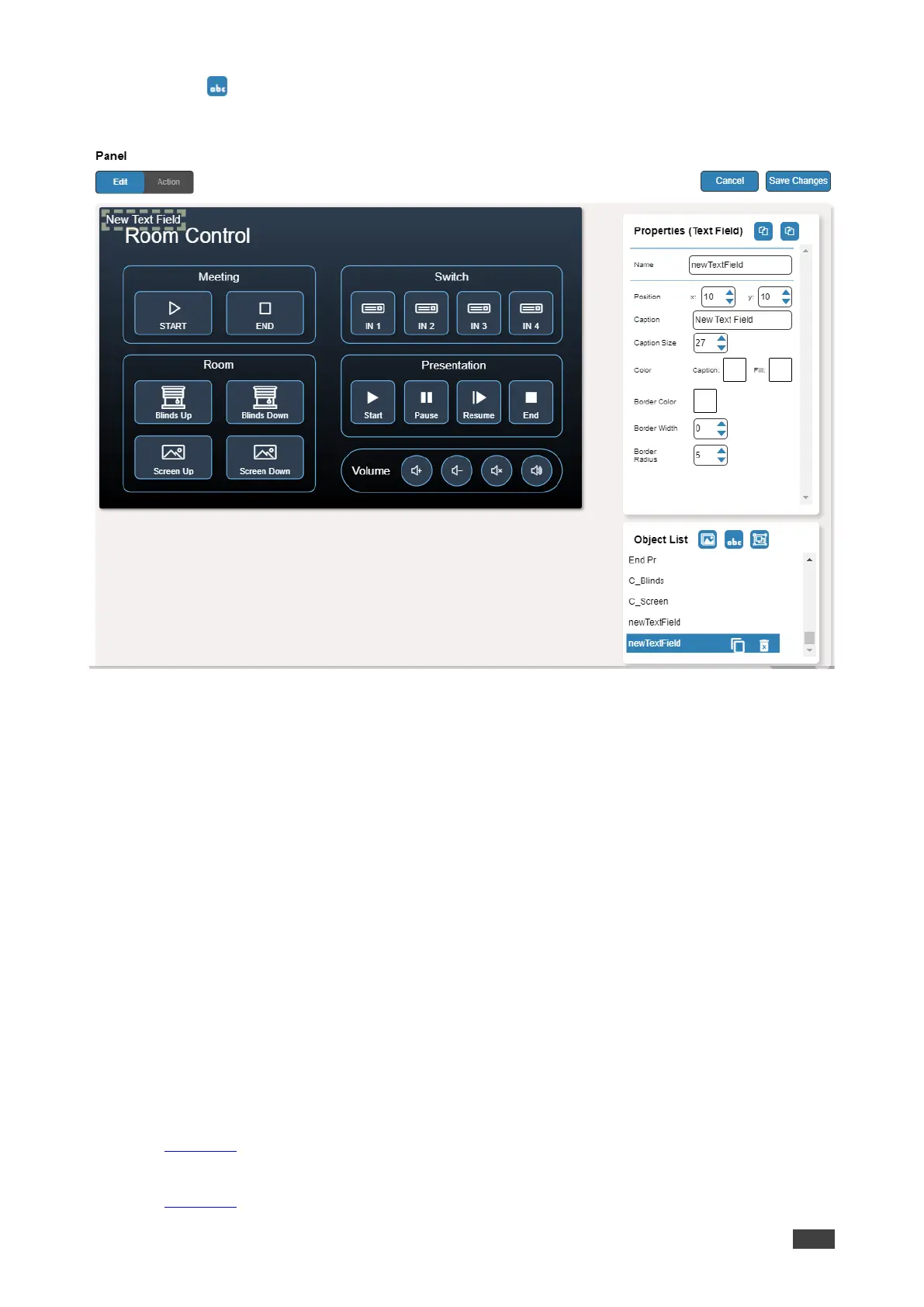
4. Click (add a text field) to add a new text field to the panel. A new text field is added
to the top left side of the panel.
Figure 53: Adding a New Text Field
5. Enter the text field name. For example, use “Meeting Space” to define meetings on/off
area.
6. Enter the text caption.
7. Design the text field appearance by selecting its:
▪ Position and size.
▪ Caption color and background fill.
▪ Border width, color and radius.
8. Click Save Changes.
A new text field is added.
Adding a New Frame
The frame in the Maestro Control panel is designed to encircle a group of buttons.
To add a new frame:
1. In the Navigation pane, click Automation. The Automation page appears (see
Figure 39).
2. Click the Panel tab. The default VS-411XS Maestro Control panel appears (see
Figure 43).



 To Next Page