CONTROLS 18
– Press the button for 3 - 5 seconds.
The settings are saved and the Setup menu closed.
Info
If no button is pressed for 20 seconds, or if no impulse comes from the
wheel speed sensor, the settings are automatically saved and the Setup
menu is closed.
5.17Querying the lap time
Info
This function can be called only if lap times are measured.
Condition
The motorcycle is standing.
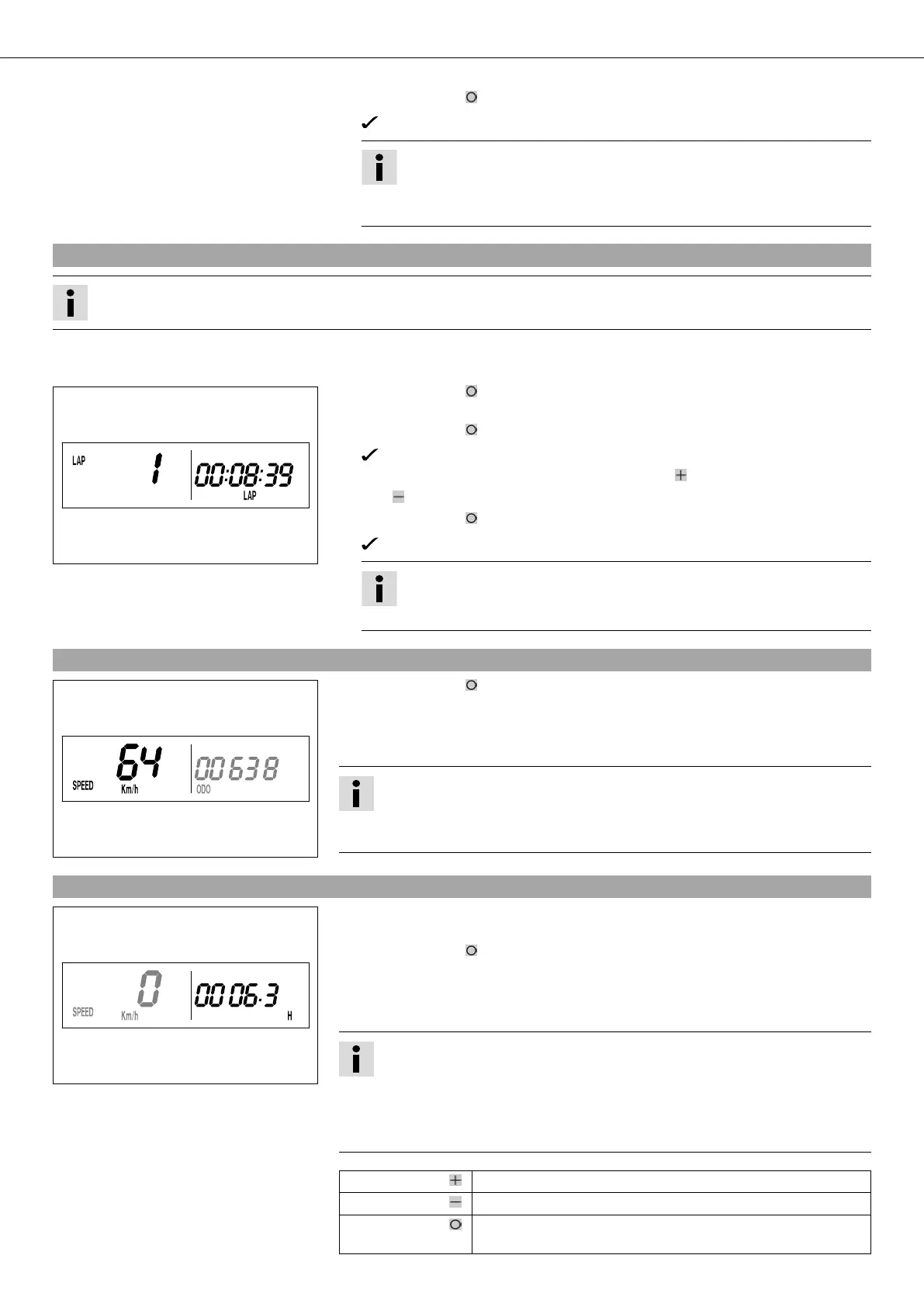
400321-01
– Press the button briefly and repeatedly until LAP appears at the bottom right of
the display.
– Press the button briefly.
LAP 1 appears on the left side of the display.
– Laps 1-10 can be displayed by pressing the button .
– The button has no function
– Press the button briefly.
Next display mode
Info
If an impulse is received from the wheel speed sensor, the left side of the
display changes back to the SPEED mode.
5.18SPEED display mode (speed)
400317-02
– Press the button briefly and repeatedly until SPEED appears on the left side of
the display.
The current speed is displayed in the SPEED display mode.
The current speed can be displayed in Km/h or Mph.
Info
Making the setting according to the country.
When an impulse comes from the front wheel, the left side of the speedometer
display changes to the SPEED mode and the current speed is shown.
5.19SPEED/H display mode (service hours)
400316-01
Condition
• Vehicle at a standstill
– Press the button briefly and repeatedly until H appears at the bottom right of the
display.
The number of service hours of the engine is shown in the H display mode.
The service hour counter stores the total traveling time.
Info
The service hour counter is necessary for ensuring that maintenance work is car-
ried out at the right intervals.
If the speedometer is in the H display mode at the start of the trip, it automati-
cally changes to the ODO display mode.
The H display mode is suppressed during travel.
Press the button . No function
Press the button . No function
Press the button
for 3 - 5 seconds.
The display changes to the Setup menu of the speedometer
functions.



 To Next Page