CONTROLS 20
Press the button
for 3 - 5 seconds.
The TR1, A1 and S1 displays are reset to 0.0.
Press the button
briefly.
next display mode
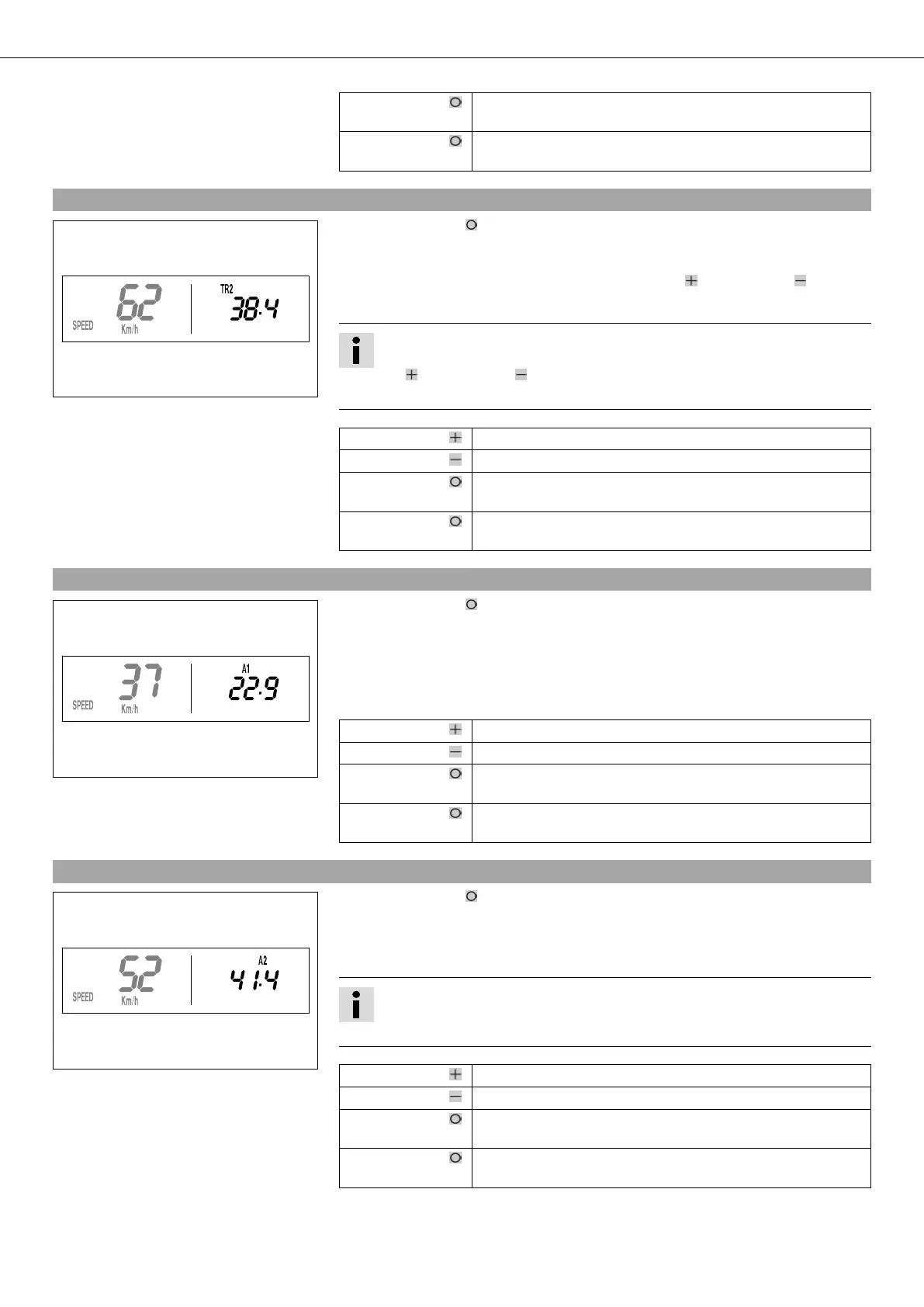
5.24SPEED/TR2 display mode (trip master 2)
400324-01
– Press the button briefly and repeatedly until TR2 appears at the top right of the
display.
TR2 (trip master 2) runs constantly and counts to 999.9.
The displayed value can be set manually with the button and the button . A very
practical function for rides by the road book.
Info
The TR2 value can also be corrected manually during the trip using the but-
ton and the button .
If 999.9 is exceeded, TR2 is automatically reset to 0.0.
Press the button . Increases value TR2.
Press the button . Decreases value TR2.
Press the button
for 3 - 5 seconds.
Clears value TR2.
Press the button
briefly.
next display mode
5.25SPEED/A1 display mode (average speed 1)
400325-01
– Press the button briefly and repeatedly until A1 appears at the top right of the
display.
A1 (average speed 1) shows the average speed calculated on the basis of TR1 (trip mas-
ter 1) and S1 (stop watch 1).
The calculation of this value is activated by the first impulse of the wheel speed sensor
and ends 3 seconds after the last impulse.
Press the button . No function
Press the button . No function
Press the button
for 3 - 5 seconds.
The TR1, A1 and S1 displays are reset to 0.0.
Press the button
briefly.
next display mode
5.26SPEED/A2 display mode (average speed 2)
400326-01
– Press the button briefly and repeatedly until A2 appears at the top right of the
display.
A2 (average speed 2) shows the average speed on the basis of the current speed if the
stop watch S2 (stop watch 2) is running.
Info
The displayed value can differ from the actual average speed if S2 is not
stopped after the ride.
Press the button . No function
Press the button . No function
Press the button
for 3 - 5 seconds.
–
Press the button
briefly.
next display mode



 To Next Page