10-6
Troubleshooting > Replacing the Maintenance Kit (MK-370)
Replacing the Maintenance Kit (MK-370)
When the print position shifts out of place or originals are not feeded, components must be replaced. Contact your
Service Representative and purchase the maintenance kit. Follow the procedure below to replace the maintenance kit.
1
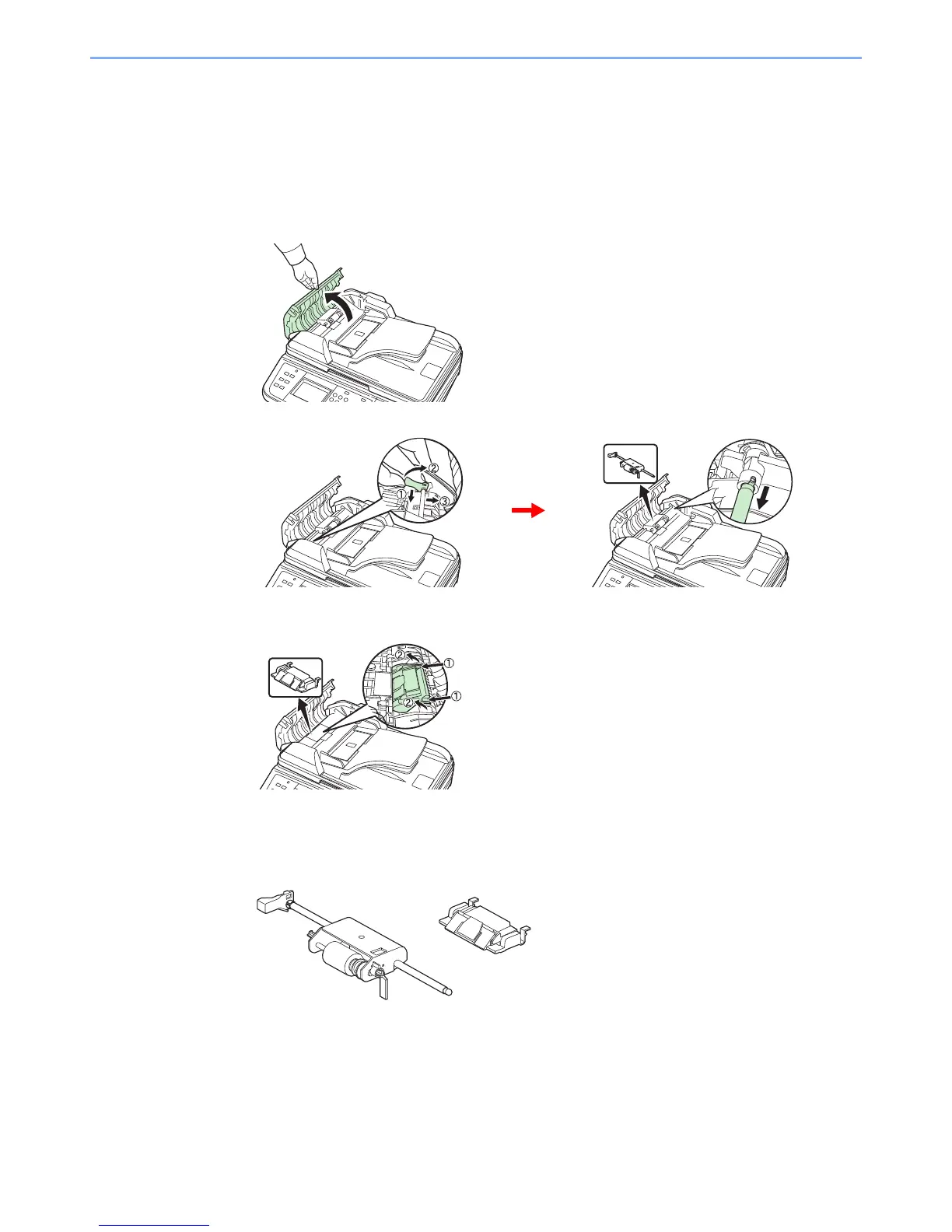
Remove the paper feed roller.
1
2
2
Remove the separation pad.
While pressing down on the hooks (x2) shown in the diagram, lift up and remove the
separation pad.
3
Install a new paper feed roller and separation pad.
Remove the new separation pad and paper feed roller from the maintenance kit and follow the
removal procedures in reverse to install.


 To Next Page
 Loading...











