10-26
Troubleshooting > Clearing Paper Jams
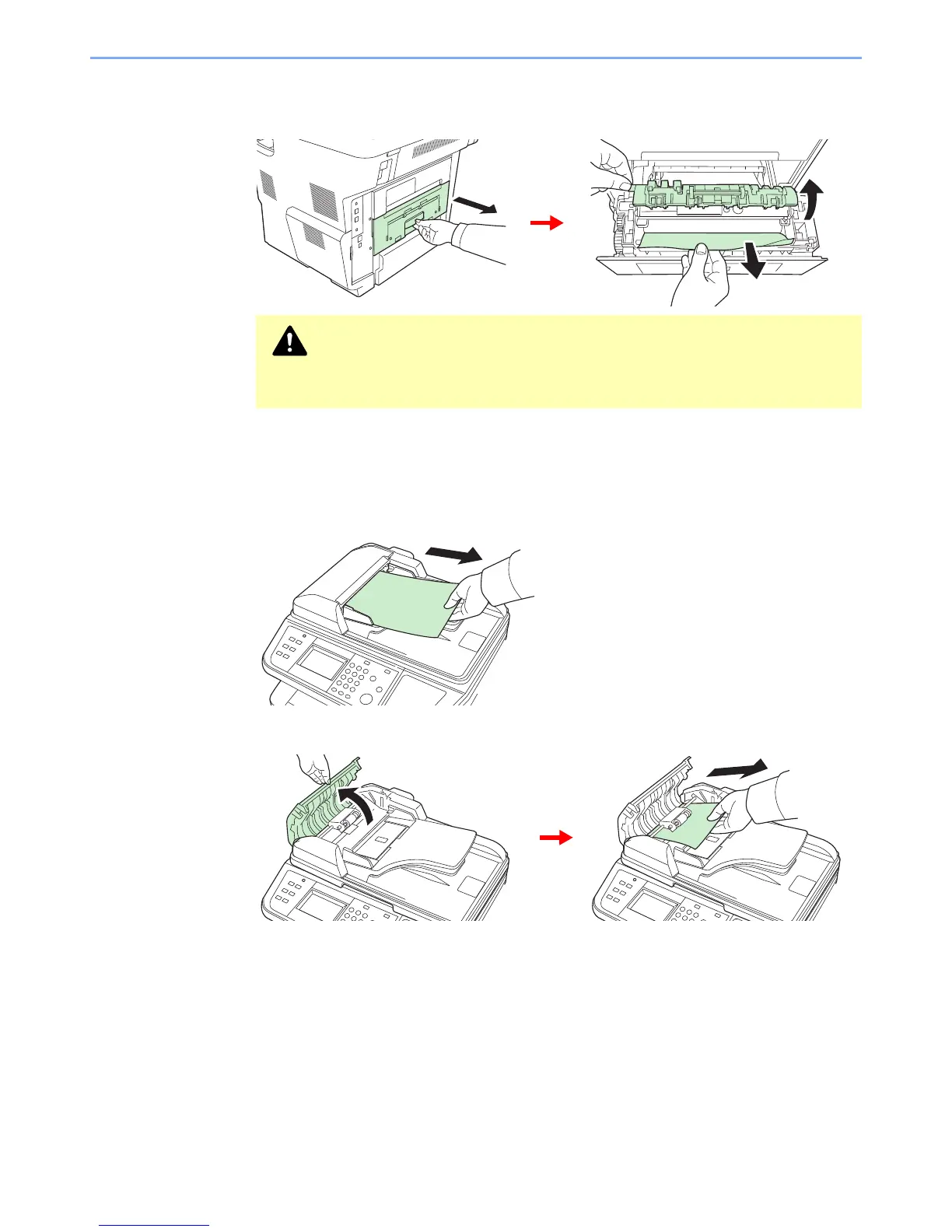
Rear Unit
Follow the steps below to clear paper jams in the rear unit.
Document Processor
Follow the steps below to clear paper jams in the document processor.
1
2
If the original is caught in the rollers or difficult to remove, proceed to the next step.
CAUTION
The fuser unit inside the machine is hot. Do not touch it with your hands as it may
result in burn injury. Remove jammed paper carefully.



 To Next Page
 Loading...










